

Mermaid Chart
Mermaid Chart · Productivity
Mermaid Chart is an AI diagramming tool that turns text into flowcharts, sequence diagrams, and Gantt charts. It offers a free plan and paid plans for teams that need more AI and collaboration.
About Mermaid Chart
What Is Mermaid Chart
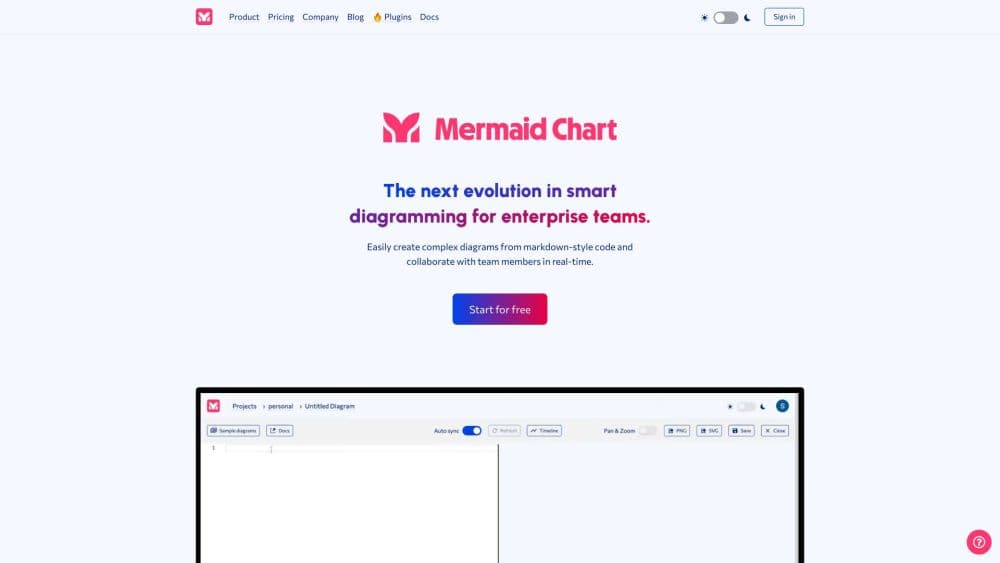
Mermaid Chart is a web app built on top of Mermaid, an open source diagramming syntax that developers have used for years inside Markdown files and docs. The commercial product adds a visual editor, an AI assistant, and team features on top of that same text-first approach. Write a few lines describing a process, and the tool draws it as a diagram you can style, share, or export.
The idea behind it is that typing is faster than dragging boxes. Instead of lining up shapes by hand, you describe the structure and let the renderer handle layout. That fits developers writing docs, teams mapping out a workflow, or anyone who wants a diagram that stays in sync with the text it came from.
The biggest limits are around scope. It is a diagramming tool, not a general design suite, so it does not replace something like Figma for polished visuals. Some diagram types and the more advanced AI features sit behind paid plans, and the AI output still needs a review before you ship it.
Getting Started
- Sign up for a free account on the Mermaid Chart site, or install a plugin for your editor or docs tool.
- Start a new diagram and type Mermaid syntax in the code pane, or ask the AI to draft one from a plain-language prompt.
- Adjust the layout, colors, and theme in the visual editor, or keep editing the text directly.
- Invite teammates to comment or edit the same diagram when you need a second pair of eyes.
- Export as PNG or SVG, share a link, or embed the diagram in your docs and presentations.
Product Information
A quick look at Mermaid Chart's pricing, supported platforms, and performance.
Best for
The users, tasks, and scenarios where this tool fits best.
Users
- Developers
- Technical writers
- Product managers
- Team leads
Tasks
- Creating flowcharts
- Building sequence diagrams
- Planning timelines
- Documenting systems
- Generating diagrams with AI
Scenarios
- Onboarding a new teammate
- Reviewing an architecture change
- Presenting a plan
- Teaching or explaining a concept
Key features
Text-to-diagram editing
You type Mermaid syntax and the diagram renders live as you edit. The whole point is speed: a few lines of text replace the usual drag, align, and resize loop, and the layout updates itself when the structure changes.
Mermaid AI assistant
An embedded AI chat turns a plain-language description into a working diagram. It is a strong way to get past a blank page, but the generated syntax is a starting point you should check and clean up before you rely on it.
Visual editor with theming
Beyond raw text, there is a visual editor for layout, colors, and themes, so you can polish a diagram without hand-tuning every style rule. This is the layer that makes the tool usable for people who do not want to write code at all.
Real-time collaboration and comments
Paid plans add multi-user editing, so several people can work on the same diagram at once. Comments let reviewers flag a specific part of the diagram, which keeps feedback attached to the thing it is about.
Plugins across your tools
Official plugins cover VS Code, JetBrains IDEs, Confluence, Jira, Google Docs, and Microsoft PowerPoint and Word. That means the diagram can live inside the app you already open, rather than in a separate tab.
Presentations and whiteboard
A presentation mode shows diagrams as a slideshow, and a virtual whiteboard gives you a looser space to draft before you commit to a structure. Both reduce the need to move a diagram somewhere else just to show it.
Broad diagram type coverage
The tool supports the full Mermaid set: flowcharts, sequence diagrams, class diagrams, state diagrams, Gantt charts, timelines, ER diagrams, and more. For teams standardizing on Mermaid, everything runs through one editor.
Import, export, and migration
You can import existing Mermaid code and export diagrams for use elsewhere, which matters when a team already has years of Mermaid snippets scattered across repos and docs.
Pros and cons
Pros
- Fast for text-first users: a diagram takes minutes when you think in structure, not shapes.
- Low barrier with AI: the assistant drafts a starting diagram from a sentence, useful when the syntax is unfamiliar.
- Fits existing workflows: plugins bring diagrams into VS Code, Confluence, Jira, and docs instead of one more site.
- Free plan covers basics: you can make and share a limited number of diagrams at no cost.
- Built on open source: the Mermaid core is free and widely supported, so skills carry over.
Cons
- Not a visual design tool: it cannot match a full graphics app for pixel-level styling, which matters if a diagram is going in a brand deck.
- AI output needs a check: generated syntax can be wrong or awkward, so you have to review it before shipping.
- Collaboration sits on paid plans: real-time editing is not free, so small teams feel the cost sooner.
- Some diagram types are limited: the trickier diagrams are less forgiving than flowcharts, and mistakes show up as render errors.
Frequently asked questions
Yes. There is a free Basic plan that covers a small number of diagrams and limited AI use. Unlimited diagrams, heavier AI usage, and collaboration require a paid plan.
Related content
Explore related tools, skills, and articles for Mermaid Chart.
Mermaid Chart Alternatives

Base Code
Base44 (Wix) · Coding · ProductivityBase Code is a shared cloud development environment from Base44. Teammates describe changes to an existing GitHub codebase in chat, preview them live and send them back as pull requests.

Knocket
Knocket (Tencent RTC team) · Productivity · Business · ChatbotKnocket is a free live chat and contact page tool that lets visitors message you from your website, app, or a shareable link, with every reply handled from Telegram or one inbox.

FloorGen
Vinit Kumar (FloorGen) · Productivity · China AIFloorGen is a browser-based floor plan maker that turns a sentence or a sketch into an editable 2D plan and a 3D walkthrough. Export to PDF, DXF or video, and draw without an account.