
MeshGPT
MeshGPT · Image
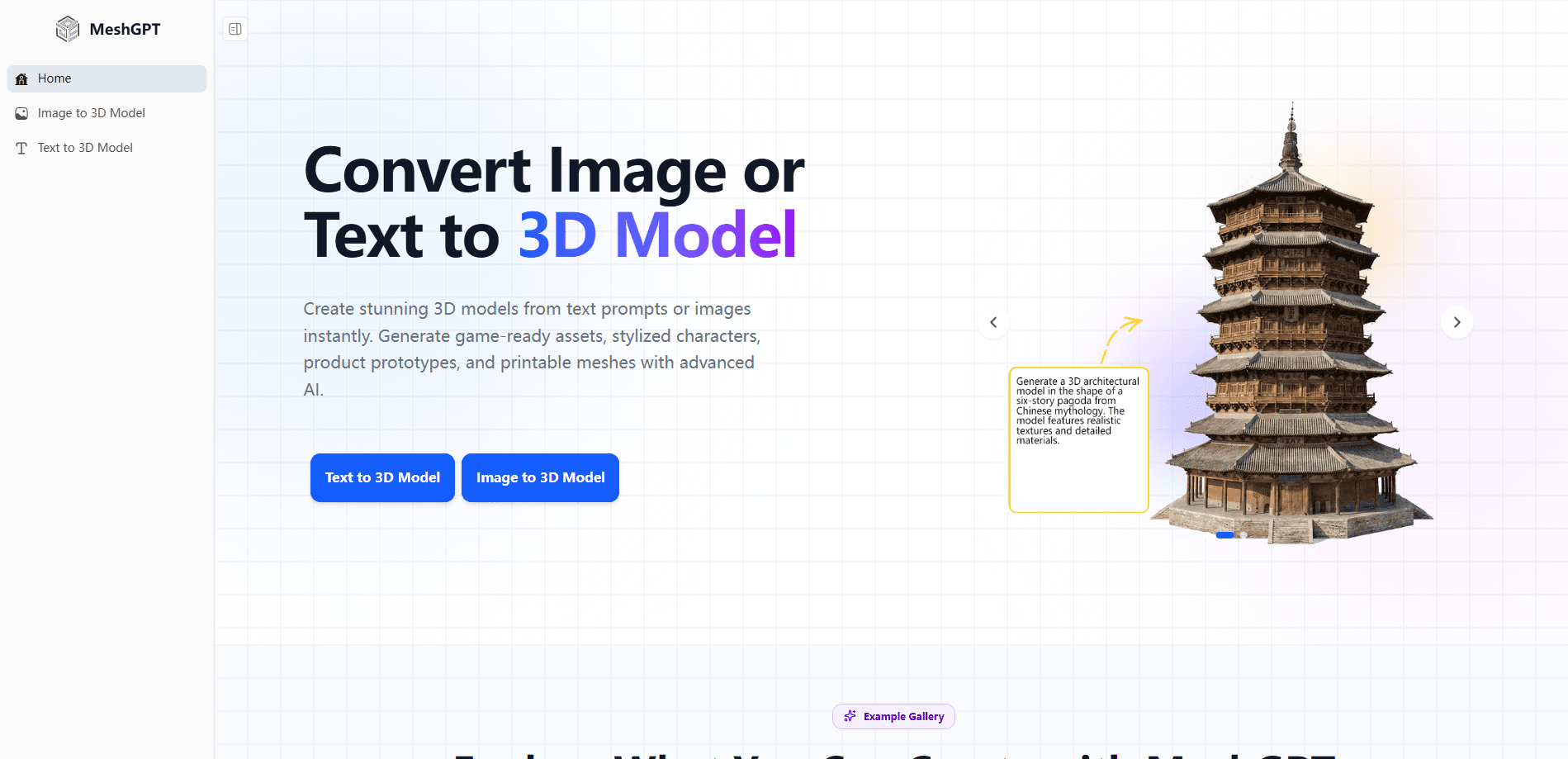
MeshGPT is an AI 3D model generator that turns a text prompt or a single image into a finished 3D asset. Its speed is the selling point. You describe what you want, wait about a minute, and get a textured mesh you can preview right in the browser. It's built for creators who need quick 3D assets for games, animation, 3D printing, or product mockups without ever learning Blender, and for anyone who'd rather sketch an idea in words than fight a modeling interface for a full afternoon.
About MeshGPT
What Is MeshGPT
MeshGPT is a web-based AI 3D modeling tool. Instead of pushing vertices around for hours, you type a description or drop in a picture, and the generator builds the geometry and textures for you.
Two workflows drive the whole product. Text to 3D handles described objects like props, characters, and environments. Image to 3D takes a photo, sketch, or illustration and rebuilds it as a textured model that keeps the original colors. Think of it as the fastest route to a text to 3D model you can actually download.
The output isn't always clean enough for hero-quality production art. Fine details can come out rough, and you'll likely open the mesh in Blender to retouch it. For fast drafts, placeholders, and print-ready prototypes, it holds up well.
Getting Started
- Open meshgpt.io in a browser and pick either the text-to-3D or image-to-3D tool. No signup is needed to try it.
- For text, write a natural-language prompt in any language, or use the built-in prompt generator if you're stuck. For image-to-3D, upload a JPG, PNG, or WebP file.
- Click generate and wait roughly a minute while the AI builds the mesh with PBR textures.
- Preview the result, orbit it to check the details, then export it as GLB, FBX, OBJ, or STL for your 3D software.
Product Information
A quick look at MeshGPT's pricing, supported platforms, and performance.
Best for
The users, tasks, and scenarios where this tool fits best.
Users
- Game developers
- 3D printing hobbyists
- Indie animators and VTubers
- E-commerce and product designers
Tasks
- Converting a sketch into a printable mesh
- Producing placeholder assets for a game jam
- Prototyping a product concept
Scenarios
- Late-night concepting when you just need something concrete to look at.
- Preparing a product listing image set that needs a rotatable 3D view.
- Building a small asset library for a personal game project on a tight budget.
Key features
Text to 3D Generation
Describe an object in plain language and MeshGPT builds a 3D mesh from it. Any language works. So do realistic, cartoon, and low-poly styles. It auto-generates PBR materials and textures, so the result is usable right away rather than a bare gray shape you have to paint yourself before it looks like anything.
Image to 3D Conversion
Upload a photo, sketch, or illustration and the generator turns it into a fully textured 3D model. It preserves the original colors and fine details, which matters most for product shots and character art. JPG, PNG, and WebP files are supported.
Multi-Format Export
Finished models download in GLB, FBX, OBJ, and STL. That covers Blender, Unity, Unreal Engine, and 3D printing slicers, so you aren't locked into one toolchain when your project changes direction mid-way. Clean topology and UVs are generated automatically, which saves the step most people hate doing by hand.
Fast Mesh Generation
Generation takes about a minute per model according to the site. You can preview each result in the browser and control the viewing angle to inspect the mesh from any side before downloading.
14 Built-In Model Types
The platform ships 14 model options aimed at different asset categories. Characters, props, and environments each get their own set. What does that buy you? A closer starting point, one that fits common game and print workflows instead of a generic blob you have to reshape.
Pros and cons
Pros
- No 3D modeling experience needed to get a usable mesh.
- Runs entirely in the browser, with free generation and no signup for basic use.
- Exports to GLB, FBX, OBJ, and STL, so it fits existing game and print pipelines.
- Handles both text prompts and reference images in one place.
Cons
- Generation quality can fall short on fine details, which means extra cleanup in a modeling tool.
- There's no public pricing page, so paid tiers or usage limits beyond the free tier are unclear.
- API availability isn't documented, which rules it out for automated or batch pipelines right now.
Frequently asked questions
It generates 3D models from text descriptions or images. People use it for game assets, anime character modeling, 3D printing, and product concept design. If you can describe it, you can probably generate it.
Related content
Explore related tools, skills, and articles for MeshGPT.
MeshGPT Alternatives

Google EmbeddingGemma 2
Google DeepMind · Writing · Image · CodingGoogle EmbeddingGemma 2 is a 740M-parameter open model that turns text, code, images, audio, and video frames into vectors in one 768-dimension space, running on phones and laptops.

Tractionwave
TractionWave · Image · MarketingTractionWave is an AI attention heatmap tool for static ads. Upload a PNG or JPG and it returns predicted attention, ranked hotspots, and fixes before you spend budget.

Imejis.io
Imejis.io · Image · MarketingImejis.io is an AI design studio for agents and marketing teams. Describe an image in plain words, and it writes the copy, builds the layout, reflows it to every size, then exports a finished file.