

Meshy
Meshy · Image · China AI
Meshy is a text to 3D and image to 3D generator that turns a prompt or a photo into a textured 3D model in about a minute, then rigs, animates, and exports it.
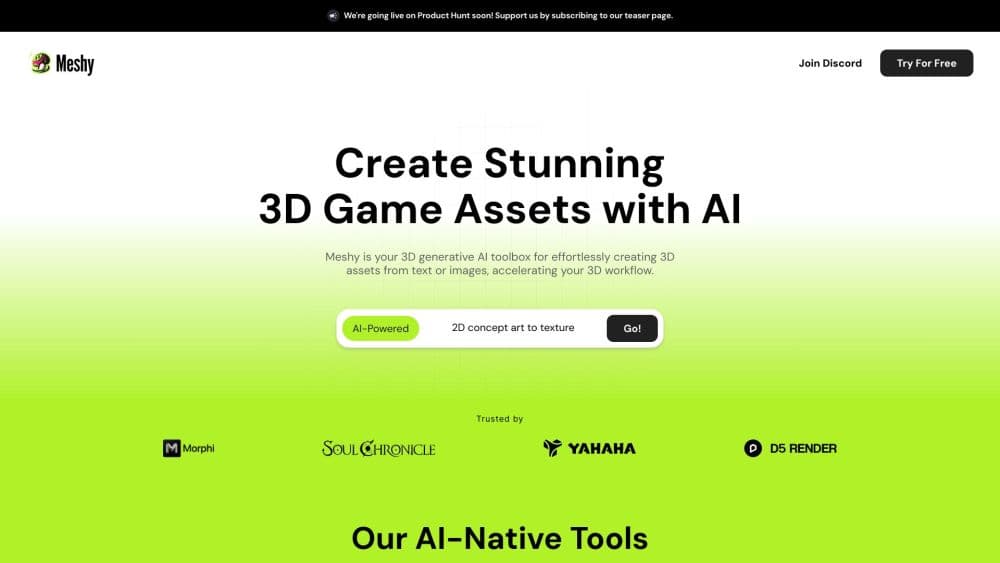
About Meshy
What Is Meshy
Meshy is a web-based AI 3D model generator that makes a usable 3D asset out of a sentence or a single image. You describe the object or upload a reference, the platform returns a mesh with geometry and texture, and you export it to a game engine, a printer, or another 3D tool. The company behind it grew out of graphics research, and the product now ships through a browser app, a mobile app, plugins for Blender and Unity, and a developer API.
The problem it targets is the cost of 3D content. Modeling even a simple prop traditionally takes a specialist, expensive software, and hours of work. Meshy compresses that first pass into roughly a minute, which is why game studios, 3D printing shops, and designers use it to fill out a scene or a catalog without hiring a dedicated artist.
The main limitation is that AI geometry is not automatically production-ready. Some models come out dense, thin, or unclosed, and characters need a separate rigging and animation pass before they move. Meshy answers part of this with cleanup tools, a printability check, and one-click auto-rigging, but you still review the result before shipping it.
Getting Started
- Sign up for a free account on the Meshy site; the free tier hands you 100 credits a month to test the generators.
- Pick a workspace, then either type a prompt into Text to 3D or drop a photo or sketch into Image to 3D.
- Run a preview to check the shape, then run a refine pass to bake in PBR textures at 2K or 4K.
- Clean up the mesh with remesh, UV unwrap, or auto-rigging, and animate a character if you need motion.
- Export to GLB, FBX, OBJ, STL, or 3MF, then import it into Unity, Unreal, Blender, or a slicer.
Product Information
A quick look at Meshy's pricing, supported platforms, and performance.
Best for
The users, tasks, and scenarios where this tool fits best.
Users
- Game developers
- 3D printing hobbyists
- Indie designers and small studios
- Concept artists
- Beginners
Tasks
- Text to 3D blocking
- Image to 3D reconstruction
- AI texturing
- Auto-rigging and animation
- Format conversion and export
Scenarios
- Populating a game level with background props
- Prepping a model for a desktop 3D printer
- Personalizing a gift or a keepsake
- Building an AR or WebXR catalog
- Roughing out a product concept early
Key features
Text to 3D generation
You type a description such as a weathered wooden treasure chest with iron bands, and Meshy builds the geometry and texture for you. The workflow runs in two steps, a fast preview to judge the shape and a refine pass to add material detail, so you can throw away bad ideas early without paying full cost. Recent engines such as Meshy 7 aim for output that stays close to the reference you described.
Image to 3D reconstruction
Upload a single photo, a sketch, or a piece of concept art and the platform infers depth and surface cues to rebuild the object in three dimensions. Single-view input is the fastest route when you already have a reference on hand, and it's the entry point most product and prop work starts from. Higher tiers add multi-view input, which sharpens the result when one angle is not enough.
AI texturing and multi-view images
The AI Texturing feature applies physically based textures to a model so the material reads correctly under game or product lighting rather than as flat placeholder color. A companion image generator produces multi-view renders optimized for 3D work, which you can feed back into the pipeline. Textures come out at up to 4K on paid plans.
Auto-rigging and animation
Drop in a humanoid character and Meshy adds a skeleton and skin weights in one pass, then applies one of more than 600 canned motions. This skips the usual rigging stage that stalls most solo creators. Output still needs a review, since hands and joints are the parts AI rigs miss most often.
Printability check and auto-repair
Meshy generates models with printing in mind and runs a check that scans each export for holes and non-manifold edges, then auto-repairs edge cases before you slice. Multi-color printing maps each texture region to the right filament, and Auto Split breaks a complex model into watertight parts arranged on the build plate.
Remesh, UV unwrap, and file conversion
A one-click remesh pass cuts the polygon count or converts the surface to quads, which matters because raw AI meshes are often too dense for a real-time engine. UV unwrapping lays out seams so textures map predictably, and a converter moves your asset between GLB, FBX, OBJ, STL, and 3MF without leaving the app.
API, MCP server, and CLI
Paid plans open an API that runs the same generate-and-refine jobs programmatically, with async tasks and webhooks for long jobs. Meshy also ships an MCP server for Claude and other agents and a command-line tool that turns a prompt or an image into a finished model in one command, so a team can wire 3D generation into its own tooling.
Pros and cons
Pros
- Speed: A usable first-pass model lands in about a minute, which changes how many ideas you can test in an afternoon.
- Breadth of output paths: The same model can go to a game engine, a slicer, or a render, with exports for GLB, FBX, OBJ, STL, and 3MF.
- Rigging built in: Auto-rigging and 600+ motions remove a step that normally needs a separate specialist tool.
- Print-friendly by design: Native printability checks and auto-repair mean fewer failed prints from holes or thin walls.
- Developer access: API, MCP server, and CLI let you automate generation instead of clicking through a browser.
Cons
- Geometry needs a review: Raw meshes can be dense, thin, or unclosed, so shipping straight to a real-time engine usually means a cleanup pass first.
- Credit accounting takes getting used to: Free and low tiers cap you at 100 to 1,000 credits a month, and previews, refines, and textures each draw from the same pool.
- Rigging is rough on detailed characters: Fingers and unusual body shapes often need manual fixing, so a polished hero character still needs an artist.
- Watermark and license limits on free: Free output is bound to a CC BY 4.0 license with attribution, and commercial use pushes you to a paid plan.
Frequently asked questions
Meshy generates 3D models from text or images, then textures, rigs, animates, and exports them. People use it for game props, 3D printing, product previews, AR and WebXR assets, and concept work where speed matters more than final polish.
Related content
Explore related tools, skills, and articles for Meshy.
Meshy Alternatives

Google EmbeddingGemma 2
Google DeepMind · Writing · Image · CodingGoogle EmbeddingGemma 2 is a 740M-parameter open model that turns text, code, images, audio, and video frames into vectors in one 768-dimension space, running on phones and laptops.

Tractionwave
TractionWave · Image · MarketingTractionWave is an AI attention heatmap tool for static ads. Upload a PNG or JPG and it returns predicted attention, ranked hotspots, and fixes before you spend budget.

Imejis.io
Imejis.io · Image · MarketingImejis.io is an AI design studio for agents and marketing teams. Describe an image in plain words, and it writes the copy, builds the layout, reflows it to every size, then exports a finished file.