

Meta AI
Meta (FAIR) · Image
Meta Segment Anything Model 2 (SAM 2) is an open source segmentation model for images and video. Click an object once and it keeps the outline as the clip plays.
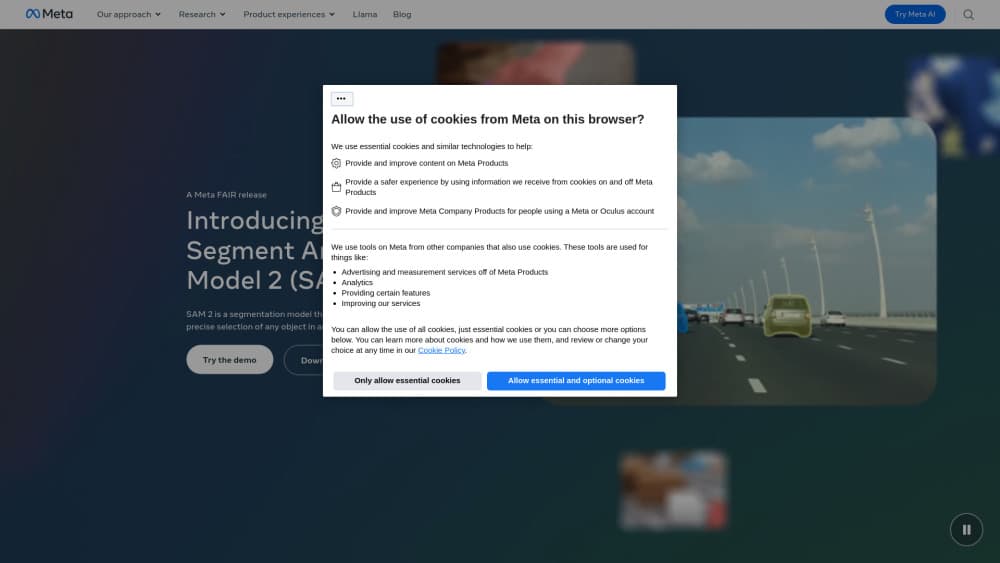
About Meta AI
What Is Meta Segment Anything Model 2
SAM 2 answers a narrow question: which pixels belong to the thing you pointed at. Meta's FAIR team published the code and the weights on GitHub in July 2024 under Apache 2.0, so anyone can download it, run it, and ship it inside a commercial product.
The video side is the real change from the original SAM. SAM 2 treats a still image as a video with one frame, which means a single model handles both jobs. A memory module carries what the model learned about your object from one frame to the next, so the mask holds together when the camera pans or the subject turns away. According to Meta, that setup needs roughly 3x fewer interactions than earlier video segmentation methods.
Two limits are worth knowing before you plan around it. SAM 2 returns masks, not names: it tells you where an object is, never what it is. Text prompts aren't supported either, so a request like "the red car" has to arrive as a click or a box, usually from a separate detector. Meta has also moved on to SAM 3 and SAM 3.1, both of which accept concept prompts, so SAM 2 is now the previous generation, even if the repository still works and still gets fixes.
Getting Started
- Open the browser demo at sam2.metademolab.com and click an object in a short clip. It's the fastest way to see what the model does before you install anything.
- Clone facebookresearch/sam2 from GitHub into a Python 3.10 or newer environment with PyTorch 2.5.1 and up.
- Download a checkpoint. Meta SAM 2 ships four sizes, and the tiny one loads on modest hardware.
- Choose a predictor: SAM2ImagePredictor for stills, SAM2VideoPredictor for footage.
- Send prompts as points, boxes, or masks, then read the masks back. Turn on the automatic mask generator if you want the whole frame segmented in one pass.
Product Information
A quick look at Meta AI's pricing, supported platforms, and performance.
Best for
The users, tasks, and scenarios where this tool fits best.
Users
- Machine learning engineers
- Video editors and VFX freelancers
- Annotation teams
- Robotics and medical imaging groups
Tasks
- Cutting a subject out of a photo
- Following an object through a clip
- Adding masking to a product
- Labeling a custom dataset
Scenarios
- Testing an idea in the browser demo
- Long clips with several objects
- Odd imagery like satellite tiles or microscope frames
Key features
One Model for Stills and Video
The same weights handle a photo and a video clip. That matters if you'd rather maintain one inference path than bolt two models together, and it keeps results consistent when a project mixes both media types.
Streaming Memory That Keeps a Mask Steady
A memory attention module stores features from earlier frames and reuses them on the current one. The practical effect is a mask that survives camera motion, partial occlusion, and objects that wander out of view. Meta calls each tracked object's mask over time a masklet.
Four Checkpoints From Tiny to Large
Meta SAM 2 ships at 38.9M, 46M, 80.8M, and 224.4M parameters. On video, Meta reports 91.2 frames per second for the tiny checkpoint and 39.5 for the large one on an A100, with segmentation quality rising as size goes up.
SAM 2.1 Checkpoints With Better Small Object Handling
The 2.1 release arrived in late September 2024 and improved small object segmentation plus handling of camera motion. If you're starting fresh, download the 2.1 weights; they cost the same and score higher on Meta's video benchmarks.
Automatic Mask Generation
Skip the prompting entirely and let the model propose masks for everything in a frame. It's useful for exploring an unfamiliar dataset. Filter by area and confidence before anything reaches production.
Open Weights, Training Code, and the SA-V Dataset
Code, weights, and the training recipe are all Apache 2.0. Meta also released SA-V, which it describes as the largest video segmentation dataset to date, so you can fine-tune and publish without asking permission.
Pros and cons
Pros
- Image segmentation and video tracking come from one model, which removes a whole integration step.
- It's quick: 39.5 to 91.2 frames per second on video, depending on which checkpoint you load.
- Apache 2.0 covers commercial use, and there's no per-call fee or seat count to worry about.
- Zero-shot quality is high enough that many teams skip fine-tuning until they hit a specific failure case.
Cons
- Meta offers no hosted endpoint, so you supply the GPU, the serving stack, and the uptime.
- Masks come without labels, and promptable segmentation here means points and boxes only. Pairing it with an open vocabulary detector is extra work you'll own.
- GPU memory grows with each tracked object and with clip length, which rules out long footage on small cards.
- SAM 3, released in November 2025, adds text concept prompts and better tracking, so new projects should at least evaluate it first.
Frequently asked questions
Yes. Meta released the checkpoints, demo code, and training code under Apache 2.0, which allows commercial use without a fee or a separate agreement. The Inter font and Noto Color Emoji bundled with the demo carry their own font licenses, but those only apply to the demo interface.
Related content
Explore related tools, skills, and articles for Meta AI.
Meta AI Alternatives

Google EmbeddingGemma 2
Google DeepMind · Writing · Image · CodingGoogle EmbeddingGemma 2 is a 740M-parameter open model that turns text, code, images, audio, and video frames into vectors in one 768-dimension space, running on phones and laptops.

Tractionwave
TractionWave · Image · MarketingTractionWave is an AI attention heatmap tool for static ads. Upload a PNG or JPG and it returns predicted attention, ranked hotspots, and fixes before you spend budget.

Imejis.io
Imejis.io · Image · MarketingImejis.io is an AI design studio for agents and marketing teams. Describe an image in plain words, and it writes the copy, builds the layout, reflows it to every size, then exports a finished file.