

Milmot
Milmot · Image
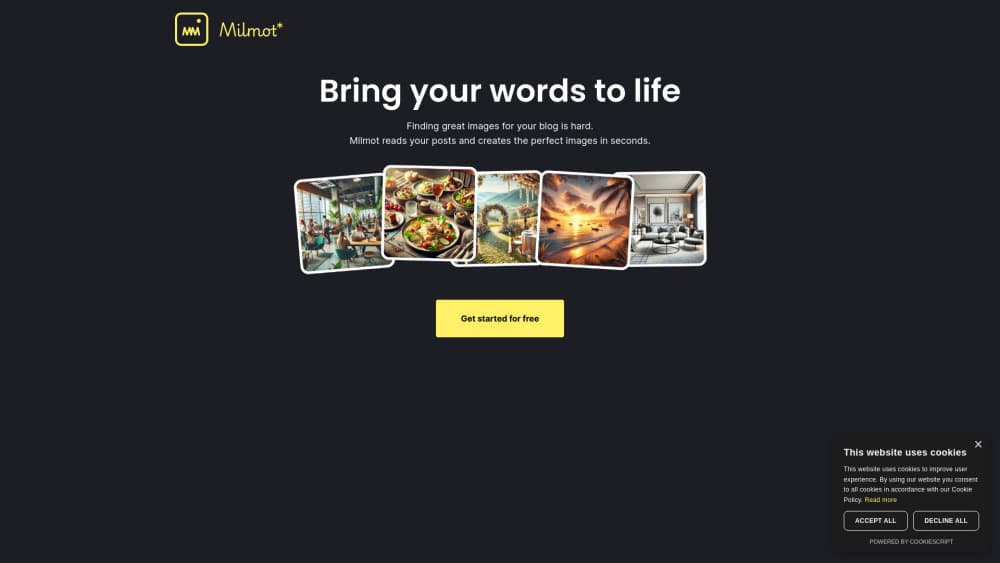
Milmot is a web app that reads your blog post and generates matching images in seconds. It runs on credits, starts you with 12 free, and needs only a Google login.
About Milmot
What Is Milmot
Milmot is a small web tool for one job: turning a finished blog post into pictures that fit it. You paste in a title and the body of the text, and the app writes the visual brief for you, then renders the image. No prompt engineering, no stock photo hunting.
Most writers lose an hour per post to image sourcing. Milmot's pitch is that the post itself is the prompt. The service sends your text through ChatGPT to work out what the piece is about, then hands that description to Stability.ai for rendering. According to the company's privacy policy, those two services do the heavy lifting.
The limits are worth knowing up front. There's no published API, no team workspace, and no subscription. You buy credits in packs through Stripe, and the terms state plainly that refunds aren't offered because AI calls cost money either way. Sign-up runs through Google only. The company is based in France and stores account data on Supabase in the US.
Getting Started
- Open milmot.com and choose Login with Google.
- Accept the terms and cookie notice. New accounts get 12 free credits.
- Paste your post title and body into the editor.
- Let the app read the text and generate the image.
- Save the result you want to keep, then download it for your post.
Product Information
A quick look at Milmot's pricing, supported platforms, and performance.
Best for
The users, tasks, and scenarios where this tool fits best.
Users
- Solo bloggers
- Newsletter writers
- Small content teams
Tasks
- Featured image for a new post
- Inline illustrations for long guides
- Refreshing old articles
Scenarios
- Publishing on a tight weekly schedule
- Running several niche sites
- Testing an idea before you commit
Key features
Post-Aware Image Briefs
Milmot doesn't ask you to describe a picture. It reads the title and the body you paste, works out the subject, and builds the image description itself. That's the difference between an AI blog image generator and a plain text-to-image box. You skip the part where you guess which words will produce a usable visual.
Fast Generation
The whole loop, from pasting text to seeing a rendered image, takes seconds rather than minutes. For a writer on deadline, that speed matters more than fine control. You can try one angle, reject it, and try again without leaving the page.
Stability.ai Rendering
Images are rendered through Stability.ai, the same engine behind many commercial image tools. Output looks like editorial art rather than clip art, which is what most blogs need for a featured image. Milmot handles the model call, so you never touch a settings panel.
Google Sign-In Only
One click with a Google account gets you in. There's no password to manage and no separate profile to fill out. The trade-off is real: if your workflow doesn't run on Google, there's no documented alternative yet.
Credit System With 12 Free to Start
Every new account gets 12 free credits, enough to judge the output on real posts. After that you buy packs through Stripe. Credits are spent per generation, so a failed attempt still costs you. That's the honest reason the terms rule out refunds.
Saved Images Tied to Post Titles
Milmot keeps the titles of the posts you've worked on, which is how it groups saved images later. Post bodies aren't stored, according to the privacy policy. You get a lightweight library without handing over your drafts.
Pros and cons
Pros
- Zero prompt work: the post supplies the context, so you never write an image prompt.
- Genuinely quick: paste, generate, download, usually inside a couple of minutes.
- Cheap to test: 12 free credits on sign-up, no card needed to look around.
- Clean commercial terms: the terms allow personal and commercial blog use of what you generate.
- Light data footprint: bodies aren't kept, only titles, which keeps your drafts out of someone else's database.
Cons
- Credit packs only: there's no monthly subscription and no published price list, so you can't budget from the site alone.
- No refunds: a bad generation still burns credits, which stings when you're experimenting.
- Google login is mandatory: writers on other identity providers are locked out for now.
- Thin public documentation: features, limits and model versions aren't spelled out, so you learn by trying.
Frequently asked questions
It reads a blog post and generates images that match the content. You paste a title and body, the app builds the visual description, and Stability.ai renders the picture.
Related content
Explore related tools, skills, and articles for Milmot.
Milmot Alternatives

Google EmbeddingGemma 2
Google DeepMind · Writing · Image · CodingGoogle EmbeddingGemma 2 is a 740M-parameter open model that turns text, code, images, audio, and video frames into vectors in one 768-dimension space, running on phones and laptops.

Tractionwave
TractionWave · Image · MarketingTractionWave is an AI attention heatmap tool for static ads. Upload a PNG or JPG and it returns predicted attention, ranked hotspots, and fixes before you spend budget.

Imejis.io
Imejis.io · Image · MarketingImejis.io is an AI design studio for agents and marketing teams. Describe an image in plain words, and it writes the copy, builds the layout, reflows it to every size, then exports a finished file.