

Mind Raise
Mind Raise · Productivity · Leaning
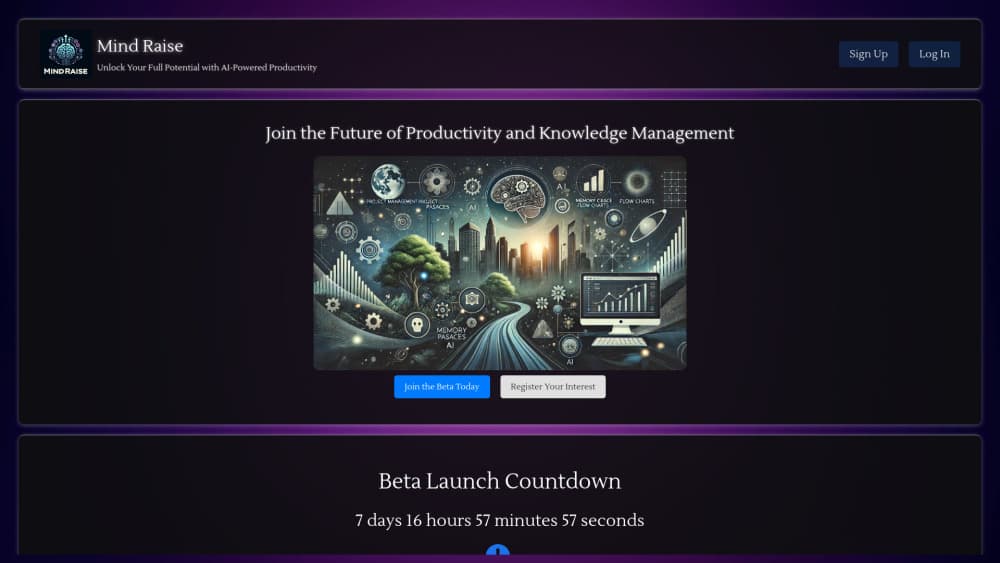
Mind Raise is an AI memory app that combines memory palace training, a searchable knowledge tree, and chat that answers from your own material in one web workspace.
About Mind Raise
What Is Mind Raise
Mind Raise is a web-based knowledge management tool built around a simple bet: storing information isn't the same as remembering it. Most note apps stop at capture. This one pairs a memory palace builder with a knowledge tree, then adds an AI assistant that reads what you've stored and answers questions from it. The memory palace technique, an old mnemonic method where you place facts along an imagined route, is the part that makes it different from a standard second brain app.
The product comes from a small team in the UK and runs entirely in the browser. There's no install, no desktop client, and no mobile app at the time of writing. You sign up, build your material, and train on it.
Two limits matter before you commit. The platform is young, and several items on the marketing page (project management, email inbox, flow diagrams) are still labeled as coming soon. And the AI chat is only as good as the notes you feed it, so a messy knowledge tree produces messy answers.
Getting Started
- Sign up at mindraise.io. The free plan opens with 3 memory palaces and a capped knowledge tree, which is enough to test the workflow.
- Build the knowledge tree first. Add text notes, URLs, files, PDFs, or audio, and the app transcribes recordings with Whisper so they become searchable.
- Create a memory palace. Name it, then add locations (the app calls them stations) and attach facts, questions, and images to each stop.
- Run a test. The AI generates questions from your palaces and your knowledge tree, so you find the gaps before an exam or a presentation does.
- Ask the chat. Query your own material in plain language, then upgrade to Silver or Gold if you hit the palace, storage, or transcription limits.
Product Information
A quick look at Mind Raise's pricing, supported platforms, and performance.
Best for
The users, tasks, and scenarios where this tool fits best.
Users
- Students facing written exams
- Professionals learning a new domain
- Researchers and analysts
- Lifelong learners and hobbyists
- People who already keep a second brain app but never review it
Tasks
- Memorizing terminology, formulas, and ordered lists
- Turning lecture or meeting recordings into notes
- Organizing scattered research material
- Making study images
- Pre-exam revision
Scenarios
- The final two weeks before an exam
- Starting a new job or course
- Preparing a talk or interview
Key features
Memory Palace Builder
The core workspace lets you create a palace, define locations along a route, and attach facts, notes, questions, and images to each one. A slideshow mode walks you through the palace in order, which mirrors how the memory palace technique is supposed to work: you rehearse the route, not a flat list. The free plan allows 3 palaces with 10 locations each. Silver raises that to 10 palaces and 20 locations.
Knowledge Tree
Files, text snippets, URLs, PDFs, and audio all attach to a tree structure instead of a flat feed. You decide the branches, so a course, a client, or a research project gets its own limb. The free tier caps the tree size, and that cap is the first thing heavy users will notice.
AI Chat Grounded in Your Notes
The assistant runs on OpenAI models and answers from the material you've stored rather than from general training data alone. GPT-4o-mini is unlimited on every paid plan, while GPT-4o access is limited on Silver and unlimited on Gold. In practice, that means the AI study assistant is useful for summarizing your own sources, comparing two documents, or explaining a concept in the wording you saved.
AI Testing
You can generate questions from a memory palace or from the knowledge tree and answer them inside the app. It's a retrieval practice loop, not a graded course. The value is diagnostic: it surfaces the stations you skipped and the branches you never really understood.
Audio Transcription with Whisper
Upload an audio file and the platform transcribes it with Whisper, then files the text into your knowledge tree. The daily allowance is 15 minutes on the free plan, 30 minutes on Silver, and unlimited on Gold. For students recording lectures, that limit decides the plan more often than the palace count does.
Image Generation
A separate tab generates images from prompts, which is handy for building visual cues for a palace. Abstract terms are easier to recall when they're tied to a specific picture, and making that picture inside the same workspace saves a trip to another tool.
The Planned Productivity Layer
The roadmap adds projects and tasks organized with the PARA method, calendar and reminders, email scanning that turns important messages into tasks, and flowcharts or mind maps. None of these were live when this page was written. Treat them as direction, not as features you can use today.
Pros and cons
Pros
- Memory training and note storage share one workspace, so you don't bolt a flashcard app onto a notes app.
- AI answers are tied to your own documents, which cuts down on invented detail compared with a general chatbot.
- Entry cost is low: Silver at $5.99 per month covers 10 palaces and 30 minutes of daily transcription.
- Whisper transcription and image generation are included rather than sold as add-ons.
- The free plan is a real trial, with 3 palaces and 15 minutes of transcription per day.
Cons
- There's no mobile app or desktop client, so review on a phone means opening a browser.
- The free knowledge tree is small. Anyone importing a semester of PDFs will hit the ceiling quickly.
- Project management, email integration, and diagrams are advertised but not shipped, so the productivity hub is still a promise.
- There's no public API and no documented integration with Notion, Obsidian, or Anki, which means manual export if you leave.
- AI quality depends on how well you structure your own material. A thin tree gives thin answers.
Frequently asked questions
Mind Raise is a study and knowledge management workspace. You store source material in a knowledge tree, build memory palaces for the facts you need to recall, and use AI chat and generated tests to rehearse. It suits exam prep, professional learning, and research organization more than general note taking.
Related content
Explore related tools, skills, and articles for Mind Raise.
Mind Raise Alternatives

Base Code
Base44 (Wix) · Coding · ProductivityBase Code is a shared cloud development environment from Base44. Teammates describe changes to an existing GitHub codebase in chat, preview them live and send them back as pull requests.

Knocket
Knocket (Tencent RTC team) · Productivity · Business · ChatbotKnocket is a free live chat and contact page tool that lets visitors message you from your website, app, or a shareable link, with every reply handled from Telegram or one inbox.

FloorGen
Vinit Kumar (FloorGen) · Productivity · China AIFloorGen is a browser-based floor plan maker that turns a sentence or a sketch into an editable 2D plan and a 3D walkthrough. Export to PDF, DXF or video, and draw without an account.