

MindMap AI: Mind Map Maker
3axislabs Inc. · Productivity · Leaning
MindMap AI is an AI mind map generator that turns prompts, PDFs, videos and meeting notes into editable mind maps you can refine by hand or in Copilot Chat.
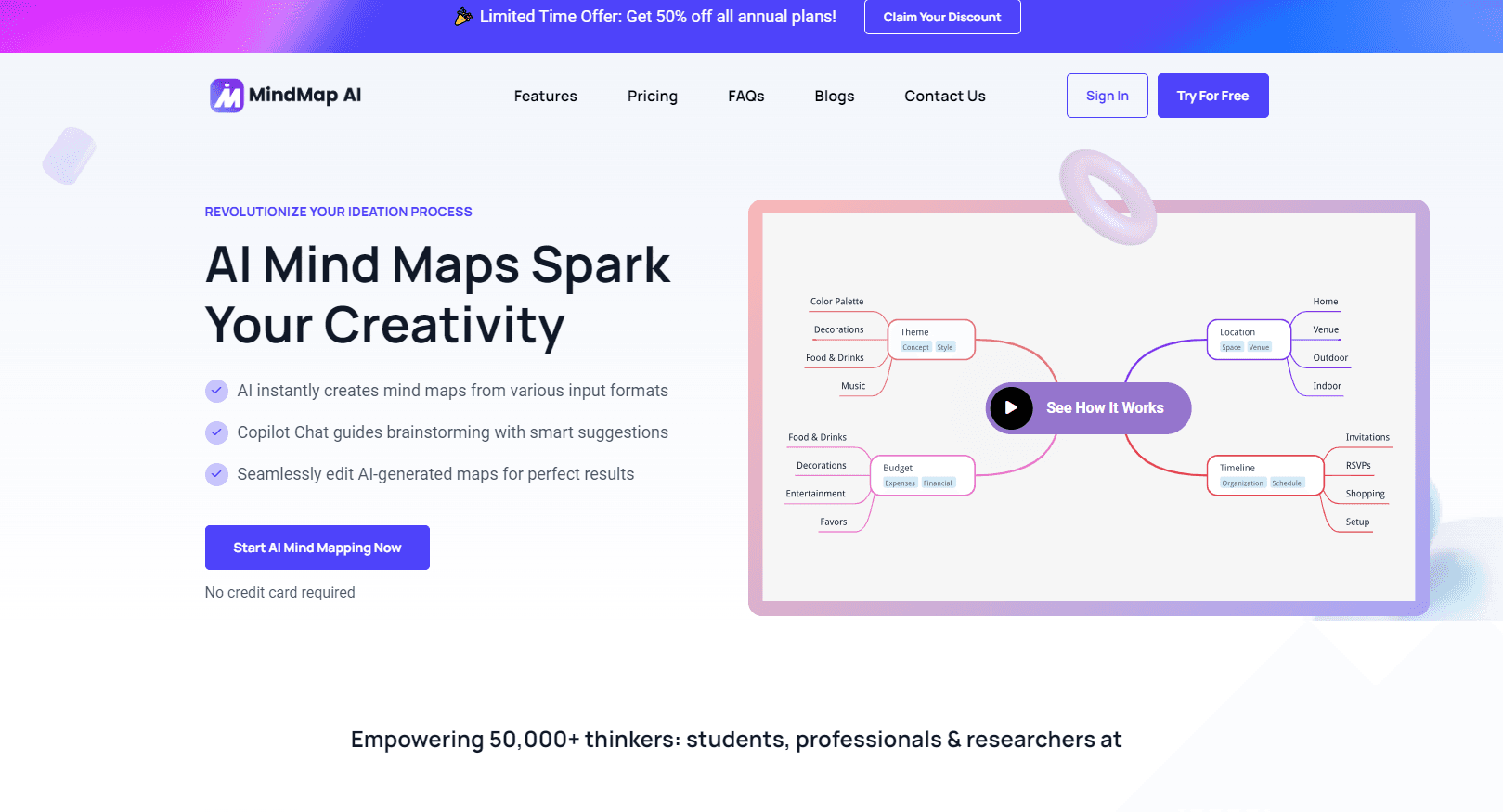
About MindMap AI: Mind Map Maker
What Is MindMap AI
MindMap AI is a web and mobile mind mapping tool built by 3axislabs Inc. You start from a typed prompt, a file, or a pasted transcript, and it reads the material, shows its reasoning, then builds a connected map in seconds. The pitch is simple: get a first draft of your thinking without drawing every branch yourself.
What separates it from most AI mind map generators is that the map stays editable. Every node can be dragged, renamed or restyled by hand, and the AI and manual edits stay in sync on the same canvas. You are not stuck with a one-shot image you can only regenerate.
The main limit is the credit system. Manual editing is free on every plan, but AI creation, summarization and chat all draw from a monthly credit balance, so heavy document or video work runs into caps. Maps also render differently in some third-party MCP clients than in the native apps.
Getting Started
- Create a free account at mindmapai.app. No card is needed for the free plan.
- Start a map from a typed prompt, upload a PDF, image, audio, video or transcript, or paste your own notes.
- Review the AI draft, then refine it in Copilot Chat or by dragging and editing nodes directly on the canvas.
- Export the finished map as PDF, PNG, SVG, CSV, Markdown or a project file, or share it through a link.
Product Information
A quick look at MindMap AI: Mind Map Maker's pricing, supported platforms, and performance.
Best for
The users, tasks, and scenarios where this tool fits best.
Users
- Students and researchers
- Product managers and consultants
- Teams of a few people
Tasks
- Turning long documents into maps
- Summarizing meetings
- Brainstorming from a prompt
Scenarios
- Handling recurring research
- Early project scoping
- Learning hard subjects
Key features
AI map generation from many inputs
MindMap AI works as an online mind map maker that reads prompts, PDFs, images, audio, video, meeting transcripts, Markdown, CSV and webpages through a browser extension. It grounds each map in your actual content rather than inventing structure, which keeps the result tied to what you supplied.
Copilot Chat for refining maps
Instead of regenerating a whole map, you talk to it. You can expand a branch, summarize a section, shift focus to a node, or restyle the whole map with a prompt. The chat edits the existing map, so your earlier work is not thrown away.
Full manual editor on every plan
Dragging, reordering and restructuring nodes is free forever, with undo and history always on. As an AI mind map maker, it also lets you start a PDF to mind map build and then fix every branch by hand. That combination matters, because most AI mind map generators hand you a fixed result you cannot properly edit afterward.
29+ languages with RTL support
You can create and edit maps in more than 29 languages, including right-to-left scripts such as Arabic and Hebrew. The output stays in the language you worked in, which suits multilingual teams and study material.
File import and flexible export
Maps import from .xmind, .mmap, .smmx and .mm files without flattening. You export to PDF, PNG, SVG, CSV, Markdown or a project file, and you can publish a map through a public link, an iframe embed or a shared email.
MCP connector for Claude and ChatGPT
A connector built on the Model Context Protocol lets you create, edit and export the maps in your account straight from a Claude or ChatGPT conversation, and it works on the free plan. The same server can be added to other MCP tools such as Notion.
Pros and cons
Pros
- The manual editor stays free on every plan and always stays in sync with AI edits, so the map is never locked to one generation.
- Copilot Chat refines the existing map instead of rebuilding it, which keeps your structure and notes intact as the idea evolves.
- Imports from .xmind, .mmap, .smmx and .mm files keep nodes, branches and notes intact rather than flattening them.
- The MCP connector brings map creation into Claude and ChatGPT without an API key, and it is available on the free plan.
Cons
- AI creation, summarization and chat all run on monthly credits, so document and video jobs hit a limit unless you upgrade.
- The free plan caps AI use at 50 credits a month, which runs out quickly on large files.
- Larger uploads and extra export formats sit behind paid plans, so PDF, audio and video limits depend on your tier.
- Maps may render differently inside third-party MCP clients than in the native web and mobile apps.
Frequently asked questions
MindMap AI is used to turn scattered input into a connected mind map. You start from a prompt, a PDF, an image, audio, video or a transcript, and it generates an editable map for planning, studying, research or brainstorming.
Related content
Explore related tools, skills, and articles for MindMap AI: Mind Map Maker.
MindMap AI: Mind Map Maker Alternatives

Base Code
Base44 (Wix) · Coding · ProductivityBase Code is a shared cloud development environment from Base44. Teammates describe changes to an existing GitHub codebase in chat, preview them live and send them back as pull requests.

Knocket
Knocket (Tencent RTC team) · Productivity · Business · ChatbotKnocket is a free live chat and contact page tool that lets visitors message you from your website, app, or a shareable link, with every reply handled from Telegram or one inbox.

FloorGen
Vinit Kumar (FloorGen) · Productivity · China AIFloorGen is a browser-based floor plan maker that turns a sentence or a sketch into an editable 2D plan and a 3D walkthrough. Export to PDF, DXF or video, and draw without an account.