

Mindstone Rebel
Mindstone Learning Ltd. · Productivity
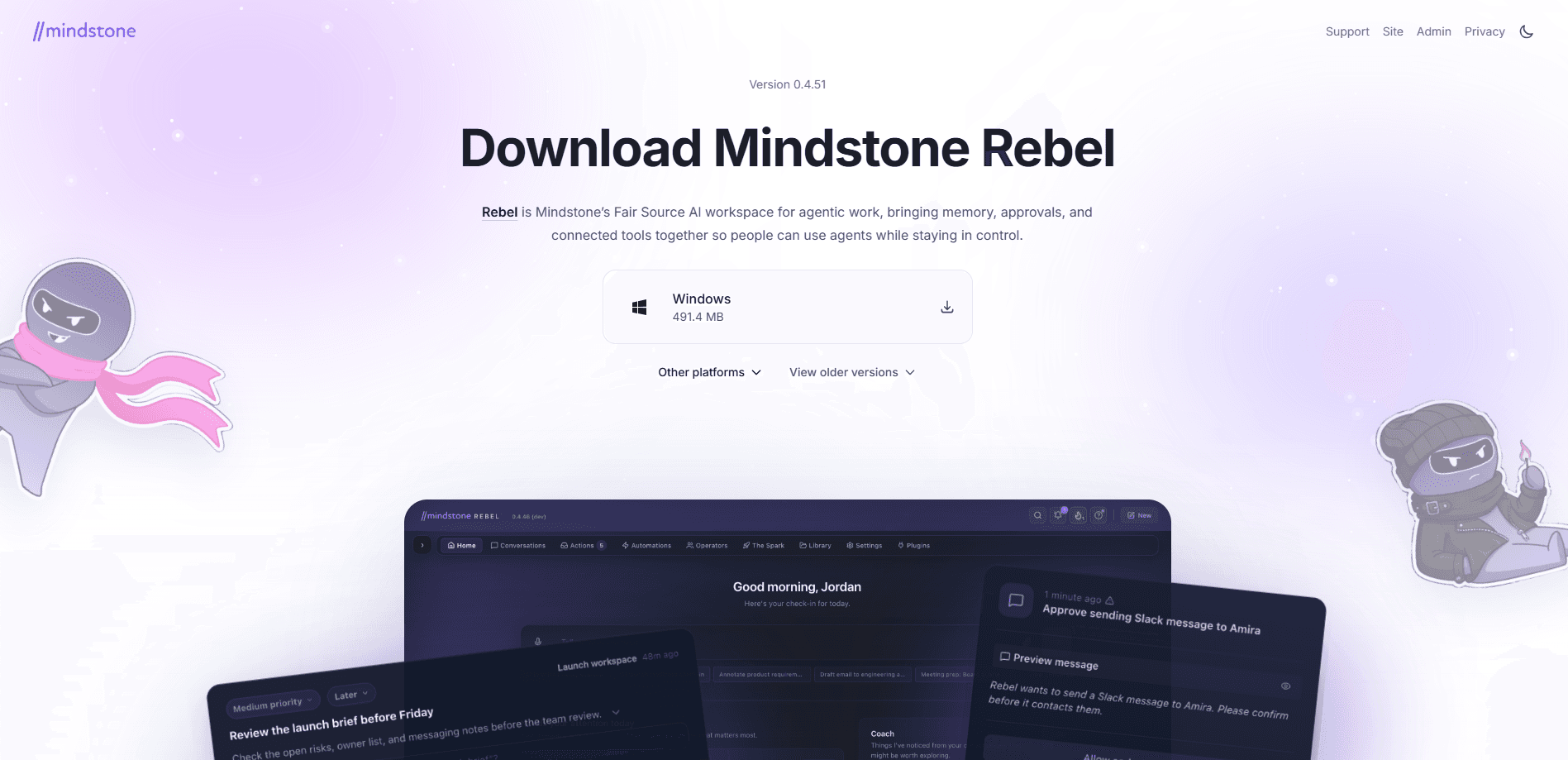
Mindstone Rebel is an AI workspace for teams that want AI to do real company work instead of sitting in another ignored tab. It connects your existing tools through connectors and MCP integrations, keeps approved team context in shared memory, and turns requests into trackable Actions, Approvals, and scheduled Automations. Think of it as an AI agent workspace rather than a chatbot. Because Rebel shows its source and stages sensitive steps for human review, it targets organizations that want agentic AI without handing over control.
About Mindstone Rebel
What Is Mindstone Rebel
Mindstone Rebel is a local-first, Fair Source AI workspace built for agentic work inside companies. Rather than adding another chatbot, it wires AI into the tools teams already use, remembers the decisions and context that have been approved, and turns recurring requests into workflows that run on their own schedule. Some call that an agentic AI platform. Others just call it the assistant their team finally stopped ignoring.
The core problem it addresses is trust. Most teams stall at AI experiments because nobody wants an agent sending messages or editing shared files without oversight. Rebel stages messages, task updates, calendar changes, and shared-memory writes for review first, so approvals gradually teach it what good work looks like. The provider also publishes the source on GitHub, which lets IT teams inspect it before committing.
The biggest limitation is fit. Rebel is built around teams, shared memory, and multi-tool rollouts, so a solo user who just wants a general assistant will find it heavier than a plain chat app. Pricing isn't published publicly either. That means you'll need to talk to the vendor before you can budget.
Getting Started
- Sign up and connect the tools your team already uses, picking from Gmail, Slack, Notion, GitHub, and other supported integrations.
- Set up shared memory by reviewing which chats, files, and decisions the workspace can retain as approved context.
- Define your approval rules so sensitive steps wait for a human before anything is sent, posted, or saved.
- Ask Rebel for a task, then review the suggested Actions it proposes and approve the ones you want to run.
- Schedule recurring work like weekly reviews or digests, and check the Impact Dashboard to see what's actually being automated.
Product Information
A quick look at Mindstone Rebel's pricing, supported platforms, and performance.
Best for
The users, tasks, and scenarios where this tool fits best.
Users
- Operations and rollout leads
- Small and mid-sized teams
- IT and security reviewers
Tasks
- Recurring reports and digests
- Message and calendar changes
- Cross-tool lookups
Scenarios
- Moving AI pilots from experiments to repeatable, tracked work
- Company-wide AI rollouts that need oversight
- Teams juggling many disconnected tools
Key features
Shared Memory That Persists Across Sessions
Rebel keeps approved decisions, chats, files, and team context behind the work, then brings the useful parts forward the next time you ask. That's the difference between an assistant that forgets every conversation and one that accumulates a working picture of your team. Team AI memory is only as good as what you approve into it. Someone has to decide what gets saved.
Human Approvals Before Anything Sensitive Leaves
Messages, task updates, calendar changes, and shared-memory writes all wait for review before they're sent, posted, scheduled, or saved. For teams nervous about agents acting on their own, this is the feature that makes the rest usable. It does add friction. You'll feel it most in the first weeks, when almost nothing is pre-approved. After that, it fades.
Actions That Turn Requests Into Trackable Steps
Follow-ups, updates, and decisions become concrete next steps your team can actually track, with sensitive work staged for review first. Instead of a wall of chat text, you get a list of things that happened or are waiting on someone. It's closer to a task log than to a conversation. The upside is AI workflow automation you can point at. That's the pitch, anyway.
Automations That Run on Schedule
Weekly reviews, digests, and recurring follow-ups run on a schedule and pause for a human whenever it matters. You set the cadence once, and Rebel handles the repetition. The value shows up fast for anyone stuck producing the same report every Monday. What happens when the schedule breaks? Rebel pauses instead of guessing, which is the safer default.
Model Choice Without Vendor Lock-In
You use the models your organization approves, and Rebel keeps workflows, memory, and context from being tied to a single model vendor. Bang for the buck: swapping models doesn't mean rebuilding every workflow from scratch. That's the point. It's a deliberate answer to teams burned by tying their setup to one provider.
Connectors Across Your Whole Stack
Rebel works across Gmail, Outlook, Teams, Slack, SharePoint, OneDrive, Google Drive, Notion, Salesforce, HubSpot, Atlassian, Linear, GitHub, Zoom, Airtable, Postgres, Zapier, and ClickUp, plus MCP-based integrations for proprietary or in-house tools. If something's missing, you can ask Rebel to draft the connector and route it to IT for approval. That's unusual. It's aimed squarely at teams with bespoke internal systems, the ones generic assistants never quite reach.
Fair Source Transparency
Rebel's source is publicly readable on GitHub, so companies can review how the product works, its security posture, and its direction before committing. Use, modify, and contribute fall under fair restrictions that keep the project sustainable, and the vendor describes a future open-source path for every version. For a security reviewer, that's a real difference from a closed black box. No black box. Just code you can read.
Enterprise Impact Reporting
The Impact Dashboard shows what work Rebel is automating, which departments are adopting it, and how usage converts into cost, capacity value, and full-time-equivalent time returned. Processes are grouped by department, tool, and workflow type, with rollout signals for what's working and what's blocked. It's built for the person who has to justify the spend upstairs. Enterprise AI adoption gets a scoreboard, basically.
Pros and cons
Pros
- Approvals and shared memory address the two reasons most AI pilots stall: uncontrolled actions and forgotten context.
- Fair Source code on GitHub lets security teams inspect the product before committing.
- MCP-based connectors reach bespoke internal tools, not just the popular SaaS apps.
- Model-agnostic design keeps workflows, memory, and context portable between providers.
- The Impact Dashboard gives rollout leaders numbers they can show to management.
Cons
- Pricing isn't published publicly, so you can't budget without contacting sales first.
- The approval workflow adds friction up front, especially before Rebel has learned your team's patterns.
- It's built for teams with shared context, which makes it heavier than a plain assistant for solo users.
Frequently asked questions
It connects your team's tools, remembers approved context, and turns requests into Actions, Approvals, and scheduled Automations. Think of it as an AI workspace that acts on real work rather than just answering questions.
Related content
Explore related tools, skills, and articles for Mindstone Rebel.
Mindstone Rebel Alternatives

Udon
Udon · Coding · ProductivityUdon turns an Apple Silicon Mac into a home server you run from a browser, with container controls, file shares, and an optional AI sysadmin.

offstage
offstage cloud · Coding · Productivityoffstage gives AI coding agents and CI jobs a real Mac: a fresh macOS account on Apple silicon, driven over an API and billed by the second.

BotBus
Chengdu Tuyang Tusen Technology Co., Ltd. · Coding · ProductivityBotBus lets you control AI coding agents from your phone and watch: approve commands, start tasks and read results while the code stays on your desktop.