

Minform
Minform · Coding · Productivity
Minform is an AI form and quiz builder that turns a plain description or an uploaded PDF into a shareable form, quiz, or calculator within minutes. It suits marketers, educators, and small teams that need scored, logic-driven forms without coding.
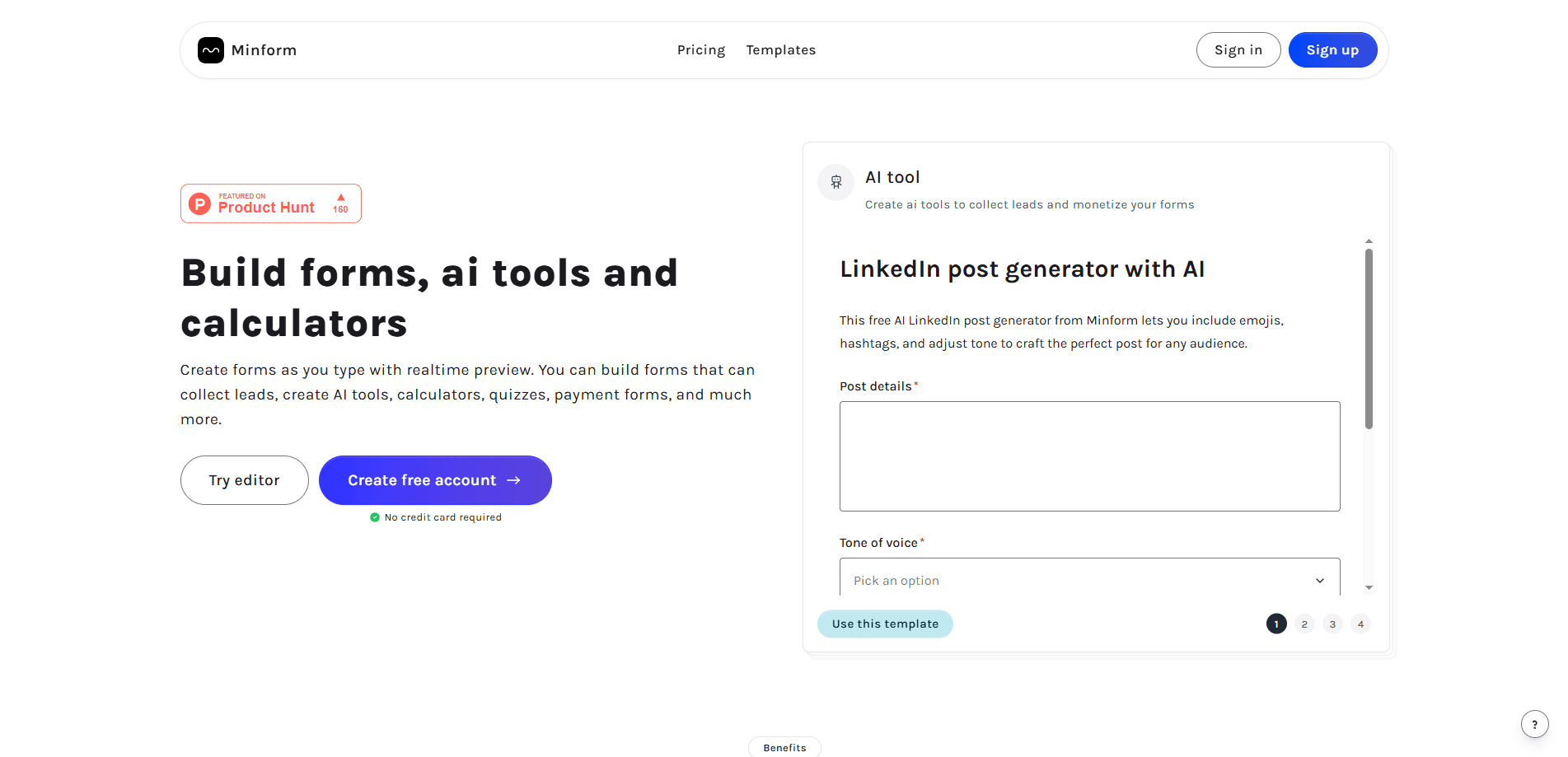
About Minform
What Is Minform
Minform is a web-based form and quiz builder built around an AI chat. Instead of dragging fields onto a canvas, you describe what you want and the AI drafts the whole form, including questions, logic, scoring, and a thank you page.
It's made for people who need a working form fast: a lead qualification survey, a course assessment, a product recommendation quiz, or a simple payment form. The pitch is speed. A form that used to take an afternoon can be live in a few minutes.
As an online form builder, it runs entirely in the browser. The catch is that the free tier caps you at 1,000 responses a month and 10 one-time AI credits, and file uploads sit at 20 MB. Heavy users will outgrow it quickly and need the Pro plan.
Getting Started
- Sign up with an email or a third-party account, then open the AI chat on the dashboard.
- Describe the form you need in a sentence, or upload a PDF, product catalog, YouTube link, or web page for the AI to work from.
- Refine the draft in the slash-command editor, adding payment fields, file uploads, conditional logic, or scoring rules.
- Share the form by link, embed it on your site, or run it fullscreen, and route responses to Google Sheets, Zapier, or email.
Product Information
A quick look at Minform's pricing, supported platforms, and performance.
Best for
The users, tasks, and scenarios where this tool fits best.
Users
- Marketers
- Teachers and trainers
- Small business owners
- SaaS and agency teams
Tasks
- PDF to quiz conversion
- Lead capture with scoring
- Product recommendation
- Payment collection
- Feedback and surveys
Scenarios
- Launching a campaign
- Running an online course
- Screening job applicants
- Collecting event registrations
Key features
AI chat that builds the form
Type a sentence like "customer feedback survey with an NPS scale" and Minform writes the questions, logic, and thank-you page for you. You can also feed it a PDF, product catalog, YouTube video, or any web page, and it generates a form from that content. Live progress shows while it works, and a snapshot is saved before every AI edit so you can revert.
Slash-command editor
The editor works like Notion. Type a slash to insert single-line and long inputs, multiple choice, dropdowns, payments, file uploads, dates, and signatures without leaving the keyboard. Every change auto-saves, so there's no separate publish step to remember.
Conditional logic, scoring, and calculations
This is a form builder with conditional logic at its core: route respondents down different paths based on their answers, hide or show whole pages, and score submissions automatically. Built-in variables and formula functions like SUM, AVG, and ROUND let you build pricing and loan calculators, not just surveys.
Quiz mode with timers and grading
Switch the AI into quiz mode and it adapts its output. You get timed quizzes with auto-grading, score-based results, access codes to control who starts, and a choice to reveal answers per question or only at the end.
Payments, branding, and custom domains
Collect payments through Stripe, then dress the form up with custom themes, fonts, logos, and background images. On the Pro plan you can host forms on your own domain so the whole experience carries your brand, not Minform's.
Integrations and analytics
Send submissions to Google Sheets, trigger Zapier and Pipedream workflows, and fire webhooks into your own stack. Track views, completion rates, and drop-off per question inside the built-in analytics dashboard, with GA and Meta Pixel available for deeper tracking.
Pros and cons
Pros
- Builds a complete, logic-ready form from a single sentence or an uploaded PDF.
- Free plan allows unlimited forms and 1,000 responses a month, enough for small projects.
- Slash-command editor feels familiar to anyone who has used Notion.
- Scored quizzes and lead qualification work without writing any code.
- Integrations cover the common tools: Sheets, Zapier, webhooks, analytics.
Cons
- The free tier gives only 10 one-time AI credits, so AI generation runs out fast.
- File uploads on the free plan max out at 20 MB, which blocks large catalogs or media.
- There's no documented public API, so deep custom automation depends on webhooks and Zapier.
- Removing Minform branding and using a custom domain both require the Pro plan.
Frequently asked questions
Yes. You can create unlimited forms and collect up to 1,000 responses a month at no cost. The Pro plan adds unlimited submissions, more AI credits, bigger file uploads, team features, and custom domains.
Related content
Explore related tools, skills, and articles for Minform.
Minform Alternatives

Udon
Udon · Coding · ProductivityUdon turns an Apple Silicon Mac into a home server you run from a browser, with container controls, file shares, and an optional AI sysadmin.

offstage
offstage cloud · Coding · Productivityoffstage gives AI coding agents and CI jobs a real Mac: a fresh macOS account on Apple silicon, driven over an API and billed by the second.

BotBus
Chengdu Tuyang Tusen Technology Co., Ltd. · Coding · ProductivityBotBus lets you control AI coding agents from your phone and watch: approve commands, start tasks and read results while the code stays on your desktop.