

Miora
Tencent · AI Assistant
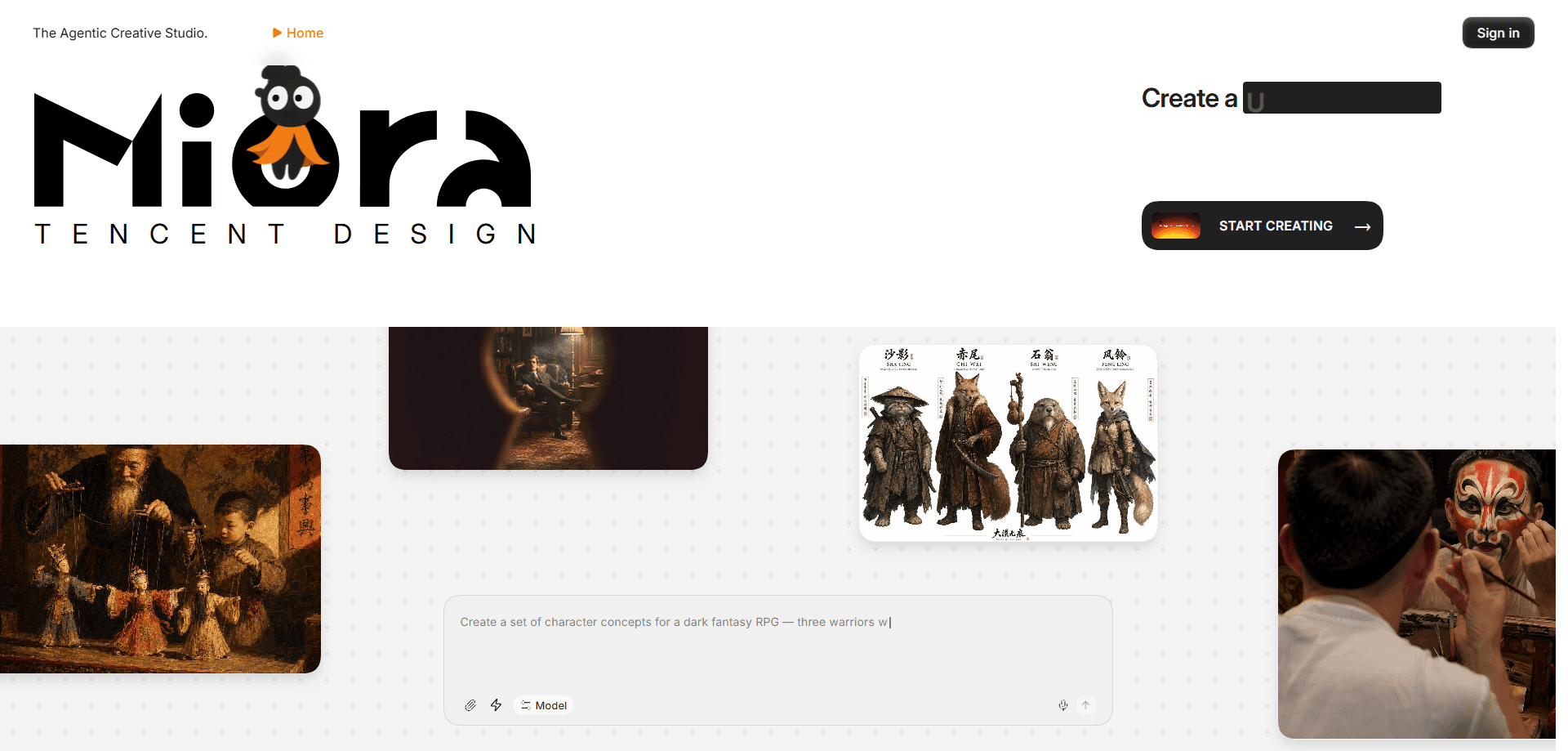
Miora is an agentic AI creative studio from Tencent that turns a single brief into a full set of visual assets. Instead of handing you one image per prompt, this AI design agent splits your request across image, video, 3D and UI/UX agents that work side by side on one shared canvas, then keeps a memory of your brand rules so later projects stay on style. As an agentic design tool and AI visual asset generator, Miora is web-only and aimed at marketers, founders, content creators and anyone who needs consistent visuals without a design team.
About Miora
What Is Miora
Miora is a browser-based AI creative studio built by Tencent's Design team, launched widely on July 22, 2026 after an invite-only test earlier that year. You describe what you want in plain language, and a lead agent breaks the job into smaller tasks, then routes each one to a specialist agent for images, audio and video, 3D models, or interface mockups.
That split is the point. A typical image generator gives you a picture and leaves the rest to you: cropping, resizing, matching colors across assets. Miora keeps every asset in one project, so the poster, the short video and the app screen it produces share the same style rules instead of looking like they came from different people. Tencent says more than half of its beta users aren't designers, which tells you where the product aims.
The biggest limit is polish, not range. Miora covers a lot of ground fast, but it doesn't export editable vector files, so a final brand logo still needs cleanup in Illustrator or similar software. So what do you actually get? A quick first draft, not a finished design file.
Getting Started
- Go to miora.design and sign up with an email, Google or GitHub account. New accounts get 1,000 free credits.
- Pick a skill template or type your brief into the chat box on the left. You can also set the model and agent mode for the task.
- Answer a few follow-up questions about size, color direction and style so the agent understands the goal.
- Watch the canvas on the right fill with images, video or UI drafts as the agents work, then click any piece to edit it with a plain-language instruction.
Product Information
A quick look at Miora's pricing, supported platforms, and performance.
Best for
The users, tasks, and scenarios where this tool fits best.
Users
- Marketing and social media teams
- Founders and small businesses
- Product managers and developers
Tasks
- Building a brand visual package
- Creating IP character sets
- Editing existing assets
Scenarios
- Launching a product with no design support
- Running an e-commerce listing
- Kicking off a game or app concept
Key features
Multi-agent collaboration on one canvas
Miora runs a team of specialist agents rather than a single model. When you submit a brief, the lead agent splits it and sends image work to one agent, video to another, and 3D or UI tasks to others, all working in the same project. Because they share one style instruction, the outputs come out looking related instead of stitched together from different sources.
Memory that learns your brand
The studio keeps two layers of memory: one for the current project and one for you as a creator. It records your color preferences, design rules and the things you never want touched, so you don't have to re-explain your brand every session. This is the main thing that separates Miora from a plain text-to-image tool, and it's what makes AI brand design work across a whole campaign instead of one lucky image.
Image editing without a full redo
You can select part of an image and change just that area. Backgrounds come out, text gets replaced, and framing gets extended, all through written instructions. No full redraw needed. It saves the usual loop of regenerating a whole picture because one detail was off.
Video and 3D asset generation
Miora handles motion and depth, not just flat images. It can build a short video with transitions, remove a video background, and generate 3D assets with multi-angle editing. So why does that matter? For a promo clip or a product turntable, it means less exporting between separate apps.
Reusable skills and a sharing community
Every workflow can be saved as a skill you call again later. Tencent ships preset skills for common jobs like brand visual packages and storyboard work, and you can share custom ones with your team or the public Inspiration Box. It turns a one-off project into a repeatable process.
Direct text editing on the canvas
Text inside generated visuals stays editable. You can select a line and rewrite it in place rather than regenerating the image, which matters when a poster needs a real product name or a price that keeps changing. Small change, big time saver.
Pros and cons
Pros
- Puts images, video, 3D and UI work in one project, so you avoid juggling several apps.
- The memory system keeps brand colors and rules consistent across assets.
- A free tier with 1,000 starting credits makes it easy to test before paying.
- Local edits and editable text cut down on full regenerations.
Cons
- You can't export SVG, PSD or other vector formats, so final brand files still need work in a dedicated design tool.
- Credits run out quickly on complex briefs, and the entry plan only includes 2,000 a month.
- Fine typography and pixel-level detail don't match a skilled human designer yet.
- There's no mobile app, so everything has to happen in a browser.
Frequently asked questions
Miora is an AI creative studio made by Tencent. You give it a written brief, and a group of AI agents turns it into a set of visual assets such as images, video, 3D models or UI mockups. It runs entirely in a web browser.
Related content
Explore related tools, skills, and articles for Miora.
Miora Alternatives

Iplan AI
Iplan AI · Productivity · AI AssistantIplan AI is an AI travel planner that turns a few trip details into a full day-by-day itinerary in seconds. You answer questions about your destination, interests, budget, and travel companions, and the tool builds a plan you can edit, share, and carry with you on any device. It targets travelers who want a solid draft without spending hours in spreadsheets and browser tabs. Think of it as an itinerary generator that does the tedious part for you.

Screenhelp
Screenhelp · Productivity · AI AssistantScreenhelp is an AI screen assistant that turns a single keyboard shortcut into real-time help. You press Ctrl+Shift+Space, it captures what's on your screen, and it streams an answer into a private panel in about two seconds. Think of it as an AI screenshot helper you trigger on demand. It runs on Mac, Windows, and the web, starts free with 30 answers a month, and stays invisible during screen sharing on Zoom, Teams, and Google Meet.

Rainbow
Rainbow · AI AssistantRainbow is an AI weather forecast app built around short-term precipitation nowcasting. Its engine pushes min-by-min rain and snow predictions up to four hours ahead, blending live satellite and radar feeds into hyperlocal forecasts. The app adds live rain radar, a seven-day outlook, precipitation alerts, home-screen widgets, and a hurricane tracker, and it runs on both Android and iOS with a free tier plus paid upgrades.