

Miro: your visual workspace
Miro (RealtimeBoard, Inc.) · Productivity
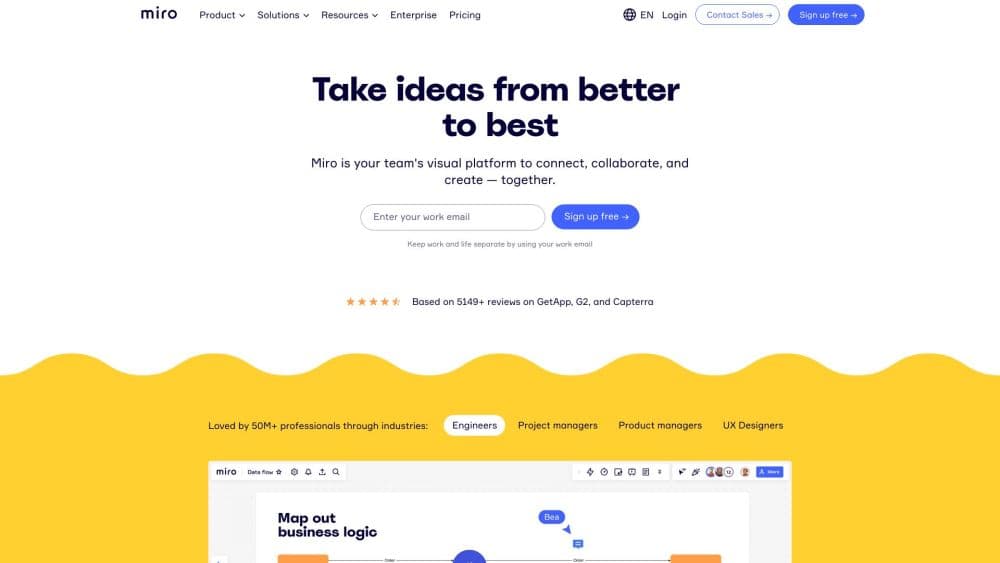
Miro is a visual workspace built around an infinite canvas for brainstorming, planning, and diagramming. Teams sketch ideas, map processes, and run workshops together live, with AI tools on top.
About Miro: your visual workspace
What Is Miro
Miro is a collaborative visual workspace where teams think in the open. Think of it as an online whiteboard that never runs out of room. The core object is a board, an endless canvas you fill with sticky notes, shapes, text, images, docs, and diagrams. Distributed teams use it as the shared table they never had, since everyone works on the same surface at the same time or leaves comments for later.
The product now leads with AI. Miro AI turns a rough build-up of notes into summaries, diagrams, and mind maps, while Sidekicks act as agents that read the context already on the board and build on it. Flows string multi-step jobs into repeatable workflows. An MCP server connects the canvas to coding assistants like Claude and Cursor, so a board can feed into an AI workflow and come back as something structured.
The limits matter just as much. The Free plan caps you at three editable boards and a small monthly pool of AI credits, so real project work pushes most teams to a paid seat. AI credits are metered per member and pooled across the account, and heavy users burn through them. Full workflows and agents sit behind Starter and Business, and the deepest security and governance controls are Enterprise only.
Getting Started
- Sign up with a Google, Office 365, or Slack account, or an email address, and verify it.
- Create a board, pick a template or start blank, and invite teammates by email or a share link.
- Add sticky notes, shapes, and frames, then cluster ideas and build out a mind map, diagram, or timeline on the canvas.
- Bring in Miro AI to summarize notes, generate a diagram, or run a workflow, and drop files or links from tools like Jira, Slack, and Figma onto the board.
- Export the board as an image or PDF, present it in presentation mode, or record a Talktrack walkthrough to share async.
Product Information
A quick look at Miro: your visual workspace's pricing, supported platforms, and performance.
Best for
The users, tasks, and scenarios where this tool fits best.
Users
- Product and design teams who run discovery, planning, and critiques on one canvas, and who want features like prototypes and AI workflows instead of a plain collaborative whiteboard.
- Remote and hybrid teams spread across time zones who need async comments, live cursors, and video calls without juggling five separate tools.
- Consultants and facilitators who run workshops for clients and need voting, timers, and breakout frames built into the board.
- Engineering teams that map architecture and processes, and who value diagram shapes, code snippets, and a Jira link on the same surface.
Tasks
- Brainstorming and idea clustering
- Process and journey mapping
- Agile planning
- Research synthesis
- Diagramming and prototyping
Scenarios
- Kicking off a new project with a distributed team and needing everyone aligned in one session instead of a long email thread.
- Preparing a client workshop where voting, timers, and private mode keep the room focused and on schedule.
- Documenting a legacy system so engineers and managers share one current picture instead of stale decks.
- Running a quarterly planning cycle that starts as a brainstorm and ends as OKRs and a roadmap on the same board.
Key features
Infinite Collaborative Canvas
Miro's foundation is a board with no edges, so a single space can hold a quick brainstorm or a sprawling process map. Everyone edits at once with live cursors, and teammates who miss the session can add comments, react, or record a Talktrack. Sticky notes, text, drawings, images, GIFs, docs, sheets, and PDFs all sit on the same surface.
Miro AI and Sidekicks
Miro AI reads the context already on a board and works from it. It generates diagrams, tables, and summaries, clusters sticky notes into themes, and can turn a rough map into a strategy doc or a set of OKRs. Sidekicks are AI agents that know how a board is structured, so they build frames, timelines, and kanban boards in the right shape rather than dumping loose text.
Visual Workflows and Connectors
Flows let a team string multi-step jobs into one visual workflow and run it together, then save it as a template to reuse. Connectors pull live data from tools like Slack, Jira, and Granola, so decisions and actions stay grounded in the tools a team already uses instead of being copied by hand.
Diagramming and Prototyping
Miro works as a diagramming tool and a prototyping space in one. It includes more than 2,000 expert shapes for UML, ER diagrams, BPMN, cloud architecture, and org charts, plus an AI generator that turns a prompt into a flowchart or process map. Prototyping tools upgrade sketches into interactive, clickable prototypes a team can test and iterate on the board.
Structured Formats: Docs, Tables, Slides, and Kanban
Beyond sticky notes, Miro adds first-class Docs, Tables, Timelines, Slides, and Kanban frames directly on the canvas. Teams plan work, track status, and build presentations without leaving the board, which keeps planning and execution in one place.
Templates and Integrations
Miro ships thousands of templates from the company and its community, covering brainstorming, roadmapping, retros, and technical design, so teams skip the blank canvas. Over 250 integrations connect Microsoft, Google, Slack, Adobe, Jira, and Figma, and an MCP server plus REST APIs and WebSDKs let developers build on the platform.
Pros and cons
Pros
- One canvas covers brainstorming, planning, diagramming, and presentations, so teams drop several separate tools.
- Miro AI works from the context already on the board, which makes its output feel relevant instead of generic.
- A deep template library and 250+ integrations cut setup time and keep work tied to Jira, Slack, and Google.
- Real-time and async collaboration fit distributed teams, with live cursors, comments, voting, and Talktracks.
- An MCP server and public APIs mean the board can plug into AI assistants and custom builds.
Cons
- The Free plan allows only three editable boards and a small monthly AI credit pool, so real work needs a paid seat.
- AI credits are metered per member and shared across the account, so heavy users can run out mid-project.
- A crowded board gets slow and hard to read, which affects large workshops on lower-end machines.
- The deepest security, governance, and data residency options are locked to the Enterprise plan, so regulated teams pay a premium.
Frequently asked questions
Miro is a visual workspace for brainstorming, planning, and diagramming. Teams use its infinite canvas for mind maps, flowcharts, journey maps, agile boards, presentations, and workshop facilitation, with Miro AI and Sidekicks accelerating the work.
Related content
Explore related tools, skills, and articles for Miro: your visual workspace.
Miro: your visual workspace Alternatives

Base Code
Base44 (Wix) · Coding · ProductivityBase Code is a shared cloud development environment from Base44. Teammates describe changes to an existing GitHub codebase in chat, preview them live and send them back as pull requests.

Knocket
Knocket (Tencent RTC team) · Productivity · Business · ChatbotKnocket is a free live chat and contact page tool that lets visitors message you from your website, app, or a shareable link, with every reply handled from Telegram or one inbox.

FloorGen
Vinit Kumar (FloorGen) · Productivity · China AIFloorGen is a browser-based floor plan maker that turns a sentence or a sketch into an editable 2D plan and a 3D walkthrough. Export to PDF, DXF or video, and draw without an account.