

Mixels.ai | The AI Pixel Art Generator
Mixels.ai · Image
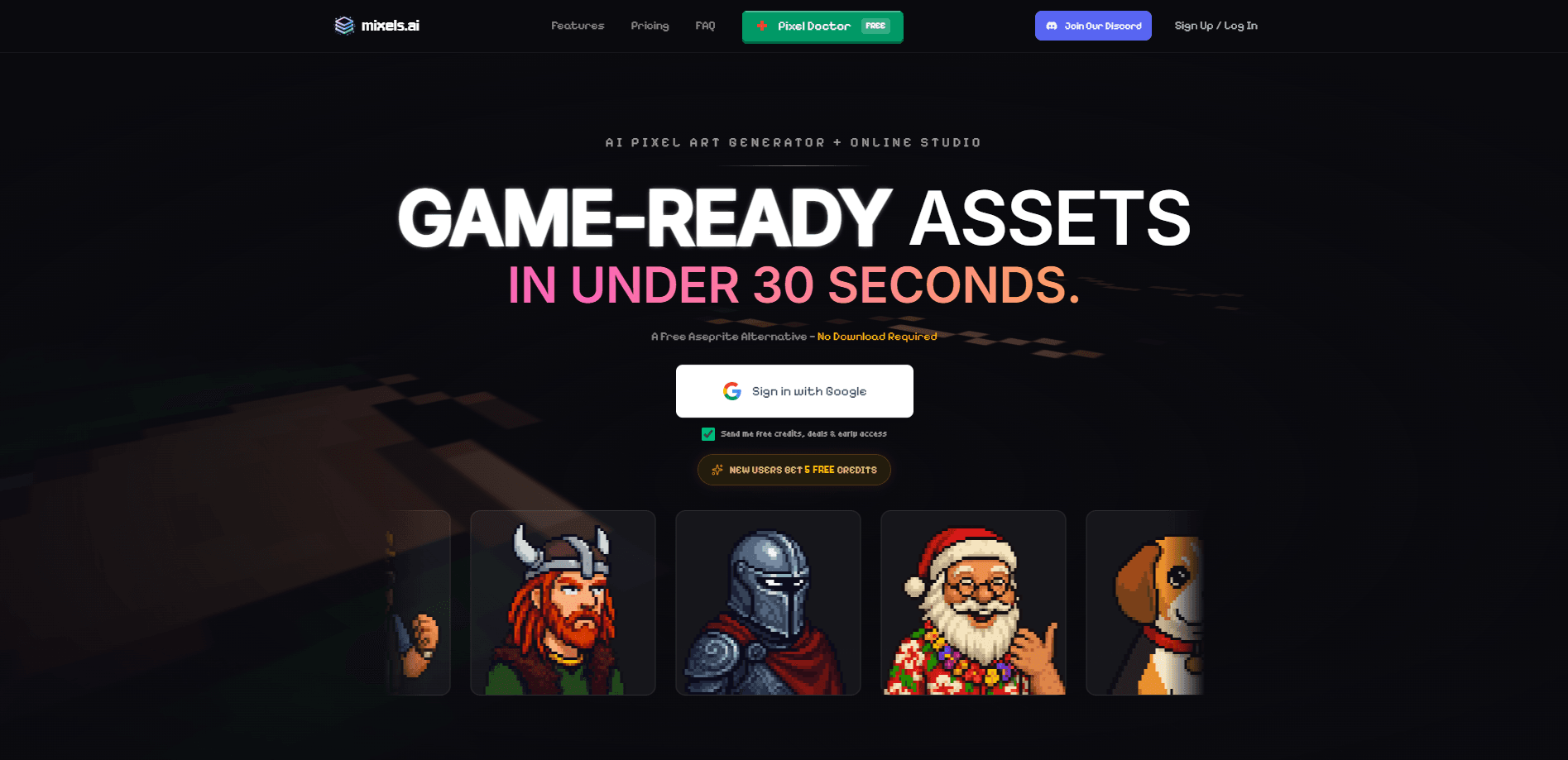
Mixels.ai is an AI pixel art generator and browser-based studio that turns photos and text descriptions into pixel-perfect, game-ready art in seconds. It works as a pixel art maker for anyone who wants a pixel art studio in the browser. You upload an image or describe what you want, and the tool snaps the result to a consistent pixel grid so the output stays clean and usable. It's built for game developers, indie creators, and anyone who wants retro 8-bit visuals without hand-placing every square. The pitch is speed and consistency: no drawing tablet, no pixel-by-pixel editing, no special software to install.
About Mixels.ai | The AI Pixel Art Generator
What Is Mixels.ai | The AI Pixel Art Generator
Mixels.ai is an online AI pixel art generator aimed at people who need pixel art fast but don't want to draw it themselves. It handles two main jobs: converting an existing photo into pixel art, and generating original pixel art from a written prompt. The results land on a fixed grid, which matters because pixel art that isn't grid-aligned looks blurry or uneven when you scale it up.
The tool targets game-ready assets in particular. Sprites, characters, items, and backgrounds all benefit from a consistent pixel density, so an asset that comes out of a generator aligned to the grid saves cleanup time later. According to the product's own description, most outputs land in under 30 seconds. That's the whole promise. If you've ever hand-cleaned a messy AI sprite so it matched the rest of your art, you already know why a consistent grid matters more than raw speed for anything you actually intend to ship.
There are real limits worth knowing up front. Mixels.ai is a web tool, so you need a browser and a connection to use it; there's no local install for offline work. Generative pixel art also needs a pass of human review, since AI output can miss small details like a character's exact silhouette or a specific palette. So why use it at all? Speed. Treat it as a fast first draft, not a finished sprite sheet. The honest framing is that you're trading some control over fine detail for a huge head start on the shape, style, and composition of an asset you'd otherwise build entirely by hand.
Getting Started
- Open the Mixels.ai website in your browser and create a free account, or sign in if you already have one.
- Choose your input: upload a photo to convert, or type a text description of the art you want.
- Set your grid size and style so the output matches the resolution and look your project needs.
- Generate the art and review it; regenerate with tweaks if a detail is off.
- Download the file and drop it into your game engine, design tool, or asset library.
Product Information
A quick look at Mixels.ai | The AI Pixel Art Generator's pricing, supported platforms, and performance.
Best for
The users, tasks, and scenarios where this tool fits best.
Users
- Indie game developers
- Hobbyist pixel artists
- Social media creators
Tasks
- Photo to pixel art
- Text to pixel art
- Sprite and asset generation
Scenarios
- Prototyping a game and needing placeholder art that already looks intentional rather than grey boxes.
- Building a retro-styled brand or channel and wanting 8-bit visuals without learning pixel art software.
- Trying out a concept quickly
Key features
Photo to Pixel Art Conversion
Upload a photo and Mixels.ai turns it into pixel art on a fixed grid. This is the fastest path for people who already have an image and just want the retro treatment. Think of a portrait turned into an avatar, or a photo restyled with an 8-bit art generator. Because the output aligns to the grid, it stays sharp when you scale it up instead of turning soft. Clean lines. Consistent pixels.
Text to Pixel Art Generation
Describe what you want in plain language and the generator builds a pixel art version. You can ask for a character, an item, or a scene, which makes this useful for brainstorming when you don't have a reference image. It's the closest thing here to a prompt-driven AI sprite generator. No reference needed. Just words.
Grid-Aligned, Game-Ready Output
The standout claim is consistency: assets come out aligned to the same pixel grid, so a set of sprites reads as one coherent style. For game work this is the part that matters most, since mismatched pixel densities are what make AI-generated assets look pasted together. Why does that matter so much? Because a sprite sheet with uneven grids has to be fixed by hand, pixel by pixel, before it's usable. Mixels.ai leans into that by treating consistency as the core feature, not an afterthought.
Browser-Based Studio
Everything runs in the browser, so there's nothing to install and no platform lock-in beyond having a web connection. That lowers the barrier for anyone who just wants to try pixel art generation without committing to desktop software. Just open a tab. The tradeoff is that you can't work offline. No plane rides, no dead zones, no offline sprints.
Fast Generation
The product advertises outputs in under 30 seconds, which fits rapid iteration. You can generate a few versions, compare them, and regenerate with changes without a long wait between attempts. For early-stage art direction, that speed is the main draw. It isn't perfect. It's fast.
Style Consistency Across a Set
Beyond single images, the tool aims to keep style consistent across multiple assets, so a batch of sprites shares palette and rendering style. This is what separate single-image pixelators from tools meant for real projects, where a whole set needs to look like it belongs together. When an entire character sheet, tile set, and item collection share one palette and one rendering approach, you can ship them as a unit instead of reworking each asset to match the others.
Pros and cons
Pros
- Turns photos and text prompts into pixel art without any drawing skill.
- Grid-aligned output makes the results genuinely usable for games, not just decoration.
- Runs in the browser with no install, so trying it costs nothing but a signup.
- Fast generation supports quick iteration across several ideas.
- Handles both photo conversion and prompt-based generation in one tool.
Cons
- It's web-only, so you can't use it offline or on a local workflow without a connection.
- AI output still needs a human pass; fine details and exact palettes can come out off and cost time to fix.
- As a fairly new tool, documentation and a public API are thin, which limits automation for developers.
- Precise pricing and plan details aren't clearly published, so you'll need to check the site directly before committing.
Frequently asked questions
Mixels.ai generates pixel art from photos and text prompts. It's mainly used for game-ready sprites, tiles, and assets, plus retro avatars and 8-bit graphics for personal or social projects. If your task involves turning a reference or a rough idea into grid-aligned visual assets that already look like they belong in a game, that's exactly the kind of job this tool was built to handle.
Related content
Explore related tools, skills, and articles for Mixels.ai | The AI Pixel Art Generator.
Mixels.ai | The AI Pixel Art Generator Alternatives

Google EmbeddingGemma 2
Google DeepMind · Writing · Image · CodingGoogle EmbeddingGemma 2 is a 740M-parameter open model that turns text, code, images, audio, and video frames into vectors in one 768-dimension space, running on phones and laptops.

Tractionwave
TractionWave · Image · MarketingTractionWave is an AI attention heatmap tool for static ads. Upload a PNG or JPG and it returns predicted attention, ranked hotspots, and fixes before you spend budget.

Imejis.io
Imejis.io · Image · MarketingImejis.io is an AI design studio for agents and marketing teams. Describe an image in plain words, and it writes the copy, builds the layout, reflows it to every size, then exports a finished file.