

moar
moar · Productivity
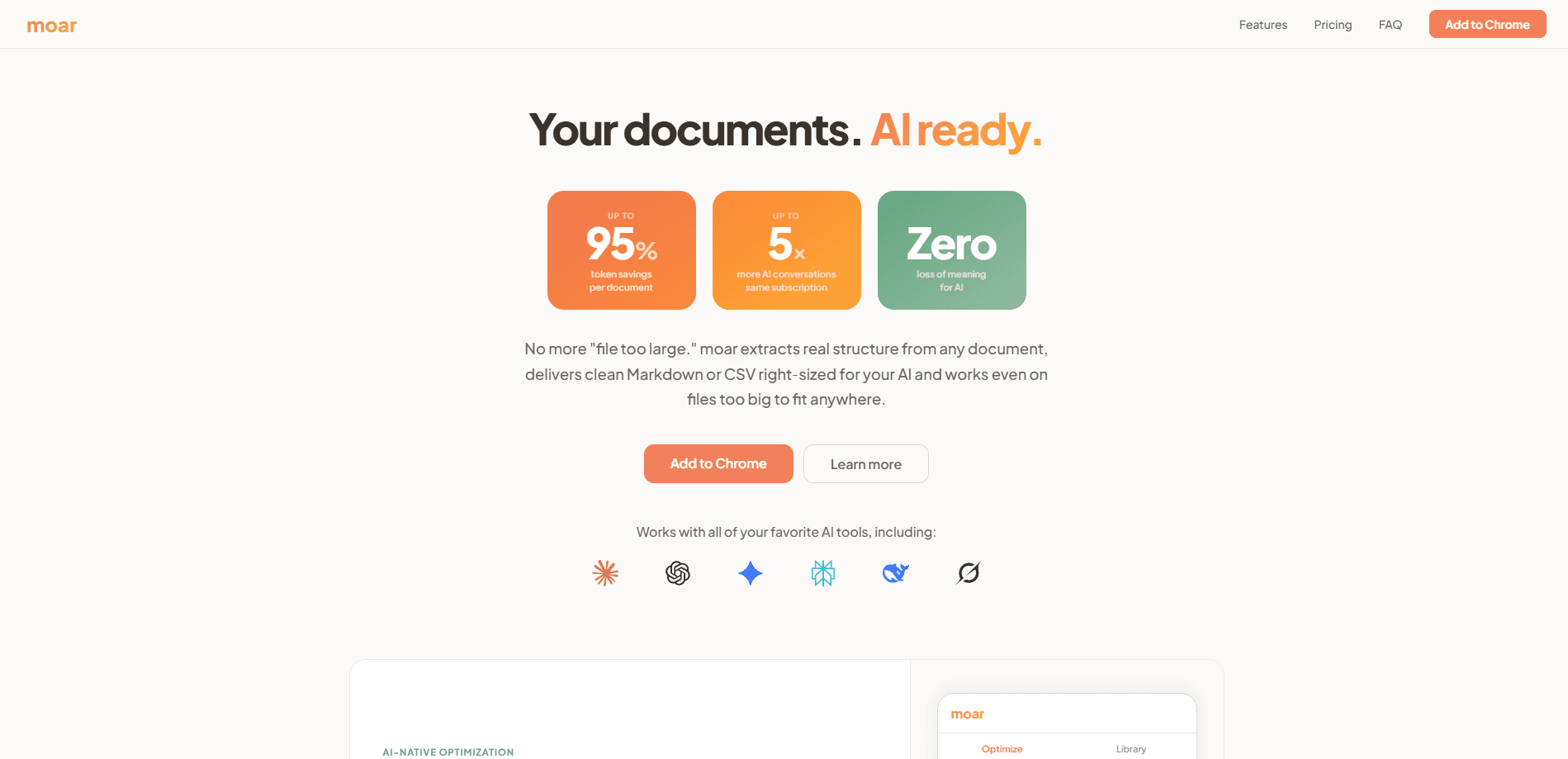
moar is a private Chrome extension that acts as a document optimizer for ChatGPT, Claude, and Gemini. It sits between your files and your AI chat window, reads the structure of a document, strips out the noise, and reshapes the output to fit the exact token budget of your plan. The pitch is simple: up to 95% smaller documents, which can mean up to 5x more conversations from the same subscription. Everything runs locally in your browser, so your files never touch a server.
About moar
What Is moar
moar is a document optimizer built for people who feed long files into AI tools and keep hitting the "file too large" wall. Instead of dumping raw extracted text into a context window, it pulls out real structure and hands your AI clean Markdown or CSV that fits.
The whole thing runs in your browser with no server, no uploads, and no account. The developer says it was co-designed with language models, so the compression follows what AI actually reads well rather than what looks tidy to a human. That's the whole idea.
The catch is that moar isn't a chatbot and doesn't summarize anything for you. It reshapes input. If your file is already short, you won't gain much. And the genuinely big documents, the ones past a million tokens, need the paid tier.
Getting Started
- Install the free extension from the Chrome Web Store and pin it to your toolbar.
- Drop a file into the moar window, or click to upload one. It handles PDF, DOCX, PPTX, XLSX, CSV, TXT, MD, JSON, and HTML up to 50 MB.
- Pick your AI and your plan tier so moar shapes the output to that context window.
- Copy the optimized Markdown or CSV and paste it into your AI chat.
- For oversized documents, buy the moar Most tier, paste your key, and use Smart Select or Intelligent Chunking.
Product Information
A quick look at moar's pricing, supported platforms, and performance.
Best for
The users, tasks, and scenarios where this tool fits best.
Users
- Students and researchers
- Consultants and analysts
- Privacy-conscious professionals
Tasks
- Token reduction
- Asking questions across a huge document
- Combining mixed files
Scenarios
- Reviewing a wall of meeting notes before a Monday standup
- Checking the rules in a long HOA bylaws PDF
- Pushing a spreadsheet too big for any context window
Key features
Structure-Preserving Optimization
moar doesn't just truncate text. It extracts the underlying structure of a document, keeping headers, clauses, tables, and footnotes intact while dropping formatting noise. Why does that matter? AI models read structure poorly when it's flattened, and a garbled input tends to produce a garbled answer. Big difference. For spreadsheets, the output comes back as clean CSV or structured Markdown instead of a mess of tabs.
Platform-Aware Sizing
Every AI plan hands you a different token budget, and moar sizes its output for the one you pick. Choose Claude Pro, ChatGPT Plus, Gemini Pro, or Perplexity Pro, and the tool shapes the result to fit that ceiling. No guessing. It also warns you when a document still exceeds the window, so you know before you paste rather than after your AI chokes.
Smart Select
Smart Select is a retrieval layer that runs in your browser. Think RAG for documents, without the vector databases or the infrastructure work. You describe what you need, and moar works with your AI to scan the full document and surface only the sections that answer your question. On the demo HOA bylaws file, that meant pulling 8 of 86 sections and cutting the payload by 96%.
Intelligent Chunking
Some files exceed every context window, even after compression. A 10 MB spreadsheet can run past a million tokens. Intelligent Chunking splits the complete document into right-sized pieces tailored to your AI, keeping headers and cross-references intact at each boundary. Nothing gets cut. Each chunk ships with setup instructions so you can walk your AI through the whole document across several conversations.
Local, Private Processing
All processing happens in your browser. No server. No upload, no account, no telemetry, and the extension works offline. Your documents never leave your device. If you handle anything sensitive, that's the difference between a tool you can use and one you can't. Need to reduce token usage across a whole team? You can't. moar is a personal, one-device tool, not a shared workspace.
Nine Format Engines
moar supports PDF, DOCX, PPTX, XLSX, CSV, TXT, MD, JSON, and HTML, each with its own extraction engine tuned to how that format stores data. Not one parser for everything. It also includes a document library with processing history and stats, and the ability to fuse multiple files of the same format into one output.
Pros and cons
Pros
- Cuts document size by up to 95%, which stretches a fixed AI subscription further.
- Runs entirely on your device, so sensitive files stay off any server.
- Platform-aware sizing matches output to your exact AI and plan tier.
- One-time pricing instead of a recurring subscription.
- Handles nine document formats with a dedicated engine for each.
Cons
- It only reshapes input. It won't summarize, answer questions, or generate anything on its own.
- The most useful features for very large files sit behind the paid tier, and the free version caps files at 50 MB.
- Chrome-only. Firefox, Safari, and mobile users are out of luck for now.
Frequently asked questions
It's a Chrome extension that optimizes documents before you paste them into an AI. moar reads the structure, removes noise, and delivers clean Markdown or CSV sized for your model's context window. The goal is fewer tokens and better answers from the same file.
Related content
Explore related tools, skills, and articles for moar.
moar Alternatives

Base Code
Base44 (Wix) · Coding · ProductivityBase Code is a shared cloud development environment from Base44. Teammates describe changes to an existing GitHub codebase in chat, preview them live and send them back as pull requests.

Knocket
Knocket (Tencent RTC team) · Productivity · Business · ChatbotKnocket is a free live chat and contact page tool that lets visitors message you from your website, app, or a shareable link, with every reply handled from Telegram or one inbox.

FloorGen
Vinit Kumar (FloorGen) · Productivity · China AIFloorGen is a browser-based floor plan maker that turns a sentence or a sketch into an editable 2D plan and a 3D walkthrough. Export to PDF, DXF or video, and draw without an account.