

Mockey - AI Mockup Generator
Blinkstore Pvt. Ltd. · Image · Productivity
Mockey AI is a free mockup generator with 30,000+ templates for apparel, packaging, devices and print. Upload your design, customize it, and download mockups without a watermark.
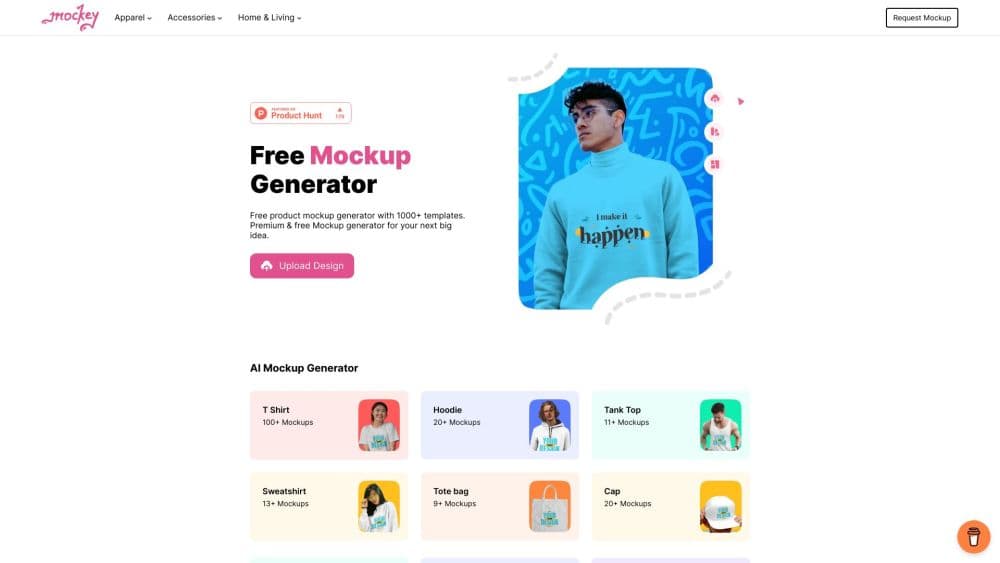
About Mockey - AI Mockup Generator
What Is Mockey
Mockey AI is an online mockup tool that puts your design onto a product in a few clicks. Pick a template from 30,000+ options, upload a PNG or JPEG, then adjust placement, color, and background before you download. It leans on a simple editor aimed at people who don't open Photoshop, and it keeps the free tier genuinely usable rather than capping you after a few exports.
That free access is the main draw. Mockey doesn't stamp a watermark on what you download, so a small seller can pull product images for a store or a social post without paying first. The library covers apparel, accessories, packaging, devices, and print, and it grows every week based on what users ask for.
The limits are worth knowing up front. You need an account to save work and reach the full library, and some features beyond the core mockup flow, like the AI product photoshoot and video templates, sit behind the paid plans. If you only need flat still mockups for a handful of products, the free plan usually covers it. If you want studio-style photos or moving visuals, you'll be looking at a subscription.
Getting Started
- Go to mockey.ai and sign up. You can browse the template library before creating an account, but saving and downloading need one.
- Pick a category and a template. Choose from apparel, accessories, home and living, prints, packaging, tech, and jewelry, then open the one that matches your product.
- Upload your design. Add a logo or an exported file (PNG or JPEG), then drag it into place. Adjust the crop, size, and position with the simple editor.
- Customize the look. Change the product color, swap the background, or use the background remover to clean up your own product shots.
- Download the mockup. Export as a high-quality PNG, and on paid plans you can batch-download many mockups at once from the dashboard.
Product Information
A quick look at Mockey - AI Mockup Generator's pricing, supported platforms, and performance.
Best for
The users, tasks, and scenarios where this tool fits best.
Users
- Print-on-demand sellers
- Small brand owners and D2C stores
- Designers who want quick previews
Tasks
- Making a t-shirt or hoodie mockup
- Cleaning up a product photo
- Producing a batch of listing images
- Building ad creatives from product photos
Scenarios
- Launching a new merch line
- Refreshing an existing store catalog
- Testing a design before printing
Key features
30,000+ Mockup Templates
The library spans apparel, accessories, home and living, prints, packaging, tech, and jewelry, with more than 30,000 templates in total. It updates weekly based on what users request, so new product types show up over time. For a seller, that range means you can usually find a realistic shot of the exact product you're trying to show rather than settling for a generic stand-in.
Simple Online Editor
The editor handles the basics without a learning curve: upload a PNG or JPEG, then crop, resize, and reposition your design on the product. You can recolor the product to match your line and swap the background to fit a store's look. It's built for people who don't want a full design suite, and that's the point. You stay focused on the mockup instead of the tooling.
No-Watermark Free Downloads
Free mockups download without a watermark, which separates Mockey from tools like Placeit, Mediamodifier, and Renderforest that mark free exports. For a small seller, that's the difference between usable images and ones you can only use as a preview. You still need an account to download, and premium features sit on the paid tiers.
AI Product Photography
Beyond flat mockups, Mockey generates studio-style product photos with AI. You upload a product image or design file and get a photoshoot-style result, aimed at sellers who want campaign visuals without booking a photographer. This is a paid feature, so it's a reason to subscribe rather than a free-tier tool.
Video and Animation Mockups
Ready-made video templates let you show a design in motion, not just as a still. That covers the animated product clips and short promo visuals that social platforms favor, and it pairs with the AD templates that turn product photos into publish-ready ads. Together they push the tool past static mockups into content that moves.
Bulk Download and Platform Plugins
A dashboard lets you download dozens of mockups at once, which saves time when you're exporting a full product range. Mockey also integrates with Shopify, Figma, and Etsy through plugins, so you can create and publish mockups inside the platforms where many sellers already work. There's a Mockey app on the Play Store as well, for creating mockups from a phone.
Pros and cons
Pros
- Free mockups export without a watermark, so you can use them commercially on a live store.
- The template range is large and covers apparel, packaging, devices, and print from one account.
- The editor is simple enough for sellers without design software experience.
- Bulk download and Shopify, Figma, and Etsy plugins fit into an existing selling workflow.
- Video templates and AI product photos extend the tool beyond flat stills, but those need a paid plan.
Cons
- You need an account to download, and the AI photoshoot and video features sit behind paid plans.
- Template quality varies by category, so popular product types have more polished options than niche ones.
- The tool is built for mockups and product visuals, not full graphic design, so brand assets still come from elsewhere.
- Mobile use is tied to the Play Store app, which lags behind the web editor for heavy editing.
Frequently asked questions
Mockey AI turns a design into a product mockup. You pick a template, upload your artwork, adjust it in the editor, and download a realistic image of your design on a t-shirt, package, device, or print. It's used mainly by sellers and designers who need product visuals without a photoshoot.
Related content
Explore related tools, skills, and articles for Mockey - AI Mockup Generator.
Mockey - AI Mockup Generator Alternatives

Google EmbeddingGemma 2
Google DeepMind · Writing · Image · CodingGoogle EmbeddingGemma 2 is a 740M-parameter open model that turns text, code, images, audio, and video frames into vectors in one 768-dimension space, running on phones and laptops.

Tractionwave
TractionWave · Image · MarketingTractionWave is an AI attention heatmap tool for static ads. Upload a PNG or JPG and it returns predicted attention, ranked hotspots, and fixes before you spend budget.

Imejis.io
Imejis.io · Image · MarketingImejis.io is an AI design studio for agents and marketing teams. Describe an image in plain words, and it writes the copy, builds the layout, reflows it to every size, then exports a finished file.