

Moda
Moda · Image · Productivity
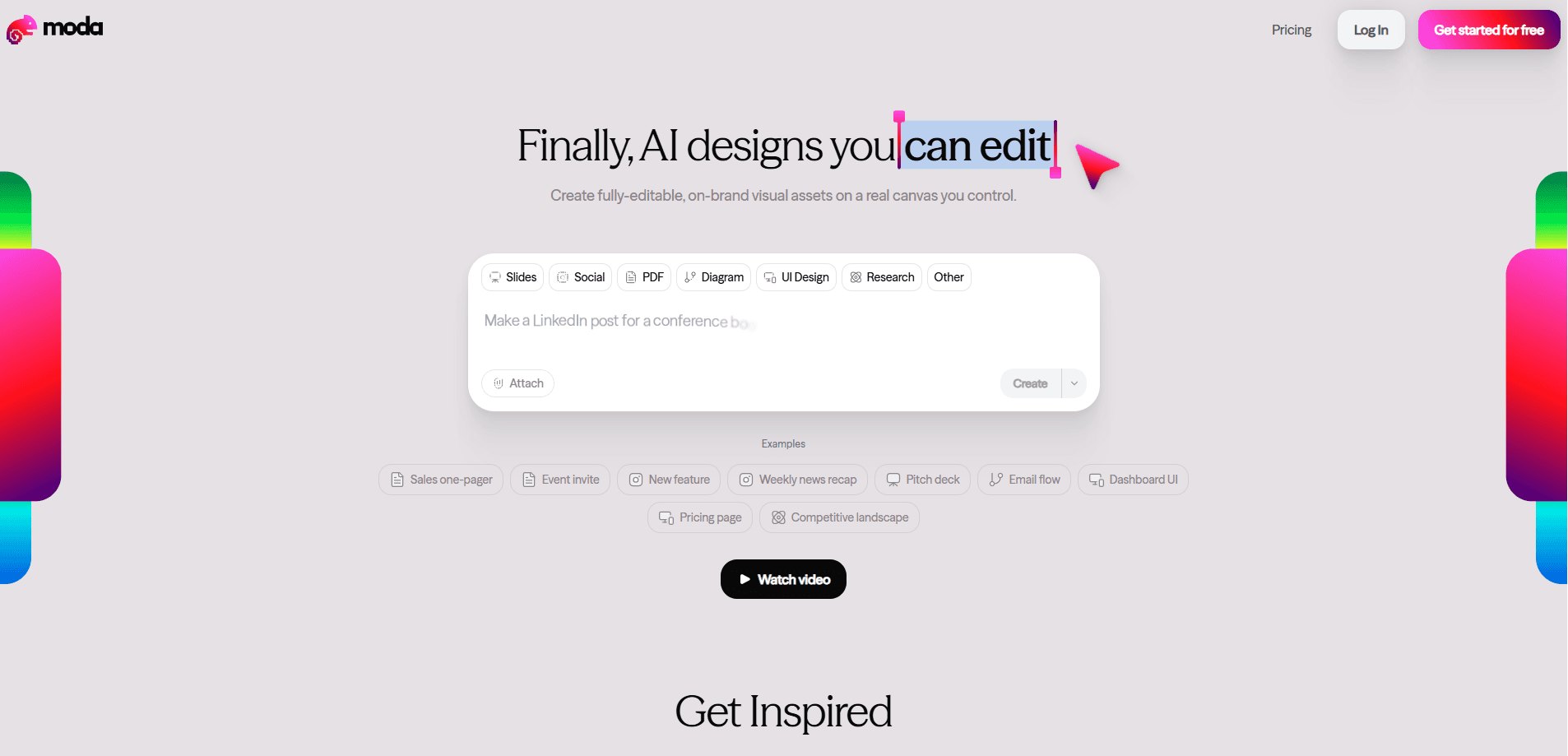
Moda is an AI design platform for teams that need visual assets they can actually edit afterward. Instead of exporting a flat image and rebuilding it by hand, you prompt the tool and get a real, layered canvas with text, shapes, and layouts you control. It's an AI graphic design tool that also works as an AI presentation maker. It covers slide decks, social graphics, and published websites, with brand kits that keep fonts and colors consistent across everyone on a team.
About Moda
What Is Moda
Moda is a browser-based AI design tool built around one idea: AI should give you a starting point, not a locked file. You type what you want, and it drafts a design on an editable canvas, complete with text blocks and elements you can move, restyle, or delete. The pitch is simple. Most AI image tools hand back a picture. Moda hands back a working document.
It fits marketing teams, founders, and agencies that produce a steady stream of decks, ads, and landing pages but don't have a dedicated designer for every request. The brand kit feature keeps that output consistent, so a salesperson generating their own one-pager doesn't drift off-brand.
The limits are worth knowing up front. The free tier caps slide decks at 10 slides and gives you 500 AI credits per seat per month, which goes fast once you're generating regularly. Custom domains and data-backed apps sit behind the paid Pro tier, and the most advanced model is reserved for higher plans.
Getting Started
- Sign up at moda.app with your email or work account.
- Start a new design or deck and describe what you want in plain language, or pick a template.
- Adjust the generated canvas by editing text, swapping images, and moving elements where you need them.
- Set up a brand kit so fonts and colors apply automatically to everything your team makes.
- Share the file for real-time collaboration, or publish it as a website on a moda.page subdomain.
Product Information
A quick look at Moda's pricing, supported platforms, and performance.
Best for
The users, tasks, and scenarios where this tool fits best.
Users
- Marketing and sales teams
- Startup founders
- Solo creators and freelancers
Tasks
- Generating a pitch deck
- Building on-brand social posts
- Publishing a quick landing page
Scenarios
- A sales rep needs a one-pager before a call
- A small team runs a product launch
- A founder preps an investor meeting
Key features
Editable AI Canvas
The core promise is that AI output stays editable. Moda generates editable AI designs as real canvas objects, not flattened images, so you can select any element, rewrite the copy, and reposition it. That separates it from image generators that leave you stuck with whatever the model produced. Removing one ugly caption from a picture is a pain.
Brand Kits
A brand kit stores your fonts, colors, and logo rules so every generated design inherits them automatically. Free accounts get limited kits and Pro raises that, which matters once more than a couple of people are creating assets. It's the feature that keeps a fast-moving team from slowly drifting off-brand. On-brand design stops being a manual checklist.
Presentations and Decks
Moda handles slide decks directly, generating a full set of slides from a prompt and letting you edit each one. The free plan caps decks at 10 slides, while Pro removes page limits. For anyone who builds decks regularly, that ceiling is the main reason to upgrade.
Published Websites
You can turn a design into a live website, either on a moda.page subdomain on the free plan or on your own domain with Pro. Pro also opens up data-backed apps, so a page can pull in real content rather than staying static. It's a lighter path than handing a design off to a developer. No code.
API and MCP Access
Moda exposes an API and MCP support on every tier, with concurrency limits that scale by plan, from 3 concurrent tasks on Free up to 15 on Ultra. That lets teams wire design generation into their own tools and workflows instead of working only inside the browser. So why does that matter? It means you can automate assets at scale.
Real-Time Collaboration
Multiple people can work in the same file at once, which fits the team angle the product pushes. Combined with pooling credits across teammates on Pro, it's built for groups rather than lone users, so a whole go-to-market team can share one workflow.
Tiered Model Access
Different plans give you access to different design models. Free gets standard and Lite models, Pro adds the Pro model, and Ultra adds a faster model for high-volume work. The model tier usually decides how polished the first draft looks, so heavier users feel the difference.
Pros and cons
Pros
- AI output stays on a real, editable canvas, so you aren't stuck with a flat image.
- Brand kits keep fonts and colors consistent across an entire team.
- Free plan is usable, with 500 credits per seat and API access included.
- Covers decks, graphics, and published websites in one tool.
- Real-time collaboration and pooled credits fit team workflows.
Cons
- Free slides are capped at 10 and credits run out quickly with regular use.
- Custom domains and data-backed apps require the paid Pro tier, so free users can't publish on their own URL.
- The most advanced models sit behind higher plans, so output quality varies by what you pay.
- Coworkers who only need occasional graphics may find the tier structure heavier than they need.
Frequently asked questions
Moda generates editable visual assets like slide decks, social graphics, and websites from text prompts. You describe what you want, and it drafts a design on a canvas you can then edit by hand.
Related content
Explore related tools, skills, and articles for Moda.
Moda Alternatives

Google EmbeddingGemma 2
Google DeepMind · Writing · Image · CodingGoogle EmbeddingGemma 2 is a 740M-parameter open model that turns text, code, images, audio, and video frames into vectors in one 768-dimension space, running on phones and laptops.

Tractionwave
TractionWave · Image · MarketingTractionWave is an AI attention heatmap tool for static ads. Upload a PNG or JPG and it returns predicted attention, ranked hotspots, and fixes before you spend budget.

Imejis.io
Imejis.io · Image · MarketingImejis.io is an AI design studio for agents and marketing teams. Describe an image in plain words, and it writes the copy, builds the layout, reflows it to every size, then exports a finished file.