

Model Face AI
MSE Apps · Image
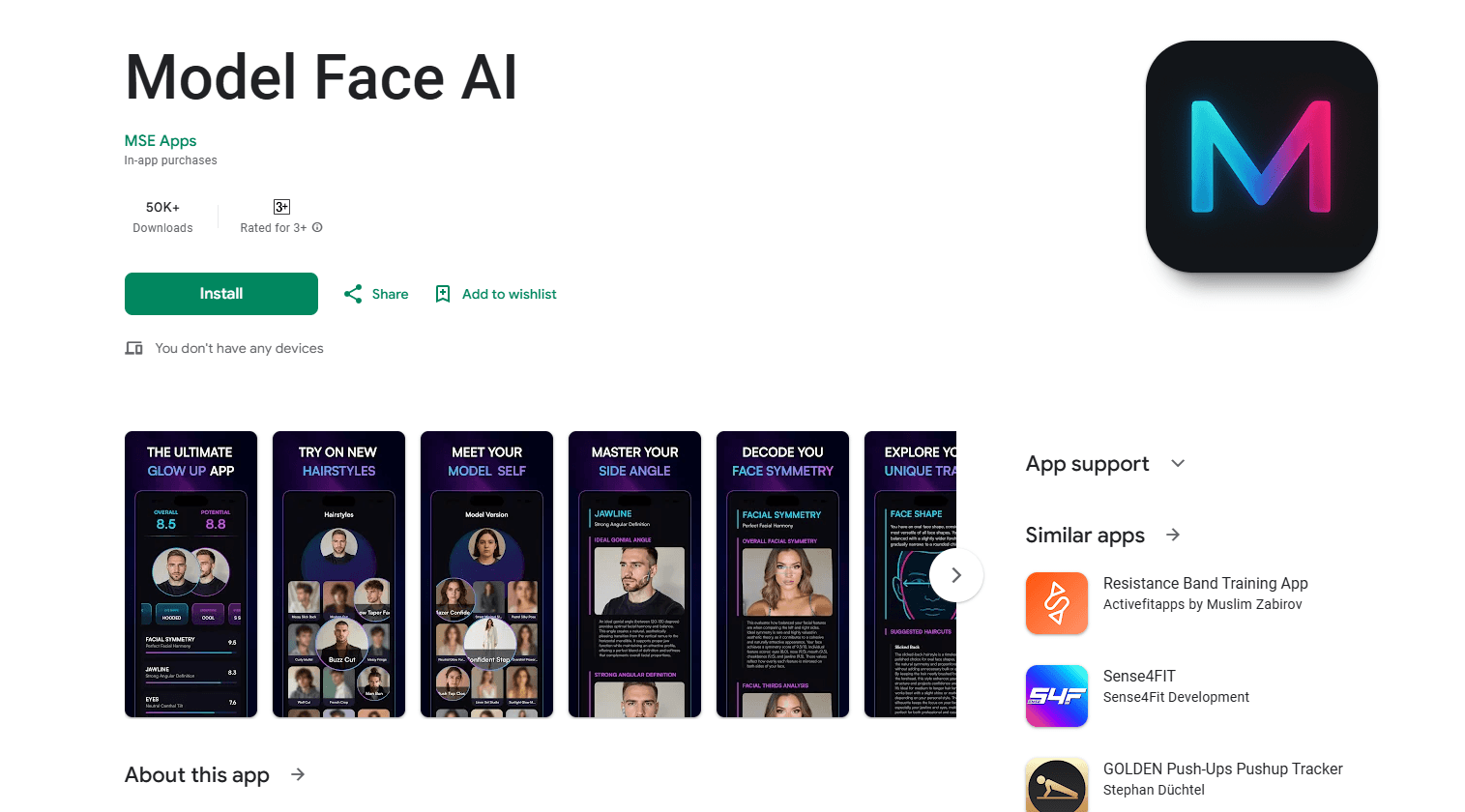
Model Face AI is a mobile app that scans your face to map its shape, jawline and symmetry, then shows a hairstyle try-on and an AI "model version" of your look.
About Model Face AI
What Is Model Face AI
Model Face AI is a glow up app from MSE Apps, the developer behind a small lineup of lifestyle and photo tools. You upload or snap a photo, and the app reads your facial structure: face shape, eye shape, eyebrow type, undertone, jawline strength and overall symmetry. It then turns that into things you can act on, like a hairstyle try-on, a side profile breakdown and a visual of your "model version."
The appeal is simple. Most people walk into a salon without knowing which cuts suit their face, and most self-assessment apps stop at a score. Model Face AI pairs analysis with a preview, so you see the haircut on your own head before you commit.
The catch is the paywall. The core scan is free to start, but the results that matter most, like full breakdowns and hairstyle previews, sit behind a subscription or in-app purchase. Recent store reviews lean on this hard, so go in expecting to pay before you see much. It is a consumer lifestyle app, not a professional tool, so nothing here replaces a dermatologist, a stylist or a barber.
Getting Started
- Download Model Face AI free from the App Store or Google Play and open it
- Take or upload a clear front-facing photo in even lighting, then add a side profile shot if the app asks for one
- Let the scan run, then read your face shape, eye shape, undertone and symmetry results
- Unlock the paid features you want, such as hairstyle try-ons or your model version, and save the output to your library
Product Information
A quick look at Model Face AI's pricing, supported platforms, and performance.
Best for
The users, tasks, and scenarios where this tool fits best.
Users
- People planning a new haircut
- Glow up enthusiasts
- Beauty and grooming beginners
- Content creators
Tasks
- Face shape analysis
- Hairstyle try-on
- Jawline and symmetry analysis
- Side profile breakdown
- Progress tracking
Scenarios
- Standing in a salon chair unsure which cut to ask for
- Starting a grooming routine
- Filming a glow up video
- Changing up a beard or brow shape
Key features
Face Shape and Feature Analysis
The core scan labels what it sees. You get your face shape (oval, round, square, heart, diamond or oblong), eye shape (almond, hooded, monolid and others), eyebrow type and skin undertone (warm, cool or neutral). The app frames this as the foundation for smarter choices about haircuts, makeup, accessories and beard styles, all matched to your features.
AI Hairstyle Try-On
Instead of guessing, you preview more than 20 AI-generated hairstyles on your own photo. The developer says the cuts are built to fit your face rather than sit on top like a filter. You can compare a bold change against something classic before you ever pay for a cut, which is the pitch that sells the app to most users.
Jawline and Symmetry Analysis
This is the deeper read. The facial symmetry analysis maps your facial structure, measuring how balanced your features are, whether your vertical thirds are even and how strong your jawline looks from the front and the side. It also points out which side of your face is more photogenic, the kind of detail most people never notice on their own.
Side Profile Analysis
Your profile gets its own breakdown. The app walks through how your nose, chin and jawline flow together from the side and offers tips on what enhances the look from different angles. It is a niche feature, but it answers a question a front-facing photo can't.
AI Model Version Visualization
The hook that gives the app its name. Model Face AI generates an image of your peak potential, using ideal lighting, angles and subtle structural tweaks to show your best features. It works as motivation rather than a clinical read, framing the result as a target to work toward.
Progress Tracking and Comparison
The scan isn't a one-off. You can return over time, compare new results against older ones and watch the changes stack up. For anyone running a glow up, it turns a single snapshot into a timeline.
Pros and cons
Pros
- Combines facial analysis with a hairstyle preview, so the advice comes with something visual
- Labels face shape, eye shape and undertone in plain language rather than raw scores
- Side profile and photogenic-side analysis go beyond what most selfie apps offer
- Free to download with a fast first scan, so you can see how it works before paying
- Progress tracking gives a reason to come back beyond a single result
Cons
- The most useful results, including full breakdowns and hairstyle previews, sit behind a subscription, and store reviews complain the paywall hits before you see much
- Individual items run from $2.39 to $6.99, and stacking packs adds up quickly for a lifestyle app
- It's a consumer tool, so the analysis isn't medical or professional and shouldn't guide health decisions
- Some users report the side-photo step failing or the app asking for payment before any result appears
Frequently asked questions
Model Face AI analyzes a photo of your face and reports your face shape, eye shape, eyebrow type, undertone, jawline and symmetry. It also offers AI hairstyle try-ons, a side profile breakdown and a "model version" image showing your features at their best. It runs on iOS and Android.
Related content
Explore related tools, skills, and articles for Model Face AI.
Model Face AI Alternatives

Google EmbeddingGemma 2
Google DeepMind · Writing · Image · CodingGoogle EmbeddingGemma 2 is a 740M-parameter open model that turns text, code, images, audio, and video frames into vectors in one 768-dimension space, running on phones and laptops.

Tractionwave
TractionWave · Image · MarketingTractionWave is an AI attention heatmap tool for static ads. Upload a PNG or JPG and it returns predicted attention, ranked hotspots, and fixes before you spend budget.

Imejis.io
Imejis.io · Image · MarketingImejis.io is an AI design studio for agents and marketing teams. Describe an image in plain words, and it writes the copy, builds the layout, reflows it to every size, then exports a finished file.