

ModuleX
ModulexAI · Coding
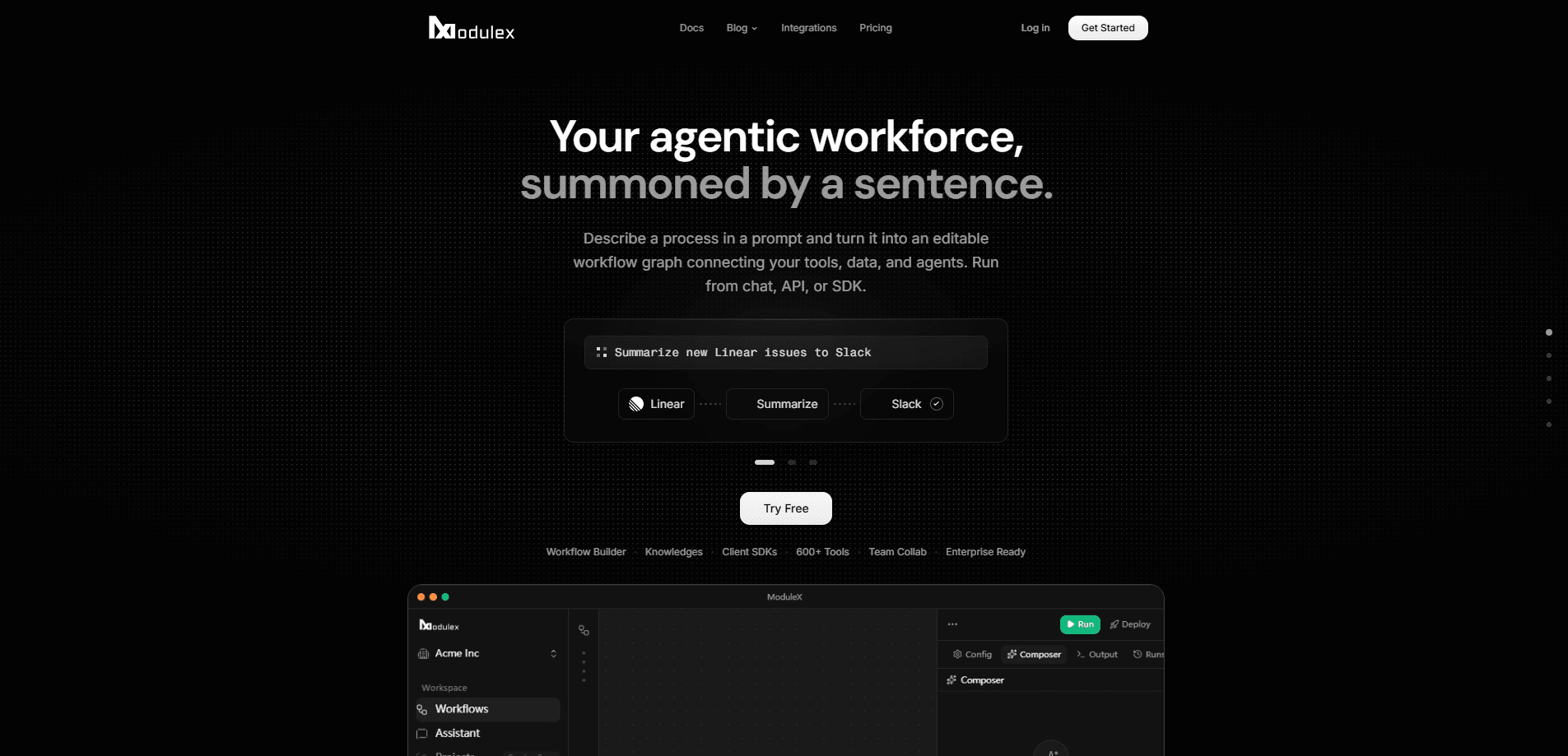
ModuleX is an AI workflow orchestration platform that turns a plain-English request into an editable workflow graph. It connects to 179 integrations and the major LLMs, then runs your automations from chat, an API, or JavaScript and Python SDKs. Teams use it to design multi-step agent pipelines without operating any infrastructure. Sound useful? The details matter more than the pitch.
About ModuleX
What Is ModuleX
ModuleX is a cloud platform for building and running multi-step AI workflows. You describe a process in everyday language, and the platform drafts a workflow graph you can review, edit step by step, and execute across the tools your team already uses. It's built by ModulexAI, an AI-first company that positions the product as a way to design workflows as easily as you deploy them.
The main problem it solves is the gap between an idea for an automation and a working pipeline. Most tools force a choice. Either you wire APIs by hand, or you settle for a rigid template. ModuleX sits in between, and it works as a no-code workflow builder for people who don't want to touch an API at all, while leaving the door open for code when you need it. You start from a text description, tune the result on a visual node canvas, or drop into the Python and TypeScript SDKs.
People often arrive looking for an n8n alternative. The pitch is similar, and the difference is the text-to-workflow layer on top. Solo builders, operations teams, and platform engineers all work inside the same workspace, with real-time collaboration built in. Pricing runs on credits, and you can bring your own model API keys at zero markup.
The biggest limitation is scope. ModuleX is a workflow engine, not a general consumer app, so there's a learning curve around how nodes, credentials, and execution work together before anything runs the way you expect. The free tier is credit-limited rather than unlimited, and advanced analytics sit behind the Max plan. If you need a specific niche integration outside the 179 it ships with, check first. That's the honest catch.
Getting Started
- Create an account at modulex.dev and start inside the free workspace, which includes trial credits.
- Describe the process you want to automate in plain English, then review the workflow graph ModuleX drafts for you.
- Open the visual canvas to adjust each step, swap in the integrations you need, and connect your credentials or bring your own model keys.
- Test the run on a small input, then trigger it from chat, the API, or a Python/TypeScript SDK when it behaves the way you want.
Product Information
A quick look at ModuleX's pricing, supported platforms, and performance.
Best for
The users, tasks, and scenarios where this tool fits best.
Users
- Solo builders who want AI workflow automation without standing up servers, and who are comfortable reviewing a generated graph before trusting it.
- Operations teams that need repeatable multi-step processes across Google Workspace, Notion, and similar tools, provided the integrations they rely on are already covered.
- Platform engineers who prefer to script pipelines in Python or TypeScript but want a visual canvas for quick edits.
Tasks
- Turning a written process into a runnable pipeline, such as moving form responses into a spreadsheet and drafting a reply.
- Meeting follow-up automation that pulls transcripts from tools like Grain and turns highlights into task lists.
- Document workflows that generate, edit, and file Google Docs or Sheets content without manual copying.
Scenarios
- Onboarding a new internal process when you'd rather prototype it in plain English than diagram it first.
- Small support teams that want an agent to route requests based on a described policy.
- Early-stage workflow research, where you spin up a draft pipeline, run it on sample data, and decide whether to keep building.
Key features
Text-to-Workflow Composer
You type what you want to happen, and ModuleX builds a first draft of the workflow graph. It's editable. Not locked. That distinction matters, because it speeds up the blank-page problem without taking control away from you. The result is a starting point you refine on the canvas.
Visual Node Canvas
The canvas shows every step as a node you can inspect, reorder, and rewire. This matters when a generated draft gets the logic roughly right but puts a step in the wrong place. Real-time collaboration means teammates can work the same graph at once instead of passing files around. No more version confusion.
179 Tool Integrations
ModuleX connects to 179 services, from Google Sheets, Docs, and Forms to Notion, Obsidian, Figma, DocuSign, and Canva. Each integration exposes specific actions, such as 19 for Notion and 15 for Obsidian. Authentication runs through OAuth or an API key, so you connect the account you already use. Most teams find their stack here.
Multi-Model Support
The platform works with every major model provider, including Anthropic, OpenAI, Google, and xAI. You can bring your own API keys at zero markup, or run on managed credits if you'd rather not manage keys yourself. Because you choose the model per task, a cheap model can handle a simple extraction while something stronger handles the reasoning step, which keeps both quality and cost in your hands.
Python and TypeScript SDKs
When the canvas isn't enough, you drop into code. Full Python and TypeScript SDKs let you define and run workflows programmatically, which suits engineers who want version control, reusable logic, and the ability to test a pipeline the same way they test any other piece of code in their stack. You can start visually and move to code without switching platforms.
API and Chat Triggers
You can fire a workflow from chat, an API call, or the SDKs. Chat is the fast path for testing an idea, while the API supports embedding a workflow into another product or internal tool so that the same logic can power both a quick experiment and a production feature. The same pipeline serves all three entry points.
MCP Client Support
ModuleX works alongside MCP clients such as Claude Code, Cursor, Codex, Hermes, and OpenClaw. If your team already builds inside one of those environments, you can reach ModuleX workflows without leaving it. It's a practical bridge for developer-heavy teams. No extra setup.
Credential Vault
A dedicated credential vault keeps your integration secrets in one managed place rather than scattered across scripts and personal note files. That reduces the chance of leaking keys and makes rotating them a single operation instead of a hunt through every tool you've connected. Enterprise plans add custom rate limits and onboarding support on top.
Pros and cons
Pros
- Plain-English input turns an idea into an editable workflow graph, which shortens the gap between planning and a first run.
- 179 integrations cover common productivity and document tools out of the box, so most teams find their stack represented.
- Bring-your-own-key model access at zero markup keeps model costs predictable for teams already paying providers.
- Python and TypeScript SDKs mean the platform doesn't cap out once visual building gets limiting.
Cons
- There's a real learning curve around nodes, credentials, and execution, so it isn't a drop-in tool for non-technical users.
- The free plan is credit-limited, which means testing complex workflows can burn through trial credits quickly.
- Advanced analytics are locked to the Max plan, so smaller teams miss visibility into larger runs.
- If your workflow depends on a niche integration beyond the 179 offered, you'll need a workaround.
Frequently asked questions
It builds and runs AI workflows. You describe a process in plain language, review the generated graph, and execute it across connected tools and models.
Related content
Explore related tools, skills, and articles for ModuleX.
ModuleX Alternatives
Forefront
Forefront · CodingForefront is a web platform for building with open-source AI. It lets you fine-tune leading open-source language models on your own data, evaluate how they perform, and run them through an API or export them to host yourself. Developers who want the convenience of a closed-source platform but insist on owning their models and data are the target audience here.

Startkit
StartKit.AI · CodingStartkit is a boilerplate for building AI SaaS and AI wrapper products. Think of it as an AI startup boilerplate with the boring parts already wired up: authentication, Stripe and Lemon Squeezy payments, usage limits, transactional email, and an AI API starter that talks to OpenAI, Anthropic, Groq, or Llama. You clone the repo, set your price, and start on the part of your product that people actually pay for. It's Next.js under React and Tailwind, so most of the boilerplate code already feels familiar.
Testim
Tricentis · CodingTestim is an AI-powered test automation platform for building and running end-to-end tests across web, mobile, and Salesforce applications. It leans on machine learning to keep tests stable when an interface changes, so teams spend less time fixing broken selectors. Not bad for an automated testing tool you can start using today. You create tests by recording actions in a browser, then optionally add JavaScript when you need more control. It's a solid pick for busy QA teams.