

Mody : AI Car Modifications
Appitech · Image
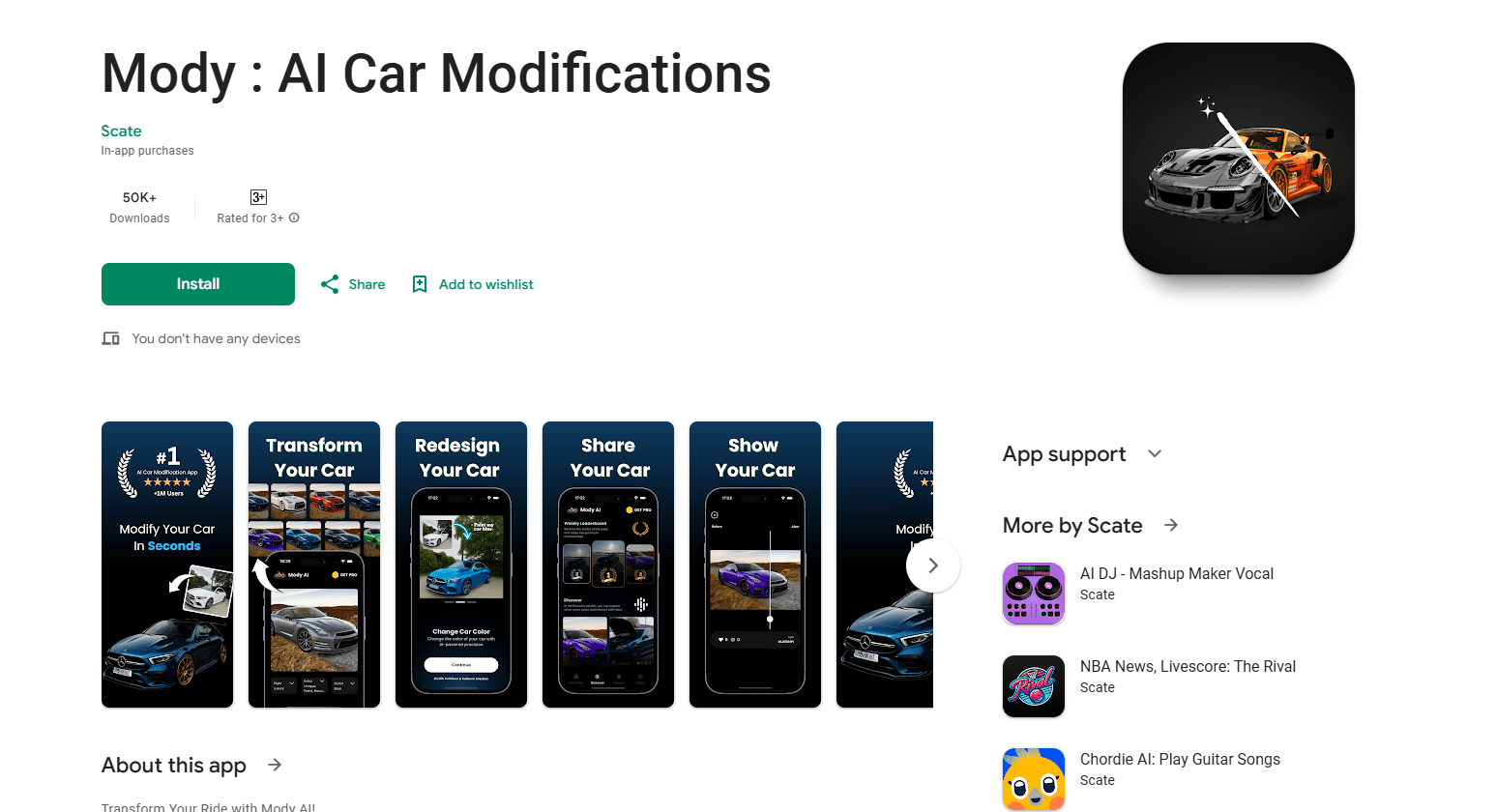
Mody : AI Car Modifications is an Android app that turns a photo of your car into previews of new body kits, rims, spoilers, and colors, then suggests mods to match each car modification style.
About Mody : AI Car Modifications
What Is Mody : AI Car Modifications
Mody : AI Car Modifications, usually shortened to Mody AI, is an Android app that shows you how your car could look before you spend anything on parts. You upload a photo of your vehicle, pick a modification style, and the app renders a new version with different body kits, rims, spoilers, and paint colors. It's a visualization tool aimed at people who are curious about a look but wary of committing to real work.
The product leans on variety rather than depth. The Play Store listing advertises more than ten modification styles, from Japanese tuning looks to everyday sedan builds, and pairs each rendered preview with a written rundown of the parts that define it. That combination is the point: you get a picture and a rough shopping list in the same view.
The limits matter. This is a photo-based render, so the result depends on the angle and lighting of the shot you feed it, and it won't tell you whether a part actually fits your model or is legal where you live. Treat the output as a starting idea, not a final blueprint. The app is free to install, with paid upgrades for extra generations.
Getting Started
- Install Mody AI from Google Play on an Android phone.
- Open the app and upload a clear photo of your car, ideally a side view in even light.
- Pick a modification style, such as a Japanese tuning look or a clean street build.
- Review the rendered preview and the mod recommendations for that style.
- Save the image you like, share it, or unlock more generations through an in-app purchase.
Product Information
A quick look at Mody : AI Car Modifications's pricing, supported platforms, and performance.
Best for
The users, tasks, and scenarios where this tool fits best.
Users
- Car enthusiasts planning a build
- Owners weighing a paint or wrap change
- Drivers who just want to browse
- Social media posters
Tasks
- Testing a body kit idea
- Comparing wheel and rim options
- Exploring spoiler and aero upgrades
- Choosing a color
Scenarios
- Prepping for a shop visit
- Deciding on a first mod with a tight budget
- Building a wishlist over time
- Getting a second opinion
Key features
Instant photo-based car rendering
The core action is simple: upload one photo and the app returns a modified version of the same car. It keeps your vehicle's shape and angle recognizable while changing the parts around it, which is what makes the preview useful rather than a generic mockup. The catch is input quality, since a blurry or oddly lit shot produces a less convincing render.
More than ten modification styles
Mody AI groups its looks into styles, and the listing names over ten of them, covering Japanese tuning builds and everyday models like the Alto and Honda City. Picking a style does the heavy lifting for you, so you don't need to describe parts in detail to get a result. It's a fast way to survey the aesthetic directions open to a specific car.
Detailed mod recommendations
Each style comes with a written breakdown of the parts involved, such as body kits, spoilers, rims, and colors. That turns a pretty picture into something closer to a plan, because you can see what actually defines the look. Read the recommendations next to the render, since the picture alone won't tell you which pieces create the effect.
Save and share previews
Rendered images can be saved to your device and shared with friends, family, or a car community. For people active in car groups, that doubles as content, and it's also how you collect a second opinion before spending money. Feedback from others is often what stops a bad mod decision.
Local modification ideas
The app positions itself around finding modifications for your area, so you can picture how a look would land where you drive rather than copying a build from another country. The styling library includes region-flavored options, which helps when you want something that fits your scene instead of a generic template.
Free to start with paid upgrades
Mody AI is free to install, and the in-app purchase model means you can try it without a subscription commitment up front. Extra generations and features sit behind those purchases, so heavy users pay while casual browsers don't. Check the current pricing inside the app before you commit, since it changes.
Pros and cons
Pros
- Free to install, so you can test the idea before paying anything.
- Turns a single photo into a visual preview instead of leaving you to imagine the result.
- Over ten car modification styles cover common builds, from Japanese tuning to everyday sedans.
- Written mod recommendations give you a rough parts list alongside each render.
- Previews are shareable, so sign in and grab your car mod previews to get a second opinion.
Cons
- Render quality depends on your photo, and a poor shot gives a poor result.
- It won't confirm whether a part fits your car or is street-legal where you live.
- The paid model gates extra generations, so doing a lot of comparisons costs money.
- Play Store metadata lists it under Entertainment, so treat it as inspiration, not a shopping spec sheet.
Frequently asked questions
It's an Android app from Appitech that visualizes car modifications from a photo. You upload a picture of your vehicle, choose a style, and see a rendered version with different body kits, rims, spoilers, and colors, along with suggested parts.
Related content
Explore related tools, skills, and articles for Mody : AI Car Modifications.
Mody : AI Car Modifications Alternatives

Google EmbeddingGemma 2
Google DeepMind · Writing · Image · CodingGoogle EmbeddingGemma 2 is a 740M-parameter open model that turns text, code, images, audio, and video frames into vectors in one 768-dimension space, running on phones and laptops.

Tractionwave
TractionWave · Image · MarketingTractionWave is an AI attention heatmap tool for static ads. Upload a PNG or JPG and it returns predicted attention, ranked hotspots, and fixes before you spend budget.

Imejis.io
Imejis.io · Image · MarketingImejis.io is an AI design studio for agents and marketing teams. Describe an image in plain words, and it writes the copy, builds the layout, reflows it to every size, then exports a finished file.