

Molku AI
Molku · Productivity
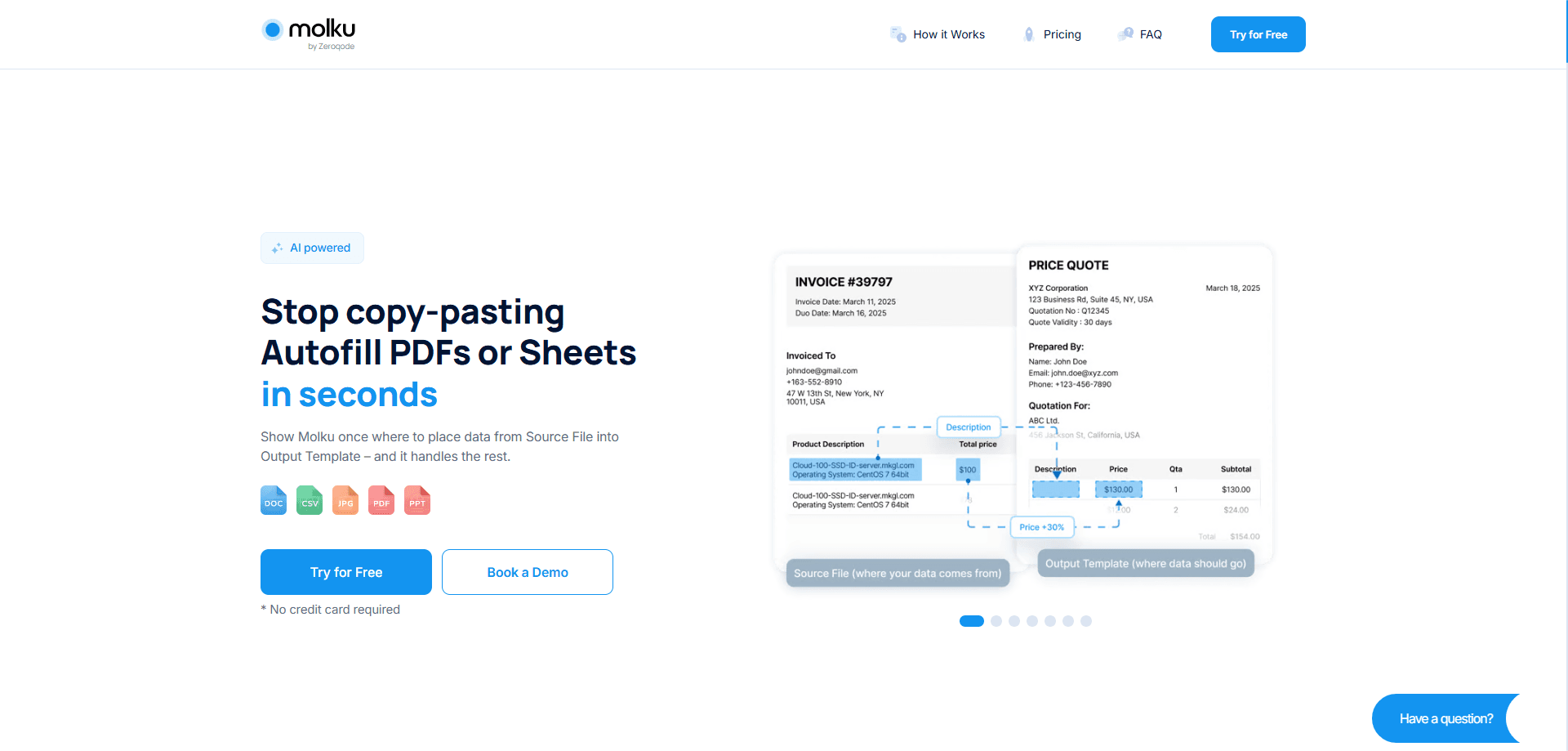
Molku AI is a document automation tool that extracts data from source files and autofills your PDF or Google Sheets templates. Set it up once and reuse it on every new file.
About Molku AI
What Is Molku AI
Molku AI is a web tool that moves data from one document into another without manual typing. You show it where information belongs on a source file, point it at an output template, and it repeats that transfer on every new file you feed it. The sources it handles include PDFs, images, Excel, Word, CSV and plain text, and the outputs are PDFs or Google Sheets.
As document data extraction goes, the tool targets the repetitive half of paperwork. Anyone who retypes names, dates and totals from a scanned form into a spreadsheet knows the pattern: the setup is annoying once, but the hours lost afterward add up. Molku turns that into a one-time configuration, then runs the transfer on each new document in seconds.
Two limits are worth stating up front. The known public pricing details are thin, so you confirm current plans with the vendor before budgeting. And accuracy still depends on the quality of your source files, which matters most with low-resolution scans.
Getting Started
- Create an account and start a workflow from the dashboard
- Upload a source file that carries sample data, then upload the output template you want filled
- Pick the fields to extract, add any text replacements or calculations, and drag each one into its place on the template
- Upload new source files with the same structure and download or share the filled output
Product Information
A quick look at Molku AI's pricing, supported platforms, and performance.
Best for
The users, tasks, and scenarios where this tool fits best.
Users
- Administrative staff
- HR and recruiting teams
- Finance and accounting clerks
- Small business owners without a data team
Tasks
- PDF form autofill
- Google Sheets autofill
- Batch document standardization
- Handwritten form capture
- Data cleanup during transfer
Scenarios
- A clinic processes intake forms
- A recruiter screens a stack of CVs
- An accountant reconciles invoices
- A property manager handles lease paperwork
- A school issues student reports
Key features
One-Time Setup, Repeatable Runs
Molku builds a workflow the first time you map a source file to a template, and that mapping sticks. Each new file with the same structure runs through the same steps without reconfiguration. The pitch is straightforward: configure once, then upload and get a filled document back in seconds. For teams that process the same kind of file every week, this form autofill tool earns its keep, and the setup cost pays off fast.
Selective Field Extraction
Rather than copying a whole document, Molku pulls only the fields you mark, such as names, dates or prices. You choose what leaves the source and what stays put, which keeps the output clean and reduces the chance of unrelated text landing in the wrong cell. That selectivity is the difference between an automatic data transfer and a blunt copy-paste.
Advanced Data Modification Before Transfer
Values can change on the way through. Molku lets you replace text, run calculations, standardize formats and merge fields using customizable prompts before the data reaches the template. That means a date can be reformatted, a total can be computed and two columns can be joined, all inside the same workflow, so the output matches the format your system expects.
Handwritten Text Recognition
The tool reads handwriting, not just typed text. Forms filled in by pen, scanned notes and sign-off sheets are all fair game, and the values feed into the same autofill pipeline. This is the piece that separates Molku from tools that only parse clean digital files, and it is the reason paper-heavy offices get real use out of it.
Document Standardization
Messy, inconsistent PDFs become structured output. Molku reshapes CVs, reports and affidavits into a fixed template, so mixed documents end up looking the same. Standard formats speed up review and approval, because staff stop hunting for a field that moved between files.
Multilingual Extraction
Molku states support for more than 100 languages, both when reading source files and when writing the output. Teams that handle documents from different regions can run the same workflow across languages instead of building a separate one per country. That matters for support teams, recruiters and anyone handling international paperwork.
Integrations and API Access
Molku connects to thousands of apps through Zapier and Make, and it offers API access for custom builds. An accounting team can push a filled sheet into its existing software, and a developer can wire the transfer step into an internal pipeline. The integrations turn this data transfer software into one link in a larger workflow.
Encrypted Storage
Uploaded files sit in Amazon S3 with 256-bit AES encryption, according to the vendor. That protects sensitive records like contracts, health forms and financial statements while they wait to be processed. Encryption addresses a common sticking point for teams that would otherwise keep such documents off a third-party service.
Pros and cons
Pros
- Setup happens once, then every new file with the same structure is filled without extra configuration
- Pulls only the fields you choose, so the output stays clean instead of carrying over stray text
- Reads handwritten forms and scanned notes, which many document tools skip
- Handles more than 100 languages in one workflow, useful for mixed-region paperwork
- Outputs land in PDF or Google Sheets, and Zapier, Make and API access extend it into other apps
Cons
- Accuracy on low-quality scans depends on the source, so you review tricky files before trusting the output
- Public pricing detail is limited, which makes it harder to compare plans before contacting the vendor
- The first workflow takes patience to map, so one-off tasks may not justify the setup
- It focuses on data transfer rather than editing or designing the documents themselves
Frequently asked questions
Molku AI automates data transfer between documents. It extracts the fields you select from a source file, such as a PDF, image, Excel sheet or Word document, and places them into an output template that is a PDF or a Google Sheet. After the first setup, it repeats the transfer on every new file in seconds.
Related content
Explore related tools, skills, and articles for Molku AI.
Molku AI Alternatives

Base Code
Base44 (Wix) · Coding · ProductivityBase Code is a shared cloud development environment from Base44. Teammates describe changes to an existing GitHub codebase in chat, preview them live and send them back as pull requests.

Knocket
Knocket (Tencent RTC team) · Productivity · Business · ChatbotKnocket is a free live chat and contact page tool that lets visitors message you from your website, app, or a shareable link, with every reply handled from Telegram or one inbox.

FloorGen
Vinit Kumar (FloorGen) · Productivity · China AIFloorGen is a browser-based floor plan maker that turns a sentence or a sketch into an editable 2D plan and a 3D walkthrough. Export to PDF, DXF or video, and draw without an account.