

Monkt
Premium Software Ltd. (Monkt) · Productivity · Other
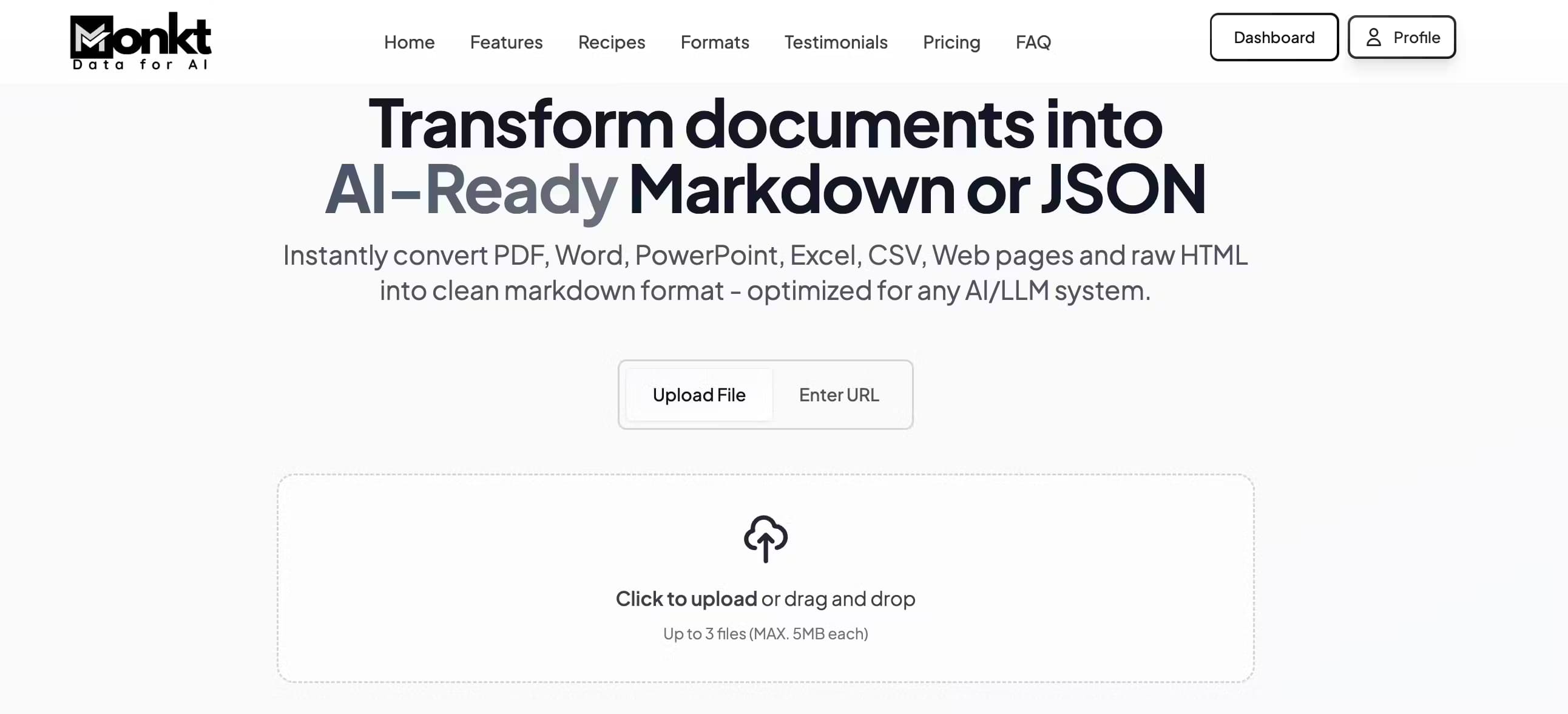
Monkt is a document conversion platform that turns PDF, Word, Excel, PowerPoint, CSV and web pages into clean Markdown or structured JSON built for AI and LLM workflows.
About Monkt
What Is Monkt
Monkt is a web-based document conversion platform aimed at people who feed documents into AI systems. It takes the messy formats you already have, like scanned PDFs, slide decks and spreadsheets, and rewrites them as clean Markdown or structured JSON that large language models can read without extra cleanup.
The core problem it solves is format loss. When you paste a PDF into a chatbot, tables collapse, headings disappear and reading order scrambles. Monkt rebuilds that structure during conversion, so tables stay tables and sections keep their hierarchy. According to Monkt, the output is tuned for popular LLM systems, which means less reformatting before you fine-tune a model or build a retrieval pipeline.
The main limits are practical ones. There's no free tier, only a short trial on a sample document, and heavy batch jobs sit behind the Pro and Enterprise plans. Everything runs in the browser or through the REST API, so there's no desktop app.
Getting Started
- Create an account on the Monkt site and pick a plan, then open the dashboard.
- Upload a document by dragging it into the window, or send a file through the REST API if you're building a pipeline.
- Choose your output: clean Markdown, structured JSON, or a custom JSON schema for fields you define yourself.
- Run DeepExtract for scanned files or documents with complex layouts, then review the result in the live preview panel.
- Export the converted file or pull it programmatically through the API, and store it for later use.
Product Information
A quick look at Monkt's pricing, supported platforms, and performance.
Best for
The users, tasks, and scenarios where this tool fits best.
Users
- AI developers
- Researchers
- Knowledge management fans
- Content teams
Tasks
- Converting invoice batches into structured JSON
- Turning a PDF handbook into Markdown
- Preparing fine-tuning datasets
- Extracting data from scanned paperwork
Scenarios
- Building a retrieval pipeline over internal docs
- Archiving research papers into a personal notes app
- Cleaning a website's pages into one text corpus
- Onboarding a knowledge base into a support bot
Key features
Universal Format Support
Monkt accepts PDF, Word (DOC and DOCX), PowerPoint, Excel, CSV, HTML and plain text, plus live web pages. The converter reads document structure rather than flattening everything into a wall of text, so a spreadsheet grid and a slide outline survive the trip.
Clean Markdown Export
The Markdown output is standardized and Obsidian-compatible, which makes it handy for notes apps, static sites and AI training sets. A PDF to Markdown conversion keeps headings, lists and tables intact, so you get a usable file instead of a broken copy-paste job.
Custom JSON Schema
You can convert a document into JSON two ways: let Monkt detect the structure automatically, or define your own schema and map fields to it. That second path matters when you need a fixed shape for an API, like invoice number, due date and total sitting in named keys.
Image Understanding
The platform pulls images out of your documents and turns visual content into descriptive text and structured data. That's useful for scanned pages, charts and diagrams that would otherwise be invisible to an LLM.
LLM Optimization
Monkt tunes its output for common LLM setups, claiming you can feed the result in without extra formatting. In practice that means fewer preprocessing scripts between conversion and your model.
Batch Processing
You can upload many documents at once through the dashboard or API, and Monkt runs them in parallel while keeping formatting consistent. Progress tracking and notifications help on long jobs.
DeepExtract and OCR
The Pro plan adds DeepExtract processing, OCR for scanned documents and page screenshots for multi-page PDFs. These handle the hard cases, like image-only scans and dense layouts, that trip up a plain text extractor.
REST API
Pro and Enterprise users get full API access with documentation, so conversion can run inside your own app or automation. That turns Monkt from a one-off converter into a piece of a document pipeline.
Pros and cons
Pros
- Handles a wide range of formats, from spreadsheets to live web pages, in one place.
- Custom JSON schemas give you fixed field names instead of guesswork about the output shape.
- Markdown export is Obsidian-compatible, so it drops into personal knowledge bases without fiddling.
- Batch processing and a REST API support large-scale conversion rather than one file at a time.
- OCR and DeepExtract cover scanned and complex documents that basic converters mangle.
Cons
- No free tier. You can only trial the service on a sample document before paying.
- The cheapest plan caps files at 15 MB and keeps data for 7 days, so bigger files and longer storage need Pro.
- OCR, DeepExtract and API access sit behind the Pro plan, which puts key features out of reach for light users.
Frequently asked questions
Monkt converts documents into formats AI systems can use: clean Markdown or structured JSON. You feed it a PDF, Word file, spreadsheet or web page, and it returns text with structure intact for LLM training, retrieval or knowledge management.
Related content
Explore related tools, skills, and articles for Monkt.
Monkt Alternatives

Base Code
Base44 (Wix) · Coding · ProductivityBase Code is a shared cloud development environment from Base44. Teammates describe changes to an existing GitHub codebase in chat, preview them live and send them back as pull requests.

Knocket
Knocket (Tencent RTC team) · Productivity · Business · ChatbotKnocket is a free live chat and contact page tool that lets visitors message you from your website, app, or a shareable link, with every reply handled from Telegram or one inbox.

FloorGen
Vinit Kumar (FloorGen) · Productivity · China AIFloorGen is a browser-based floor plan maker that turns a sentence or a sketch into an editable 2D plan and a 3D walkthrough. Export to PDF, DXF or video, and draw without an account.