

Moodloom
Moodloom · Image
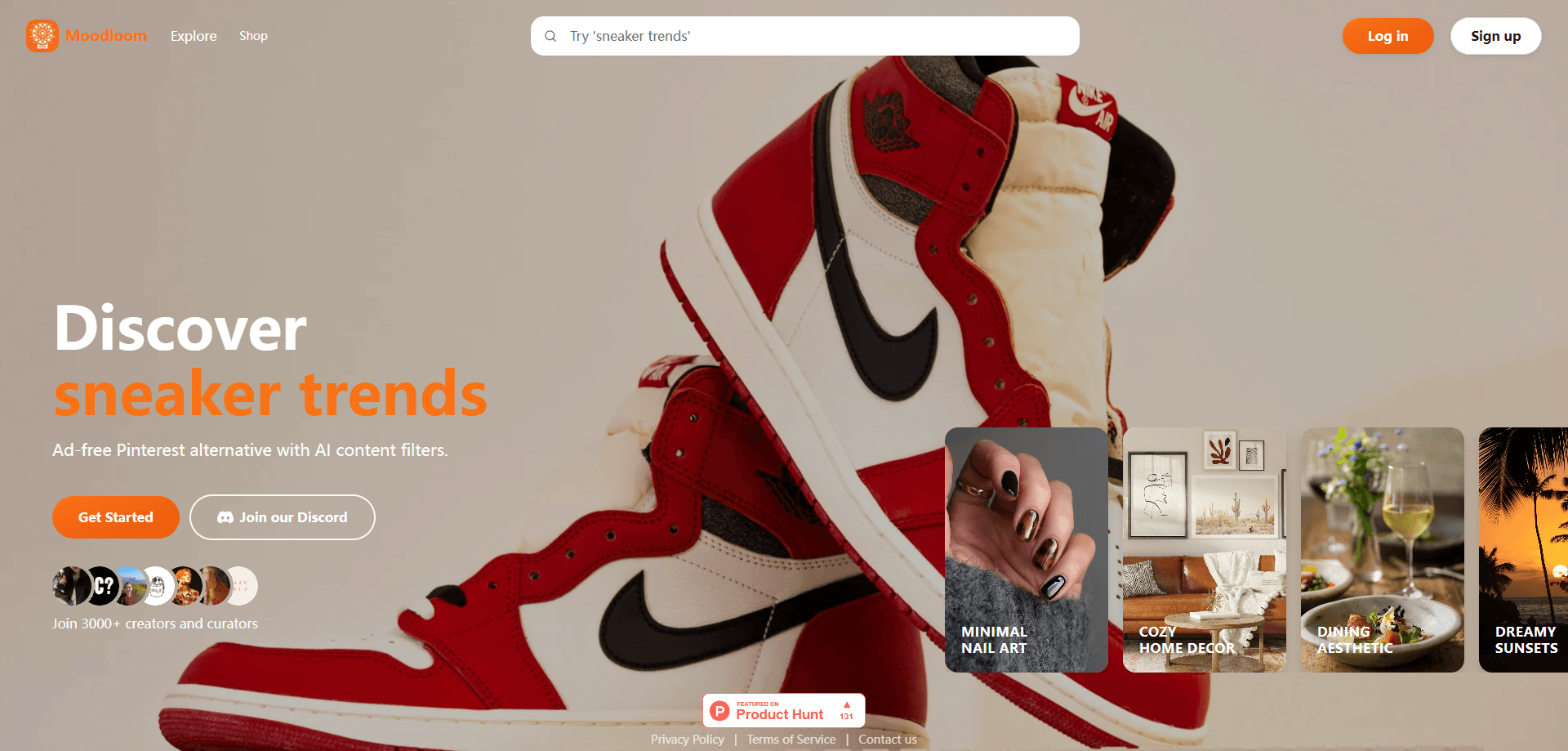
Moodloom is an ad-free Pinterest alternative built for people who collect decor and fashion ideas and want to do it without sponsored pins interrupting the scroll. You discover and save images into curated boards called Loom, and AI-generated content filters let you hide the styles or source accounts you don't care about. Because shopping sits inside the same app, you can move from a saved look to a product page without leaving the mood board you built.
About Moodloom
What Is Moodloom
Moodloom is a web-based visual inspiration app that borrows Pinterest's endless grid of images but strips out the ads. The pitch fits a narrow audience: people who use Pinterest mostly to plan a room, a wardrobe, or a photoshoot, and who find the ad load and "sponsored" pins more annoying than useful. Moodloom keeps the save-and-collect loop and drops the ad model.
The product leans on two ideas. Loomboards are the collections you build, a Pinterest board by another name. The AI-generated content filters are the differentiator, letting you tune what shows up in your feed instead of accepting whatever the recommendation engine serves.
The honest limit is scope. Moodloom targets decor and fashion, so it isn't the place for recipes, travel itineraries, or workout plans the way a general board site is. It's also a small product from a small team, and details like the full pricing tiers and a public API can change without much notice. If you need a broad pinning platform, this isn't that.
Getting Started
- Go to moodloom.xyz and create an account.
- Search a topic like "warm minimal living room" or "autumn street style" to seed your feed, or browse the trending grid.
- Save the images you like into a Loomboard and name the board around a project.
- Open the filter settings to mute styles, colors, or sources you don't want in your feed.
- When a saved item is shoppable, tap through to the product listing to buy it.
Product Information
A quick look at Moodloom's pricing, supported platforms, and performance.
Best for
The users, tasks, and scenarios where this tool fits best.
Users
- Home decorators planning a room
- Fashion-minded shoppers building a wardrobe
- Designers and stylists moodboarding for a project
Tasks
- Save inspiration without ads
- Filtering out styles you dislike
- Moving from inspiration to purchase
Scenarios
- Planning a single-room renovation and collecting reference images over weeks.
- Building a seasonal outfit board before a shopping trip.
- Finding a specific furniture piece you saw in a saved photo and buying it.
Key features
Ad-Free Browsing
The core promise is a feed with no sponsored pins and no ad breaks. Is that enough to switch? For heavy users, yes. You scroll images the same way you would on Pinterest, but nothing is placed there to sell you ad space. That alone changes how the tool feels session to session.
Loomboards for Curation
Loomboards are the collections where saved images live. You group them by project, mood, or room, and they work much like Pinterest boards. The difference is the name and the intent: Moodloom treats a board as a working moodboard for something you're actually making or buying, not just a passive save pile.
AI Content Filters
This is where Moodloom separates itself from a plain Pinterest clone. AI-generated filters let you hide styles, color families, or sources you don't want surfacing. Instead of training the recommendation engine by ignoring images, you tell it what to cut. It's blunt, not precise. Still, it gives you control a standard feed doesn't.
In-App Shopping
When a saved image is tied to an actual product, you can go from the pin to the product listing without leaving Moodloom. That shortens the usual loop of saving an image, then trying to reverse-search where it came from. Not every saved item is shoppable. Expect gaps.
A Moodboard App, Not a General Board Site
The content library is built around interiors and style rather than general interests. It works like a moodboard app for a project, not a catch-all pinboard. That focus means the feed is more relevant if decor and fashion are your thing, and less useful if you expect the broad range of a general board site. Search terms outside those lanes return thinner results.
Pros and cons
Pros
- No ads in the feed, which keeps browsing sessions clean.
- Loomboards make project-based saving straightforward.
- AI content filters let you cut unwanted styles instead of just scrolling past them.
- Shopping is built in, so saved items can lead straight to a product page.
- Decor and fashion focus keeps the feed on-topic for that audience.
Cons
- Narrow content scope means it's a poor fit for recipes, travel, or other general boards.
- You can't download it from Google Play or the App Store; it runs in the browser.
- Not every saved image is shoppable, so the inspiration-to-purchase path has gaps.
- Paid tiers and exact pricing aren't clearly published, so budgeting is hard up front.
Frequently asked questions
Moodloom is an ad-free Pinterest alternative for saving decor and fashion inspiration. It combines visual discovery, curated Loomboards, AI content filters, and in-app shopping in one web app.
Related content
Explore related tools, skills, and articles for Moodloom.
Moodloom Alternatives

Google EmbeddingGemma 2
Google DeepMind · Writing · Image · CodingGoogle EmbeddingGemma 2 is a 740M-parameter open model that turns text, code, images, audio, and video frames into vectors in one 768-dimension space, running on phones and laptops.

Tractionwave
TractionWave · Image · MarketingTractionWave is an AI attention heatmap tool for static ads. Upload a PNG or JPG and it returns predicted attention, ranked hotspots, and fixes before you spend budget.

Imejis.io
Imejis.io · Image · MarketingImejis.io is an AI design studio for agents and marketing teams. Describe an image in plain words, and it writes the copy, builds the layout, reflows it to every size, then exports a finished file.