

Morph Studio
Morph AI · Image · Video
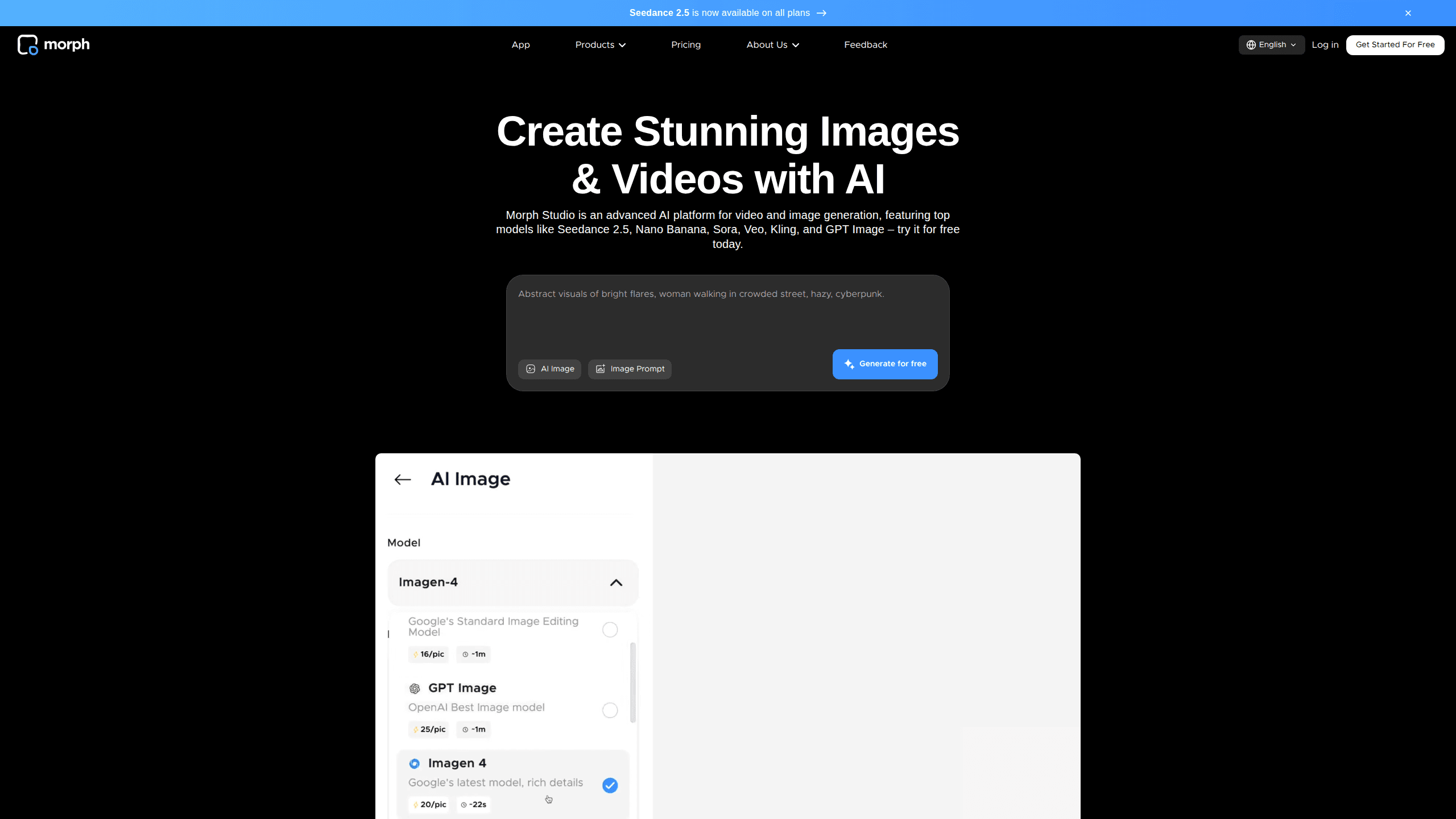
Morph Studio is an AI video generator and image creation suite that turns text prompts or still images into short cinematic clips. It pulls more than a dozen third-party models, including Kling, Veo, and Hailuo, into a single workspace, which means you can compare outputs across engines without juggling separate accounts and separate billing. The tool also handles AI video style transfer and image-to-image work. It runs in the browser and starts on a free tier. That makes it easy to test before you pay.
About Morph Studio
What Is Morph Studio
Morph Studio is a web-based platform for generating videos and images with AI. Type a description, or drop in a photo, and the tool produces a short clip using whichever model you pick. It launched as a joint effort between Stability AI and Morph AI, and the team markets it as an all-in-one space for AI storytelling rather than a single-model toy.
The main draw is choice. Instead of locking you into one engine, Morph Studio routes your prompt to a library of leading models like Wan, Seedance, and Flux, then lets you keep the result you like best. There's an Open Canvas too. It's a flexible layout where you arrange shots, tweak camera direction, and connect clips into a longer sequence that actually holds together.
The biggest limitation is that this is a browser tool with no mobile app and no public API. So if you need to automate generation inside your own product, look elsewhere. One more catch. Your free-tier assets stick around for 90 days only, so download anything you want to keep.
Getting Started
- Go to the Morph Studio website and create an account with your email.
- Pick a starting point: the Immersive Space for quick prompt-based generation, or the Open Canvas for arranging shots.
- Enter a text prompt, or upload an image if you want image-to-video or a style transfer result.
- Choose a model from the dropdown, set your aspect ratio and duration, then hit generate.
- Review the output and either download it or pull it onto the canvas to keep building.
Product Information
A quick look at Morph Studio's pricing, supported platforms, and performance.
Best for
The users, tasks, and scenarios where this tool fits best.
Users
- Content creators who post short-form video
- Visual artists exploring styles
- Small marketing teams
Tasks
- Turning a text idea into a cinematic clip
- Animating a still photo
- Restyling existing footage
Scenarios
- Drafting a storyboard for a longer video
- Making a few social clips a week
- Testing which model suits a project
Key features
Text-to-Video Generation
Type a description and Morph Studio turns it into a short clip. You pick the model. The platform supports more than ten top-tier engines on paid tiers, with several available on the free plan. It's the quickest way to get a moving image out of a written idea.
Image-to-Video
Upload a photo and the tool animates it into motion. This works well for portraits, product shots, and artwork that you want to bring to life without shooting new footage. Not a gimmick. It's the feature most creators reach for first.
AI Image Generation
Beyond video, Morph Studio generates still images from prompts or reference pictures. The free tier yields roughly 50 images, and paid plans scale that into the thousands. It's handy when you need a base frame before animating it, and cheaper than setting up a separate image generator for a handful of shots.
Video Style Transfer
This converts any video into up to 8 distinct artistic styles instantly. Instead of rebuilding a clip from scratch, you re-skin the footage you already have. Need a clip to look like watercolor by lunch? That's the appeal. For anyone repurposing old content, it's a real time saver.
Open Canvas and Borderless Canvas
The canvas view lets you arrange shots, adjust camera direction per scene, and connect clips into a full sequence. Each scene can run from 0 to 10 seconds, which gives you fine-grained control over pacing and lets you reshuffle the order of shots without regenerating any of the underlying footage from scratch. Think of it as an AI video editing surface, not a one-shot prompt box. Arrange, trim, reorder. Then export.
Multi-Model Access
Morph Studio gathers models like Kling, Veo, Hailuo, Runway, Luma, Flux, and Seedance under one roof. You don't manage separate subscriptions for each. Just pick one and generate. The trade-off is that model availability shifts over time as the team updates the lineup.
Community Templates
Creators can build and share their own video templates, and others can copy and edit from them. It's a fast way to learn what a prompt can do before writing your own. Fine. Selection varies, so treat it as a bonus rather than a guarantee.
Pros and cons
Pros
- Free tier lets you test text-to-video, image-to-video, and style transfer before paying a cent.
- One subscription covers a dozen plus models, so you skip stacking separate AI subscriptions.
- Video style transfer works on your existing footage, which saves rebuilding clips by hand.
- The Open Canvas gives per-scene control over camera direction and timing.
- Paid plans include commercial use rights, which is what most working creators need.
Cons
- No public API, so you can't automate generation inside your own app or workflow.
- Free-tier assets are kept for 90 days only, which means you need to download anything you want to keep.
- Generation can take a while, especially on the free plan when demand is high.
- No mobile app, so everything runs through a browser.
Frequently asked questions
It's an AI video generator and image suite for turning text or pictures into short clips. People use it for social content, storyboards, and restyling existing footage. Simple as that.
Related content
Explore related tools, skills, and articles for Morph Studio.
Morph Studio Alternatives

X Ray Interpreter
X-ray Interpreter · ImageX Ray Interpreter is a web-based AI radiology tool that turns X-rays, CT scans, MRI, ultrasound, and PET images into plain-language reports. You upload a scan, get a preliminary X-ray interpretation in moments, then ask follow-up questions if something needs explaining. It works as a second opinion and a learning aid, not as a medical diagnosis.

Aieasypic
AIEasyPic · ImageAIEasyPic is an AI image generator that turns plain text prompts into finished artwork in seconds. You can also train custom models on your own photos, swap faces in existing images, and create short video clips from text, all from a browser. It suits casual creators who want quick visuals and hobbyists who want to build a personal model without touching any code.

Chargen
Chargen · ImageChargen is an AI character generator and worldbuilding toolkit built for Dungeons & Dragons and other tabletop RPGs. It turns a one-line idea into a painted character portrait, spins up NPCs, monsters, maps and encounters from the same session, and keeps every creature's details close at hand. The tabletop RPG art side runs on a credit system called Gold, while the text generators stay free for everyone.