

Morphic
Morphic · Image · Video
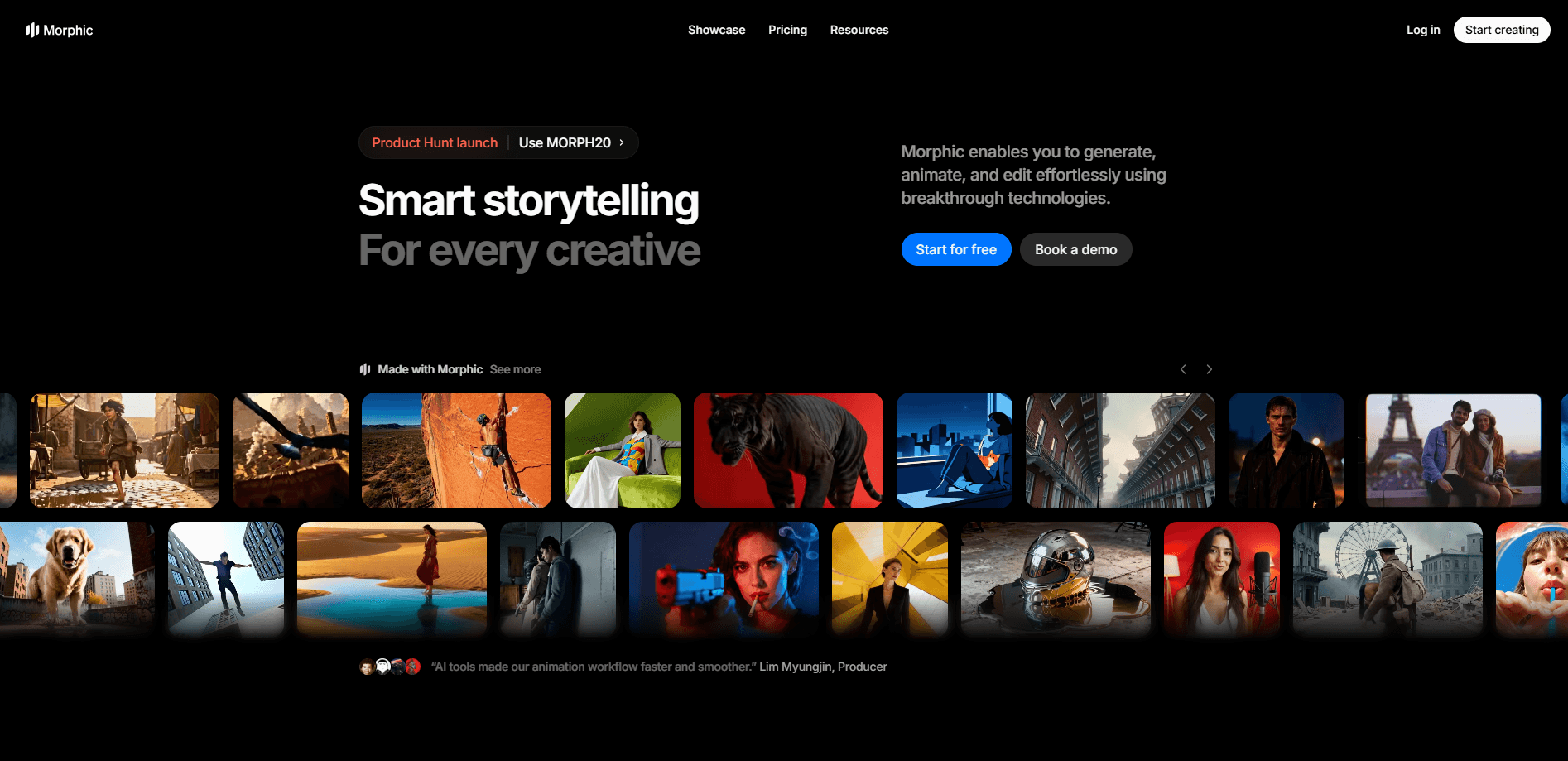
Morphic is an AI video and image studio built for turning an idea into a finished story. It pairs an AI image generator and multi-model video output inside one visual Canvas, with a chat-based Copilot that keeps the whole thing moving. You can iterate on frames, animate characters, train a personal style, and produce clips without leaving one workspace. Curious about the money side? A quick look at Morphic pricing shows a free tier and paid plans that scale with credits. Start free, then upgrade as your output grows.
About Morphic
What Is Morphic
Morphic is a web-based creative platform for filmmakers, animators, and everyday creators who want to produce stories with AI. The pitch is simple: instead of stitching together several tools, you get generation, editing, and organization in one place. According to the company, it works with animation studios, production houses, and YouTubers to carry a project through scripting, generation, and delivery.
The main problem it solves is fragmentation. Most AI video work means jumping between a text-to-image tool, a video model, an editor, and a folder of loose files, and by the time the pieces come together you've usually forgotten which prompt produced the frame you actually liked. Morphic puts those steps on a single canvas. You generate, drag results around, group them into Sections, and keep related assets together.
The biggest limitation is cost predictability. Generation runs on credits, and heavy iteration burns through them fast. The free tier gives you up to 20 credits, which is fine for testing but nowhere near enough for a project where you plan to iterate on dozens of frames across multiple models before settling on a direction. Serious work means a paid plan or credit packs, so budget matters. No credits, no output. Morphic runs in the browser, so there's nothing to install, but that also means you need a stable connection and a modern browser.
Getting Started
- Create a free account at morphic.com and open the studio dashboard.
- Start a new project, then open the Canvas to see your working area.
- Type a prompt in the prompt bar and pick settings like aspect ratio, style, and camera angle.
- Use Copilot to chat through changes, batch a set of generations, or drag results onto the canvas.
- Group assets into Sections, refine frames, and export when the story holds together.
Product Information
A quick look at Morphic's pricing, supported platforms, and performance.
Best for
The users, tasks, and scenarios where this tool fits best.
Users
- Filmmakers and animators
- YouTubers and short-form creators
- Students and teachers
- Hobbyists testing AI video
Tasks
- Turning a script into a visual sequence
- Animating characters between keyframes
- Training a custom style
- Producing images and short video from prompts
Scenarios
- Early concept pitches
- Social media content runs
- Client or team collaboration
Key features
Canvas workspace
The Canvas is where everything lives. You create, explore, and edit videos, image sequences, and layouts on one surface, then move assets around as a single unit. Sections act as containers so a growing project stays organized instead of turning into a pile of loose files. It's the closest thing here to a real editing desk.
Copilot chat assistant
Copilot is the conversational side of Morphic. You can ask it for images, video, audio, workflows, and asset help, then drag a result straight from the chat onto the Canvas. It also forks: you can continue a chat in a new thread at any message and keep the context that matters. For people who think in prompts, this removes a lot of clicking.
Multi-model generation
Morphic isn't tied to one model. You pick which model runs a Copilot chat based on what you need, and the paid tiers advertise access to all models. That flexibility matters when one model nails a style and another handles motion better. Switching beats being locked into a single engine. Not even close.
Character animation and inbetweening
The platform animates characters and uses inbetweening to bring scenes to life, filling the frames between your key poses so a sequence reads as smooth motion rather than a series of stills. For animators, that's the difference between hand-drawing every transition and letting the tool carry the motion. It's an AI storytelling tool at heart, and this is the part that widens what a solo creator can realistically finish.
Custom style training
You can train your own style on Morphic so generations match a specific look, which matters most when you're producing a long series and need every episode to feel like it belongs to the same visual world. That's useful for maintaining consistency across a series or matching a client's brand. It keeps a project from drifting visually as you generate more material. Consistency is the whole game.
Batch generation
Instead of running prompts one at a time, you can ask Copilot for a set of generations in a single request that lands all the variations you need side by side for quick comparison. Batch output speeds up exploration and comparison, which is exactly where credit spend adds up. It's a workflow feature, not a headline one, and that's fine. Speed matters more than glamour here.
Credits and plan flexibility
Every generation costs credits, and Morphic sells them through monthly plans and 180-day credit packs. The Basic tier starts low, Pro Max shares credits across up to ten seats, and Enterprise offers custom limits. You can also upgrade or cancel any time, which softens the commitment.
Commercial use and no watermark
Paid plans include no watermark and commercial use rights. For anyone producing content for a client or a monetized channel, that's a practical detail that decides whether the tool is usable at all. The free tier is best treated as a trial.
Pros and cons
Pros
- Keeps generation, editing, and asset organization in one browser workspace, so you switch tools less.
- Offers multiple models in one place, letting you match the engine to the task.
- Supports character animation, inbetweening, and custom style training for storytelling work.
- Paid tiers include no watermark and commercial use rights.
- Flexible pricing with monthly plans, 180-day credit packs, and an Education option.
Cons
- Credit-based generation makes cost hard to predict during heavy iteration.
- The free tier caps at up to 20 credits, too little for anything beyond testing.
- It runs only in the browser, so a stable connection is required and there's no offline mode.
Frequently asked questions
Morphic is an AI video and image studio for creating stories. You use it to generate images and video from prompts, animate characters, train a custom style, and organize scenes on a single Canvas.
Related content
Explore related tools, skills, and articles for Morphic.
Morphic Alternatives

Google EmbeddingGemma 2
Google DeepMind · Writing · Image · CodingGoogle EmbeddingGemma 2 is a 740M-parameter open model that turns text, code, images, audio, and video frames into vectors in one 768-dimension space, running on phones and laptops.

Tractionwave
TractionWave · Image · MarketingTractionWave is an AI attention heatmap tool for static ads. Upload a PNG or JPG and it returns predicted attention, ranked hotspots, and fixes before you spend budget.

Imejis.io
Imejis.io · Image · MarketingImejis.io is an AI design studio for agents and marketing teams. Describe an image in plain words, and it writes the copy, builds the layout, reflows it to every size, then exports a finished file.