

Muddy Browser
Muddy · Productivity
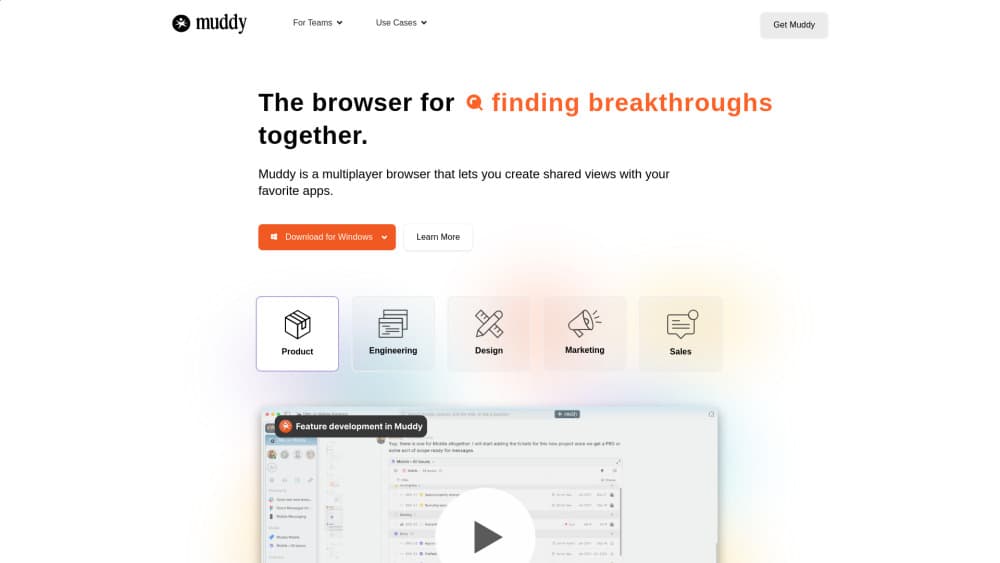
Muddy is a multiplayer browser for teams. It turns your tabs into shared workspaces, adds AI that reads what you have open, and lets teammates comment and jump into the same app together.
About Muddy Browser
What Is Muddy
Muddy is a desktop browser for people who spend the day in the same handful of web apps. Instead of a personal tab strip, it gives each project a shared workspace where the documents, dashboards, and sites your group uses stay open and visible to everyone in it.
The problem it targets is app sprawl. One project can involve a doc, a design file, an analytics dashboard, and a chat thread, and most of that context lives in one person's head. Muddy keeps the context in the browser. Its AI reads your open tabs and the conversations in the space, so you can ask a plain question and get an answer drawn from what the team already has on screen.
The limits matter before you commit. Muddy is a Mac download today, and the collaborative parts only pay off when the rest of your team installs it too. Anyone working alone, or on Windows only, won't get much from it yet. Team pricing isn't published either, so larger groups have to ask for a quote.
Getting Started
- Download the Mac app from feelmuddy.com and install it.
- Import your history, passwords, and logins from the browser you already use.
- Create a workspace for one project and open the apps and sites it needs.
- Invite teammates so they see the same tabs in the same place.
- Ask the AI about what's open, or leave a comment on a page element to start a thread.
Product Information
A quick look at Muddy Browser's pricing, supported platforms, and performance.
Best for
The users, tasks, and scenarios where this tool fits best.
Users
- Product teams
- Designers and engineers working in pairs
- Founders and small startups
Tasks
- Research that spans a dozen sites
- Design review inside a live web app
- Handing off project context
Scenarios
- Onboarding someone mid-project
- Launch week
- Solo research that turns into team work
Key features
Shared Workspaces
Every project gets its own space, and the tabs inside it belong to the group rather than one person. Teammates open the workspace and find the same apps, files, and sites already running. This is the part that makes it a browser for teams rather than an AI browser with chat bolted on.
AI That Reads Your Tabs
Muddy's AI browses your open tabs and learns from the conversations happening in the space. You ask a question in normal language and it answers using that context, including follow up questions when the first request is vague. It needs no setup: out of the box it can search the web, then pick up project context as you build workspaces.
Infinite Rewind
You can scrub backward through the history of a workspace, across apps, files, and chat. Landing anywhere loads the site and puts you straight into the app, so picking up a thread from last week doesn't mean retyping a search. Think of it as an undo button for shared work.
Universal Commenting
Highlight text, click an image region, or mark a timestamp in a video, then send. The comment stays attached to that spot and reads like a thread in a chat app, except it lives on the page. Reviewers can respond without leaving the app they're already in.
Multiplayer Presence
A presence layer shows what everyone else is working on across your projects. One click drops you into their app or conversation, which is useful when a question needs a quick look at the same screen instead of a call.
Tab Management and Browser Import
Old tabs hibernate automatically and wake when you return, which keeps memory and battery use in check during long sessions. Setup pulls in history, passwords, and logins from your existing browser, and Chrome extensions work because Muddy runs the same web under the hood.
Pros and cons
Pros
- One place for a project: tabs, comments, and chat share a single workspace instead of living in four apps.
- AI with real context: answers come from tabs you already have open, so you skip the copy and paste into a separate chatbot.
- Lightweight setup: importing history and passwords takes a few minutes, and no app connections are required for the AI to start.
- Local credential storage: cookies and passwords stay on your machine rather than on Muddy's servers, according to the company.
Cons
- Mac only for now: the download on the site is a Mac build, so Windows and mobile users can't join yet.
- Value depends on adoption: a shared workspace is only shared if your teammates install Muddy, which makes solo use a hard sell.
- No published pricing: team and enterprise rates come as a quote, so you can't budget from the site.
- Young product: features like shared passwords and SSO management were announced for paid team plans and aren't fully built out.
Frequently asked questions
Muddy is a collaborative browser for team work. You open the web apps a project needs inside a shared workspace, then use the built in AI, comments, and rewind to keep everyone looking at the same context.
Related content
Explore related tools, skills, and articles for Muddy Browser.
Muddy Browser Alternatives

Udon
Udon · Coding · ProductivityUdon turns an Apple Silicon Mac into a home server you run from a browser, with container controls, file shares, and an optional AI sysadmin.

offstage
offstage cloud · Coding · Productivityoffstage gives AI coding agents and CI jobs a real Mac: a fresh macOS account on Apple silicon, driven over an API and billed by the second.

BotBus
Chengdu Tuyang Tusen Technology Co., Ltd. · Coding · ProductivityBotBus lets you control AI coding agents from your phone and watch: approve commands, start tasks and read results while the code stays on your desktop.