

Musical Drones
Travis Weerts · AI Assistant
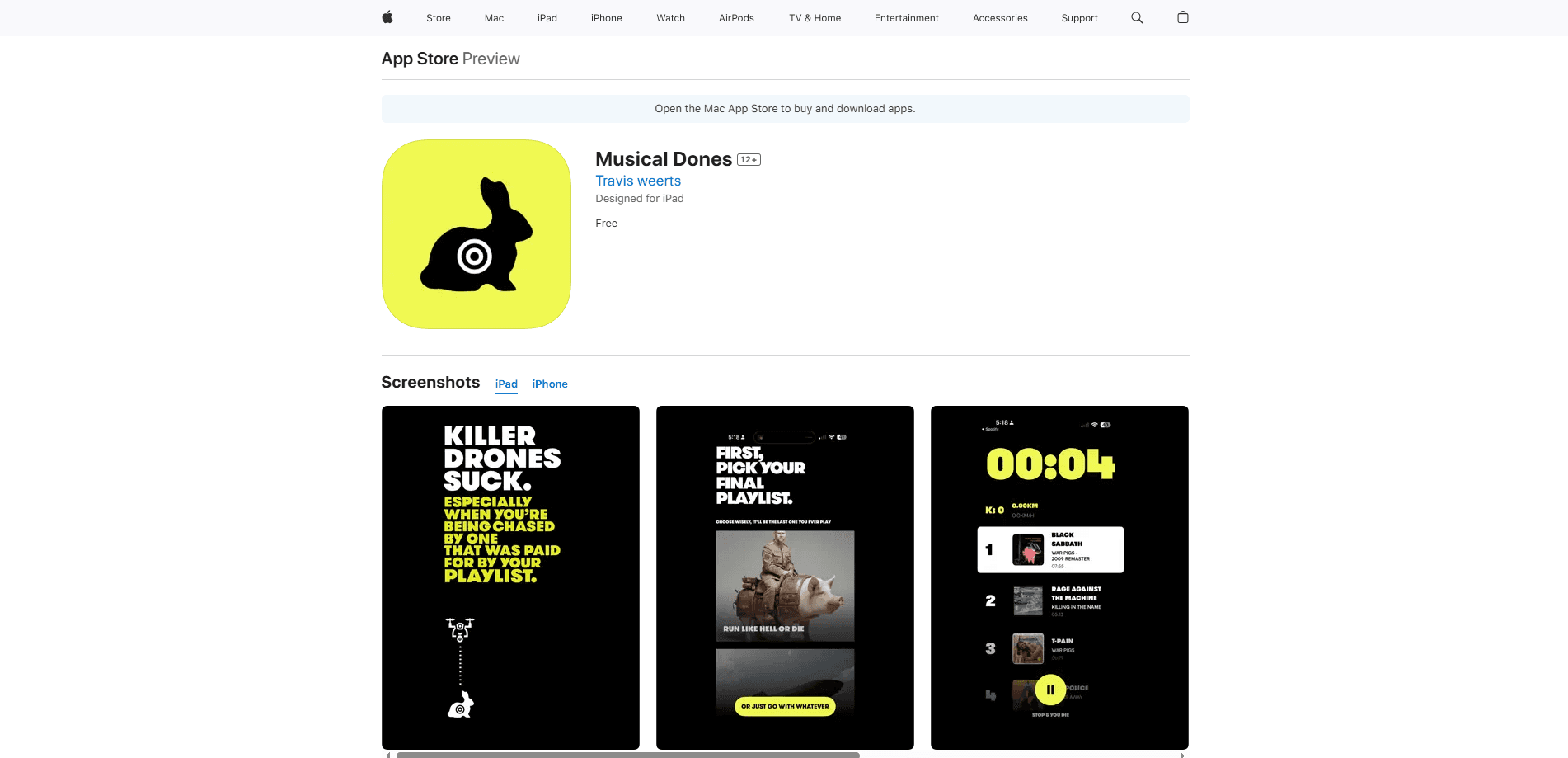
Musical Drones is an iOS running app that turns a workout into a survival chase. Music plays as you run, and a virtual drone locks on and hunts if you slow down or stop.
About Musical Drones
What Is Musical Drones
Musical Drones is a running app for iPhone and iPad that treats a jog as a chase. Music plays while you move, and a simulated drone tracks your pace. Slow down and it locks on. Stop, and it closes in. The app reads your motion to work out how far ahead you're staying, so the workout becomes a game about not getting caught.
It's built as a statement more than a training tool. The developer wrote it as a response to investment in autonomous weapons, and says the point is to let people feel the future rather than read about it. That framing shapes everything, from the drone voice prompts to the way the soundtrack cuts out the moment you're eliminated. The app requires a Spotify connection and is free, with no ads inside it.
A few things matter before you download it. There's no Android build, so it's iPhone only, and it asks for iOS 17.2 or later. It also leans on a Spotify login, which means your listening setup has to be tied to that account. If you want a plain run tracker that logs distance and splits, this isn't it.
Getting Started
- Download Musical Drones from the App Store on an iPhone running iOS 17.2 or later
- Connect your Spotify account so the app can play music during a run
- Start a session, put your phone or smart glasses on, and begin moving at your normal pace
- Keep running to stay ahead of the drone, then check your survival time, pace and kill count when the chase ends
Product Information
A quick look at Musical Drones's pricing, supported platforms, and performance.
Best for
The users, tasks, and scenarios where this tool fits best.
Users
- Runners who get bored with plain tracking
- Gamers who want to move
- Music-first exercisers
- People curious about the message
Tasks
- Interval-style pacing
- Staying motivated on a short run
- Tracking survival stats
- Immersive first-person runs
Scenarios
- A solo morning run
- A treadmill session that feels flat
- Showing someone the concept
- A short session after work
Key features
Motion-Based Evasion
This motion based workout game runs on a survival loop driven by how you move. Run and the drone holds back. Slow down and it locks on. Stop and it starts hunting. The app reads your motion to decide which state you're in, so the pressure scales to your actual pace rather than a timer you set beforehand.
Soundtrack That Cuts Out
Music plays for as long as you stay ahead, and it cuts out the moment the drone catches you. That silence is the feedback: you hear the run going wrong before you check any number. It requires a Spotify connection, so the tracks come from your own account rather than a built-in library.
Drone Voice Prompts
A simulated drone voice calls out as it tracks you, mixing warnings with the sense that something is closing in. The prompts are the app's way of telling you the state of the chase without stopping to look at the screen, which keeps your eyes off the phone while you move.
First-Person POV for Smart Glasses
The app supports a first-person point of view built for smart glasses. Instead of glancing down at a phone, the chase sits in your field of view, so the drone feels like it's behind you rather than inside an app. It runs on iPhone too, but the POV mode is where the concept lands.
Survival Stats and Kill Count
This iOS fitness app ends each session with a readout: how long you survived, your pace across the run, and how many kills you logged. Those numbers turn a workout into a scoreboard, giving you something to beat the next time you head out rather than a single distance figure.
No Ads and No Distractions
The app runs without ads and keeps the screen clear, so nothing interrupts the session mid-chase. The developer frames this as part of the message: the point is your breath and the threat, not a feed of things to buy.
Pros and cons
Pros
- Turns a run into a virtual drone chase with a clear goal, which helps on days when plain tracking feels like a chore
- The soundtrack cutting out when you're caught gives instant feedback without staring at the phone
- Free with no ads, so there's no paywall between you and a session
- First-person POV support for smart glasses points at where running apps could go next
- Survival time, pace and kill stats give each run a score you can try to beat
Cons
- iPhone only with no Android version, which rules out a large share of runners
- A Spotify connection is required, so you can't just play any audio source you like
- It's a concept piece as much as a fitness tool, so people wanting detailed training plans or heart-rate zones will be looking in the wrong place
- The store listing spells the name "Musical Dones", which can make the app harder to find by search
Frequently asked questions
It turns a run into a survival chase. Music plays while you move, and a virtual drone tracks your pace. Slow down and it locks on, stop and it hunts, so the workout becomes about staying ahead. It reads your motion to decide when the drone closes in.
Related content
Explore related tools, skills, and articles for Musical Drones.
Musical Drones Alternatives
Agibot
Agibot · Productivity · AI Assistant · ChatbotAgibot is a personal AI agent for Mac that keeps running after you close the window, runs routines on a schedule, and works from Telegram or Slack with your own API keys.

Foley
Hanamori Labs, LLC · Voice & Language · Productivity · AI AssistantFoley is a voice to-do list that turns a spoken sentence into a filed task, complete with project, date and time, then helps you plan the day around what is already there.

Ghost Core
Ghost · Productivity · AI AssistantGhost Core is a $3,499 screenless personal AI computer that runs local AI models on its own hardware, builds context from your apps and devices, and acts without waiting for a prompt.