

My Future Children
SRB Tech · Image
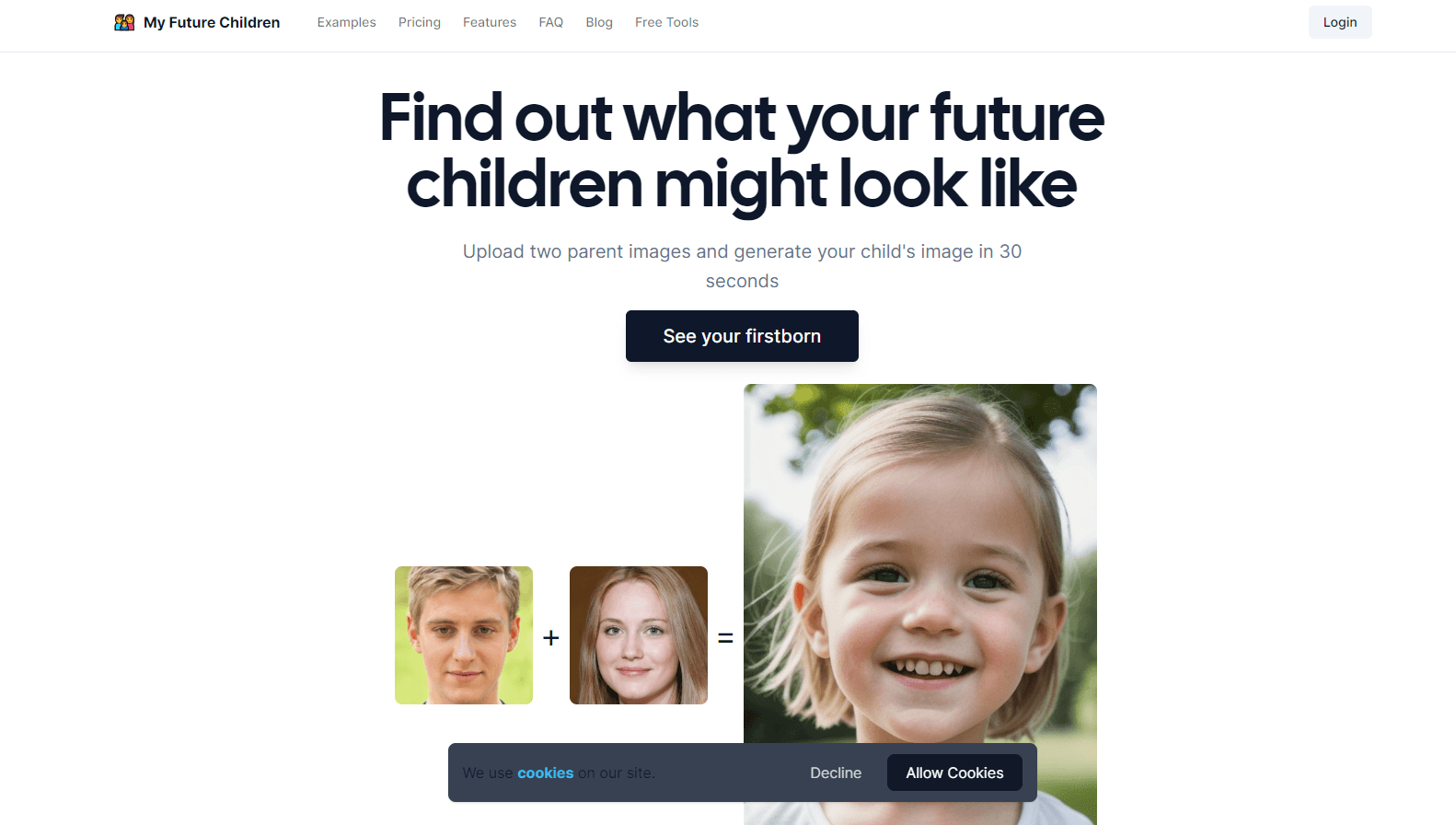
My Future Children is a web app that blends two parent photos into an AI image of a possible child in about 30 seconds. It charges $1 per image and needs an account.
About My Future Children
What Is My Future Children
My Future Children is a browser based AI baby generator built for one question: what could our kid look like? You upload a photo of each parent, crop in on the faces, pick boy or girl, and the site returns a single portrait. That's the whole loop.
The appeal is speed and simplicity. There's no prompt box, no style library, and no editing timeline. You get a face that borrows features from both photos, plus a history page that keeps every child image you've made so you can compare results or send them to family.
Two limits matter before you pay. First, the output is an illustration of possibility, not a genetic prediction, and the site frames it as entertainment. Second, this is a paid tool with no free tier listed, so trying it means buying at least one image.
Getting Started
- Create an account on myfuturechildren.com with an email address and password.
- Upload one clear photo of each parent, then crop each image so the face fills the frame.
- Choose the child's gender and start the generation. The wait runs about 30 seconds.
- Open the Images page to download the result or share it with friends and family.
Product Information
A quick look at My Future Children's pricing, supported platforms, and performance.
Best for
The users, tasks, and scenarios where this tool fits best.
Users
- Couples who are expecting
- Partners planning a surprise
- Social media creators
- Friend groups running a joke
Tasks
- Making a baby shower visual
- Comparing "what if" combinations
- Testing a gender reveal idea
- Filling a blog or video slot
Scenarios
- A quiet evening when the two of you start wondering about names and faces. One upload session answers the curiosity without turning into a project.
- A last minute addition to a family group chat before an announcement. The whole flow fits inside five minutes if your photos are already on your phone.
- A light hearted demo at a party. Hand your phone to a couple of friends, let them upload, and watch the reaction when the face appears.
Key features
Two Photo Face Blend
The core of the AI baby generator is a face blend that reads features from both uploaded photos and merges them into one portrait. You control which part of each photo the model sees by cropping tight around the face. Loose crops with background clutter produce softer, less convincing results.
Boy or Girl Selection
Before you generate, you pick the child's gender. That's the only appearance control the tool gives you, and it's a coarse one: no age slider, no hair or eye color options, no sibling variation. If you want a toddler instead of a newborn, this isn't the app for that.
Roughly 30 Second Generation
The site promises a result in about 30 seconds, which is quick enough to run a few attempts in one sitting. Speed here comes from doing one job: there's no queue of styles, no upscaling pass, and no batch mode.
Image History Page
Every child image you generate stays on your Images page. That turns this future child generator into a small comparison tool, which is useful when you're testing different photo pairs or showing a partner the options later.
Share Buttons for Family
Each image comes with a share action built for messaging apps and social platforms. It saves you from downloading and re uploading by hand, and it's the feature most couples use right after the first result lands.
Pay per Image, No Subscription
My Future Children sells images one at a time for $1, with payment handled by Stripe or PayPal. You aren't locked into a monthly plan, which suits occasional use. The flip side is that every experiment costs money, and there's no free image to test quality first.
Pros and cons
Pros
- The workflow is short: sign up, upload two photos, pick a gender, get an image.
- Results arrive in about 30 seconds, fast enough for repeated attempts in one session.
- A $1 per image price with no subscription keeps the cost tied to actual use.
- Checkout runs through Stripe and PayPal, so you don't hand card details to an unknown processor.
- Every result stays in your history, which makes side by side comparison easy.
Cons
- No free tier means you pay before you know how well the model handles your photos.
- Gender is the only appearance control, so you can't adjust age, hair, or expression.
- Output quality depends heavily on the two uploads, and mismatched angles or lighting produce strange faces.
- There's no mobile app and no API, so the tool lives entirely in a browser tab.
Frequently asked questions
You upload one photo of each parent, crop around the faces, choose boy or girl, and the AI merges features from both images into a single portrait. The result lands on your Images page in about 30 seconds.
Related content
Explore related tools, skills, and articles for My Future Children.
My Future Children Alternatives

Google EmbeddingGemma 2
Google DeepMind · Writing · Image · CodingGoogle EmbeddingGemma 2 is a 740M-parameter open model that turns text, code, images, audio, and video frames into vectors in one 768-dimension space, running on phones and laptops.

Tractionwave
TractionWave · Image · MarketingTractionWave is an AI attention heatmap tool for static ads. Upload a PNG or JPG and it returns predicted attention, ranked hotspots, and fixes before you spend budget.

Imejis.io
Imejis.io · Image · MarketingImejis.io is an AI design studio for agents and marketing teams. Describe an image in plain words, and it writes the copy, builds the layout, reflows it to every size, then exports a finished file.