

My Yogi
My Yogi · Leaning
My Yogi is an AI yoga sequence builder for instructors and home practitioners who want to save and print class-ready flows fast.
About My Yogi
What Is My Yogi
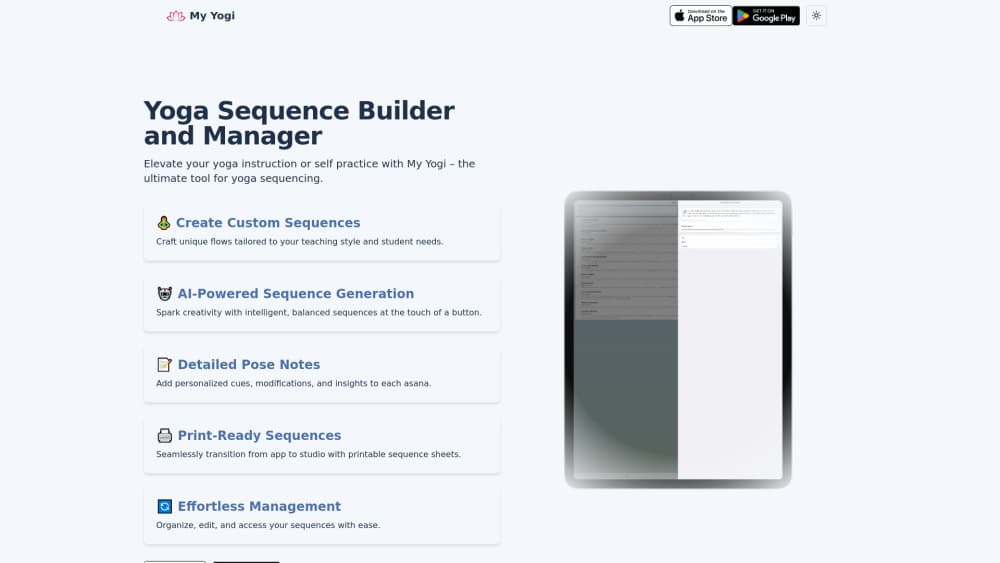
My Yogi is a yoga sequence builder for teachers and dedicated practitioners. You build flows pose by pose, or let the AI yoga sequence generator draft a balanced sequence from the parameters you set, then save everything to a personal library you can reuse. No notes scattered across three apps. One place to plan.
The problem it solves is prep time. Hand-writing a class often means juggling pose lists, timing, and cues across scattered notes. My Yogi keeps the whole flow in one place and cuts the drafting step down to a few taps.
The main catch is platform. My Yogi is an iOS app, so Android users and desktop-first teachers can't run it natively. It's also built for planning rather than live playback. No guided audio, no class timer.
For weekly yoga class prep, that trade-off is usually fine. You plan before you teach, and the app is built around that moment.
Getting Started
- Install My Yogi from the App Store on your iPhone or iPad and open the app.
- Create an account, then set your preferences for level, style, and session length.
- Start a new sequence: add poses manually from the pose library, or tap the AI option to generate a draft flow.
- Add your notes, cues, and modifications to each pose so the sequence matches how you actually teach.
- Save the sequence to your library, then export or print it for your mat or your students.
Product Information
A quick look at My Yogi's pricing, supported platforms, and performance.
Best for
The users, tasks, and scenarios where this tool fits best.
Users
- Yoga instructors
- Home practitioners
- Teacher trainees
Tasks
- Building a class sequence
- Generating a new flow
- Printing class handouts
Scenarios
- Sunday-night class prep
- Subbing a last-minute class
- Building a home practice habit
Key features
AI Sequence Generation
My Yogi's headline feature drafts a complete flow for you. You set the parameters, such as style and difficulty, and the app proposes a balanced sequence that links poses in a sensible order. It's the fastest way to break a blank-page block, and every generated flow stays editable, so you treat the draft as a starting point rather than a final answer you have to live with.
Manual Sequence Builder
When you want full control, you add poses one at a time and arrange them yourself. The builder is built for real teaching, not just lists. You can shape the arc of a class, move poses around, and adjust for the level of the room you're teaching that day, which is exactly the kind of last-minute tweak a fixed template can't handle.
Detailed Pose Notes
Every pose in a sequence can carry its own notes. Teachers use this for cues, modifications, and reminders about injuries or props. The sequence you save is the one you actually teach. No bare list of Sanskrit names to translate from memory at the front of the room.
Print-Ready Sequences
Sequences export as printable yoga sequences you can take to the studio. That matters when you teach off paper or want to hand a flow to a student. It closes the gap between planning on your phone and running the class off-screen.
Sequence Library and Management
Saved flows live in a personal library you can browse and reuse. Over time this becomes your own catalog: the warm-up you like, the hip opener that works, the full class you keep refining. Filters and organization keep it from turning into a junk drawer of old drafts. Simple. Effective.
Pros and cons
Pros
- AI generation cuts sequencing time and sparks ideas you might not reach on your own.
- Pose-level notes keep cues and modifications attached to the exact sequence.
- Printable output works for teachers who plan on-screen but teach off paper.
- The saved library makes reusing and refining flows practical.
Cons
- iOS only, so Android and desktop users can't run it natively.
- No built-in class timer or guided audio, so live playback needs another tool.
- Pricing and feature limits sit behind the official app, which makes comparison shopping harder.
Frequently asked questions
My Yogi is a yoga sequencing app and sequence builder. It helps instructors and practitioners build, generate, store, and print flows so class prep takes minutes instead of an evening of juggling pose lists, cues, and timing across a mess of scattered notes.
Related content
Explore related tools, skills, and articles for My Yogi.
My Yogi Alternatives

HireKey
HireKey · Voice & Language · Productivity · LeaningHireKey is an AI job search copilot built by a former tech recruiter. It checks role fit, tailors resumes, runs interview practice and tracks every application.

Lune
Retrograde Labs · Productivity · LeaningLune is a research search engine for scientific AI agents. It runs as an MCP server that lets Claude, ChatGPT and Cursor search peer-reviewed computer science papers and cite them.
Coddy
Coddy · Coding · LeaningCoddy is a gamified platform to learn to code through short interactive lessons in 20+ languages, with a browser editor, an AI tutor and free certificates.