

My CV Creator
MyCVCreator · Productivity · AI Assistant
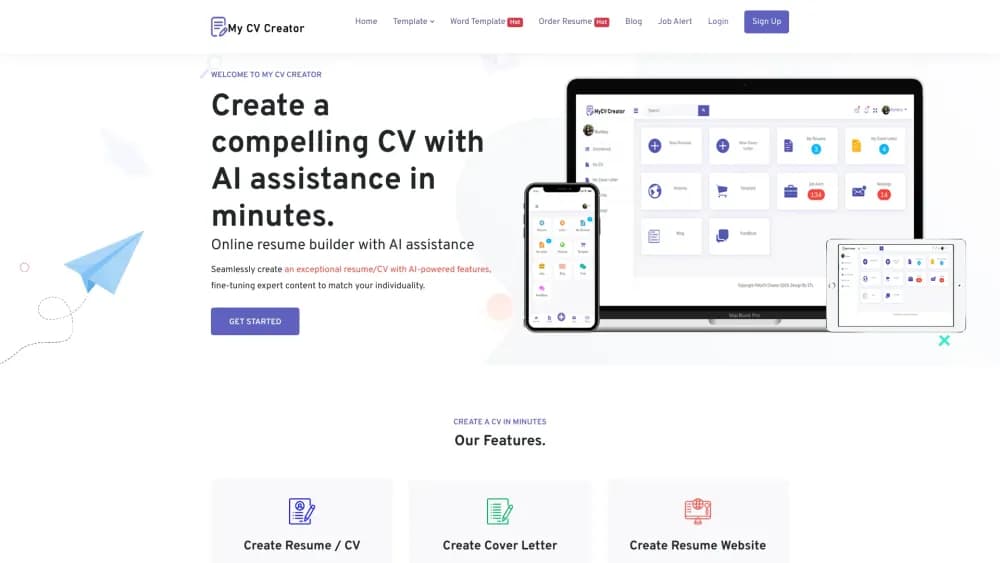
MyCVCreator is an online resume and CV builder that combines templates, AI writing tools, an ATS check, cover letter generation, and interview prep in one career platform.
About My CV Creator
What Is MyCVCreator
MyCVCreator is a web platform for job seekers who need to turn scattered experience into a resume, CV, or cover letter that gets read. You pick a template, fill in your details with guided prompts, and download a finished PDF. The company frames it as a wider career suite rather than a single resume tool, and that's fair once you see the line-up: a builder, a resume website maker, a cover letter generator, an ATS checker, a grammar checker, a resume parser, a LinkedIn optimizer, and an interview practice space.
The problem it targets is real. Most people apply to a stack of jobs with one generic document, and hiring software throws out anything it can't parse. MyCVCreator pushes you toward ATS-friendly structure and keyword matching, then shows you where your draft falls short before you hit send. For students writing a first resume and career changers rewriting an old one, that feedback loop is the actual value.
The limits matter too. AI output still reads generic until you edit it, and the company itself tells users to personalize anything the tools produce before submitting. Resume scores and ATS results are guidance, not a guaranteed interview, so treat them as a checklist rather than a verdict. A free account covers the basics, and paid options and done-for-you writing services sit on top.
Getting Started
- Open mycvcreator.com and click Get Started to create a free account with your email.
- Pick a resume, CV, or cover letter template that matches your industry and experience level.
- Fill in your work history, education, and skills using the guided prompts, or paste an old resume and let the parser pull out the details.
- Run the ATS Resume Checker and the grammar checker, then fix the formatting and keyword gaps they flag.
- Download your document as a PDF, or share a resume website link and start applying.
Product Information
A quick look at My CV Creator's pricing, supported platforms, and performance.
Best for
The users, tasks, and scenarios where this tool fits best.
Users
- Students and new graduates
- Career changers
- Professionals and freelancers
Tasks
- Writing a resume from scratch
- Tailoring an application
- Writing a cover letter
- Preparing for interviews
Scenarios
- Applying to many jobs at once
- A first job after graduation
- Updating a stale profile
Key features
Resume and CV Builder
The builder is the core of the platform. You choose from a set of professionally designed templates, enter your details, and watch the document format itself in real time. It supports both resume and CV layouts, so a two-page academic CV and a one-page work resume come from the same account. The flexible editor lets you move sections and swap templates without re-typing everything.
ATS Resume Checker
Applicant tracking systems scan resumes before a human ever sees them, and this tool shows you how yours would fare. Paste or upload your resume, optionally add the job description, and it returns a compatibility score, parsing notes, keyword gaps, and formatting risks. MyCVCreator is clear that a good score doesn't guarantee an interview, but fixing what it flags removes the easy reasons a resume gets filtered out.
Cover Letter Generator
The cover letter tool builds a tailored draft from a few inputs: job title, company name, your skills, and a couple of achievements. You can add the job description to tighten the match, and set the tone and length to suit the role. The draft is a starting point, and the site tells you to personalize it before sending, which matters because generic cover letters read exactly as generic to recruiters.
AI Writing and Grammar Tools
Beyond the builder, MyCVCreator bundles a resume grammar checker, a proofreader, a summary generator, and a bio generator. You can run your text through grammar and readability checks, generate a professional summary for a target role, and spin up short bios for a portfolio or LinkedIn. These tools aim at the blank-page problem and the small writing errors that make an otherwise strong resume look careless.
Resume Website Builder
Resume website templates turn your resume into a mobile-friendly personal site you can share with one link. Instead of attaching a PDF, you send a URL that loads instantly on a recruiter's phone and holds your work history, skills, projects, and social links. It's a practical step up for freelancers and creatives who want a portfolio without building a site from scratch.
Interview Preparation
Interview prep lets you select a role, answer questions in a recorded session, and get feedback on your answers. Practice like this surfaces the rambling and filler that show up under pressure, before it costs you in a real interview. It pairs naturally with the writing tools, so you can rehearse talking about the same experience your resume highlights.
LinkedIn Optimizer and Career Tools
The LinkedIn Profile Optimizer rewrites headlines and profile copy and suggests keywords recruiters search for. Around it sit a resume parser that pulls structured data from an old file, a job application email generator, and free utility tools like a salary calculator and a QR code generator. They're small conveniences, but they keep the job-search loop inside one place.
Pros and cons
Pros
- One account covers resumes, CVs, cover letters, resume websites, and interview prep, so a CV maker, cover letter generator, and interview tool live in one place instead of five separate apps.
- The ATS Resume Checker gives concrete feedback on keywords and formatting, which is the part most resume tools skip.
- Templates span students, career changers, and executives, so the same builder fits different career stages.
- A free account gets you started, and the free utility tools work without a subscription.
- Resume website templates turn a document into a shareable link, useful for freelancers and creatives.
Cons
- AI-written text often reads generic, and the company expects you to personalize it, so the tools save time rather than finish the job.
- ATS scores and resume grades are guidance, not a guarantee, so a high number doesn't mean a callback.
- There's no published pricing on the public pages, so you have to create an account to see what paid features cost.
- Utility tools like the salary calculator and QR generator are basic, and you can find stronger standalone versions elsewhere.
Frequently asked questions
It's an online platform for building job application materials: resumes, CVs, cover letters, resume websites, LinkedIn profiles, and interview preparation. Most people use it to create a polished document and check it against a job description before applying.
Related content
Explore related tools, skills, and articles for My CV Creator.
My CV Creator Alternatives

Base Code
Base44 (Wix) · Coding · ProductivityBase Code is a shared cloud development environment from Base44. Teammates describe changes to an existing GitHub codebase in chat, preview them live and send them back as pull requests.

Knocket
Knocket (Tencent RTC team) · Productivity · Business · ChatbotKnocket is a free live chat and contact page tool that lets visitors message you from your website, app, or a shareable link, with every reply handled from Telegram or one inbox.

FloorGen
Vinit Kumar (FloorGen) · Productivity · China AIFloorGen is a browser-based floor plan maker that turns a sentence or a sketch into an editable 2D plan and a 3D walkthrough. Export to PDF, DXF or video, and draw without an account.