
JotBot AI
SLAM Ventures, LLC · Productivity
JotBot AI is a writing assistant that learns your style from past work, finds and cites sources inside a document, and drafts essays and research in your own voice.
About JotBot AI
What Is JotBot AI
JotBot AI is an AI writing assistant built by SLAM Ventures, LLC. It lives inside a document editor, so you write and get help in the same window instead of switching to a chat tab. The idea is simple: it reads samples of your earlier writing, then generates drafts, autocompletes sentences, and suggests edits that sound like you rather than like a generic chatbot.
It targets the messy middle of writing, where the ideas are clear but the words and the sources aren't. You can import a PDF, a web page, or a block of text and ask questions about it, pull in real citations as you go, or hand the tool a topic and get a first draft to react to. There's a free tier to start, and a paid plan unlocks higher usage.
The limits matter too. Style mimicry only works as well as the samples you feed it, and AI drafts still need checking for facts and tone. Citation tools speed up formatting, but you're responsible for whether a source actually supports a claim. Treat JotBot as a fast first pass, not a finished paper.
Getting Started
- Sign up at app.myjotbot.com with an email or a Google account and open a new document.
- Paste or upload a few samples of your own writing, so the draft generator can pick up your style.
- Import sources you plan to use, such as PDFs or web links, and let JotBot keep them in one panel.
- Prompt the assistant to outline, draft, rewrite, or cite, then edit the result in place.
- Export or copy the finished text into your final document and check every citation before submitting.
Product Information
A quick look at JotBot AI's pricing, supported platforms, and performance.
Best for
The users, tasks, and scenarios where this tool fits best.
Users
- Students
- Researchers
- Non-native English writers
- Busy professionals
Tasks
- Writing essays
- Finding and citing sources
- Chatting with documents
- Beating writer's block
Scenarios
- A paper due tomorrow
- A literature review
- A work report
Key features
Draft Generation in Your Voice
JotBot analyzes samples of your previous writing and recreates a similar style in new drafts. You feed the AI draft generator old essays or reports, and it produces a first pass that reads closer to you than a default chatbot would. This is the feature that sets it apart from generic writing tools, since most competitors generate in one flat house voice.
AI Autocomplete
As you type, JotBot suggests the next stretch of text, picking up where you left off. It works well when you know what you want to say and just need momentum. The suggestions stay editable, so you can accept a phrase, tweak it, or ignore it without breaking your flow.
Source Finder and Citations
You can search for sources without leaving the document and add them as references as you write. The tool works as a citation generator for common academic formats, which cuts the time spent reformatting entries by hand. The catch is that it formats the reference, not the thinking, so you still verify that each source backs up the claim.
Chat with Your Sources
Import a PDF, a website, or a block of text and ask questions about it. JotBot returns answers and summaries drawn from that material, which helps with dense readings. It's a quick way to pull a key point out of a long paper before deciding whether to cite it.
AI Commands for Writing and Editing
You prompt the assistant in plain language to rewrite a paragraph, change the tone, or expand a bullet into a full section. Commands run inside the document rather than in a side chat, so the edit lands where you need it. This keeps a single workflow instead of a copy-paste loop between two tools.
Document Editing Workspace
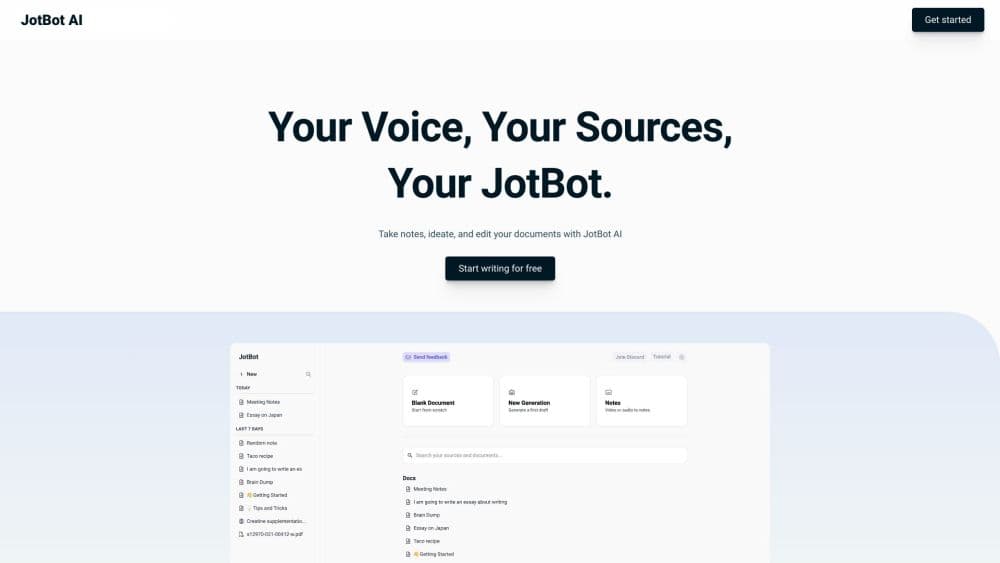
JotBot is first an AI document editor. It holds your drafts, imported sources, and AI tools in one screen, with folders to keep projects apart. Everything lives in the browser, so you can start on one machine and pick it up on another without moving files around.
Pros and cons
Pros
- Drafts match your own writing style, which sets it apart from one-voice AI writers.
- Source finding and citation formatting happen inside the document, saving tab switching.
- Document chat turns long PDFs and web pages into quick answers and summaries.
- The free tier lets you test the core drafting and editing before paying.
- Autocomplete keeps momentum when a paragraph stalls.
Cons
- Style mimicry depends on the samples you provide, so results vary with input quality.
- AI drafts can carry factual errors and citation mismatches, so every claim needs manual checking.
- It runs in the browser only, with no desktop app or mobile editor for offline writing.
- There's no public API, so teams can't wire JotBot into their own writing pipeline.
Frequently asked questions
It's a writing assistant for drafting essays, reports, and research. You import your own writing for style, add sources for citations, and use commands and autocomplete to edit inside the document.
Related content
Explore related tools, skills, and articles for JotBot AI.
JotBot AI Alternatives

Base Code
Base44 (Wix) · Coding · ProductivityBase Code is a shared cloud development environment from Base44. Teammates describe changes to an existing GitHub codebase in chat, preview them live and send them back as pull requests.

Knocket
Knocket (Tencent RTC team) · Productivity · Business · ChatbotKnocket is a free live chat and contact page tool that lets visitors message you from your website, app, or a shareable link, with every reply handled from Telegram or one inbox.

FloorGen
Vinit Kumar (FloorGen) · Productivity · China AIFloorGen is a browser-based floor plan maker that turns a sentence or a sketch into an editable 2D plan and a 3D walkthrough. Export to PDF, DXF or video, and draw without an account.