

MyMap.AI
MyMap · Productivity
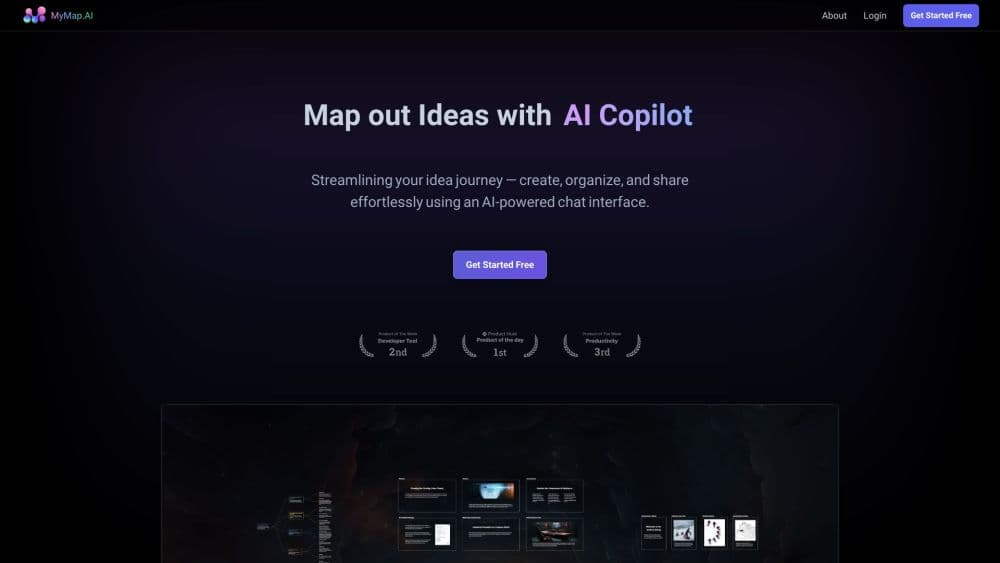
MyMap.AI is an AI visual canvas that turns conversations into mind maps, flowcharts, and diagrams. You describe what you need, and it draws an editable structure you can present and export.
About MyMap.AI
What Is MyMap.AI
MyMap.AI is an AI-powered visual canvas for people who think in structures rather than paragraphs. Instead of dragging boxes into shape, you type or paste what you're working on, and the assistant picks the right diagram type, draws it, and lays it out while you watch.
The tool targets anyone preparing a deliverable: process consultants building swimlanes from an interview, quality teams drafting A3 reports, students turning lecture notes into revision maps, and therapists drawing three-generation genograms. The selling point is speed. A brain dump becomes a structured map in one message, and every node stays editable afterward.
The limits are worth knowing up front. AI generation spends credits, and the free plan caps you at 20 credits a month with up to 3 canvas maps. Premium models that handle the harder prompts sit behind Pro. The canvas runs in a browser, so there's no offline mode to fall back on.
Getting Started
- Open mymap.ai and type a topic, paste notes, or drop in a PDF, Word doc, or YouTube link.
- Send the prompt and watch the assistant choose a diagram type and draw it onto the canvas.
- Select any node and describe the change in plain wording; the assistant rewrites that node and leaves the rest untouched.
- Frame a section of the board to turn it into a slide, or export as PNG, SVG, PDF, Markdown, or a share link.
Product Information
A quick look at MyMap.AI's pricing, supported platforms, and performance.
Best for
The users, tasks, and scenarios where this tool fits best.
Users
- Students and educators
- Process consultants
- Quality and compliance teams
- Family therapists
Tasks
- Turning a rough brief into a structured outline
- Building a SWOT or fishbone on the spot
- Converting meeting notes into themes
- Framing a board into slides
Scenarios
- Preparing a client deliverable the night before
- Studying for an exam
- Mapping a database schema or project roadmap
Key features
Diagram type chosen from the prompt
You don't pick a format first. MyMap.AI reads the request and decides: a strategy question returns a SWOT, a why-did-this-happen question returns a fishbone, a brainstorm branches into a mind map, and a process with a decision becomes a flowchart with the loop drawn. That removes the blank-canvas problem most diagram tools start with.
Chat-based editing on a live canvas
Every node stays editable through conversation. Select a node, say what should change, and the assistant rewrites it, adds what's missing, and leaves the rest of the board alone. The canvas is a real editing surface, so you never redraw the whole map to fix one branch.
Mixed diagrams on one board
Mind maps, flowcharts, org charts, swimlanes, Kanban boards, concept maps, ERDs, and genograms can share a single canvas. One chat drives all of them, which suits projects that need more than one visual in the same deliverable.
Frames that become slides
Framing a section of the board turns it into a slide. You can present straight from the browser or export the deck as PDF, one page per frame. This is what separates MyMap.AI from a plain mind mapping app; the map and the presentation live in the same file.
Import from files and links
You can start from a sentence, pasted notes, a PDF, a Word document, or a YouTube link. The assistant draws from whatever you bring, so existing material does not have to be retyped before it becomes visual.
Flexible export formats
Free accounts get PNG export with a watermark. Pro cleans the PNG and adds PDF, SVG, Markdown, and read-only share links, for either a single frame or the whole map, so a finished board fits different handoff needs.
Pros and cons
Pros
- Diagram type is inferred from the prompt, so you skip format selection and setup.
- Editing happens by describing the change, which keeps branches consistent without manual dragging.
- Presentation framing lives on the same canvas as the diagram, removing a separate slide tool.
- The free plan is usable without a credit card, covering the economic models and up to 3 maps.
Cons
- Credits are spent on every AI generation or rewrite, so heavy use on the free plan runs out quickly at 20 credits a month.
- Premium models that handle complex prompts require Pro at $12 a month billed annually.
- PNG exports carry a watermark on the free plan, which limits casual sharing.
- There's no documented public API, so teams wanting programmatic access can't build on it.
Frequently asked questions
MyMap.AI turns a description into a structured visual: mind maps, flowcharts, SWOT analyses, timelines, database schemas, and project roadmaps. You chat, and the AI draws the structure on an editable canvas instead of returning text.
Related content
Explore related tools, skills, and articles for MyMap.AI.
MyMap.AI Alternatives

Base Code
Base44 (Wix) · Coding · ProductivityBase Code is a shared cloud development environment from Base44. Teammates describe changes to an existing GitHub codebase in chat, preview them live and send them back as pull requests.

Knocket
Knocket (Tencent RTC team) · Productivity · Business · ChatbotKnocket is a free live chat and contact page tool that lets visitors message you from your website, app, or a shareable link, with every reply handled from Telegram or one inbox.

FloorGen
Vinit Kumar (FloorGen) · Productivity · China AIFloorGen is a browser-based floor plan maker that turns a sentence or a sketch into an editable 2D plan and a 3D walkthrough. Export to PDF, DXF or video, and draw without an account.