

mymind
mymind, Inc. · Productivity · Leaning
mymind is a private AI bookmarking tool that saves your notes, images, and links in one visual space and organizes them for you with automatic tags and search.
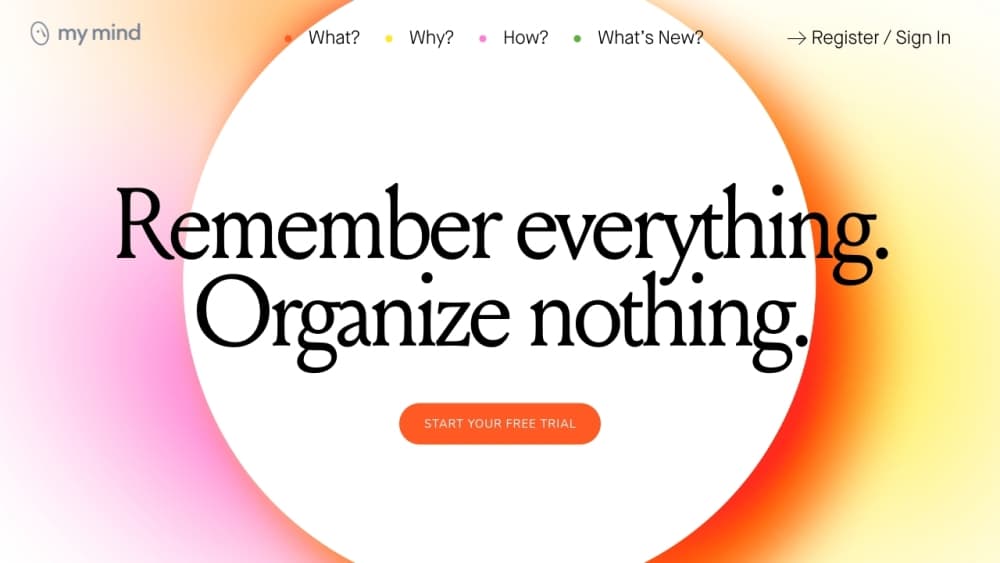
About mymind
What Is mymind
mymind is a visual bookmark manager and private note taking app for people who save a lot of things online and never want to lose them. You drop in images, articles, products, quotes, recipes, or quick notes, and the tool reads each one, tags it, and sorts it into a single visual wall. There's no folder tree to maintain and no tagging chore to keep up with. The company calls it an extension for your mind.
The problem it solves is scattered saves. Most people stash links in browser bookmarks, screenshots in a photo roll, ideas in a notes app, and articles in a read later queue, then forget where anything went. mymind pulls all of that into one place and leans on AI so the finding happens for you, not by you. Search works the way a person thinks, by color, keyword, brand, or rough date, rather than by exact filename.
The tradeoff is money and control. There's no free plan, so you can't test the full tool without paying, and everything runs in mymind's own app rather than syncing back to the apps you already use. If you like strict manual folder systems or need team collaboration, this isn't built for that. mymind advertises the opposite: no ads, no tracking, no social features, and no sharing.
Getting Started
- Sign up with a Google or Apple account and install the app or browser extension.
- Save something with a click on desktop or the share button on mobile, letting mymind read and tag it automatically.
- Search by color, keyword, brand, or date to find anything again, or open Focus Mode for longer notes.
- Create Spaces and tags only for special projects you want to group on purpose.
- Browse Serendipity to rediscover saved items and decide what to keep or forget.
Product Information
A quick look at mymind's pricing, supported platforms, and performance.
Best for
The users, tasks, and scenarios where this tool fits best.
Users
- Designers and visual thinkers
- Writers and researchers
- Marketers and content creators
Tasks
- Brain dumping without sorting
- Finding a saved item fast
- Turning saves into a reading list
Scenarios
- Collecting travel or shopping ideas over months
- Keeping a private idea vault
- Building a project mood board
Key features
AI Tagging and Automatic Organization
mymind reads every item you save and adds tags and categories without you doing anything. Bookmarks get indexed by domain and title keywords, images get tagged automatically, and related saves group themselves into Smart Spaces. The payoff is that saving stays effortless, and you still find things later without a filing system.
Visual and Associative Search
Search works by color, keyword, brand, date, or text inside an image, which matches how people actually remember things. mymind can even read words inside a screenshot or meme, so a half remembered phrase is enough to recover the item. It behaves more like a personal search engine than a bookmark list.
Private by Design
The tool runs on a simple promise: no ads, no tracking, and no selling your data. There are no social features, no vanity metrics, and no collaboration layer, because everything you save is meant for your eyes only. This privacy stance is the core selling point and the reason the product is funded by members rather than advertisers.
Reading Mode and Article Backup
Mastermind members get Reading Mode, which strips out ads and clutter so you can read a saved article right inside mymind. Article backup stores the full text, so the article survives even if the original source deletes it. Recipes work the same way, which keeps a saved recipe usable long term.
AI Summaries and PDF Analysis
mymind can summarize saved images, articles, and web pages in a short paragraph, giving you the gist without opening everything. It also analyzes saved PDFs, adds AI tags, and produces an indexed summary of their contents. This turns a pile of saved documents into something you can scan quickly.
Companion Apps and Sync
The app runs on iOS, Android, and macOS, alongside extensions for Chrome, Edge, and Safari. Save on your phone and it's on your desktop immediately, so your mind follows you across devices. Mobile saving works through the normal share sheet, which keeps capture quick.
Pros and cons
Pros
- Saving is effortless because AI tags and files everything, which removes the usual organizing chore.
- Search by color, brand, keyword, or text inside an image fits how people actually remember saved items.
- The privacy stance is concrete: no ads, no tracking, no data selling, and no social features.
- Cross device sync across mobile, desktop, and browser extensions keeps everything in one place.
- Features like Reading Mode, article backup, and AI summaries add real value for heavy readers.
Cons
- There's no free plan, so you can't try the tool before paying, which makes it a higher commitment than free bookmark managers.
- Saving depends on mymind's own apps and extensions rather than syncing into tools you already use, so it becomes one more place to check.
- The most useful AI features, like summaries and PDF analysis, sit behind the pricey Mastermind plan.
Frequently asked questions
mymind is an AI bookmarking tool that stores your notes, images, articles, and links in one visual place and organizes them automatically with tags and search. It's built for people who save a lot and want to find things again without maintaining folders.
Related content
Explore related tools, skills, and articles for mymind.
mymind Alternatives

Base Code
Base44 (Wix) · Coding · ProductivityBase Code is a shared cloud development environment from Base44. Teammates describe changes to an existing GitHub codebase in chat, preview them live and send them back as pull requests.

Knocket
Knocket (Tencent RTC team) · Productivity · Business · ChatbotKnocket is a free live chat and contact page tool that lets visitors message you from your website, app, or a shareable link, with every reply handled from Telegram or one inbox.

FloorGen
Vinit Kumar (FloorGen) · Productivity · China AIFloorGen is a browser-based floor plan maker that turns a sentence or a sketch into an editable 2D plan and a 3D walkthrough. Export to PDF, DXF or video, and draw without an account.