

Myqnote
Myqnote · Productivity · Leaning
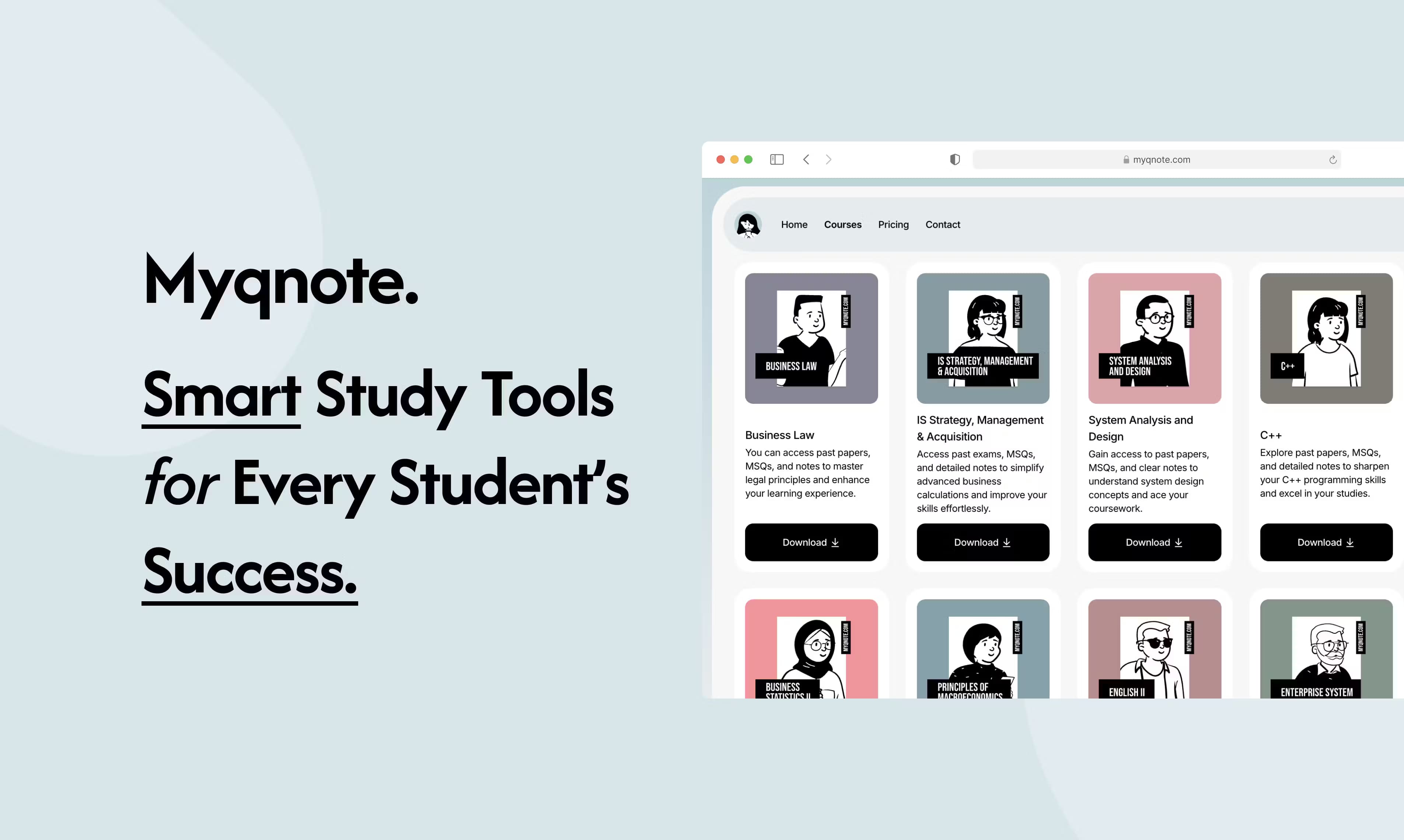
Myqnote is a web learning platform that pairs a course resource hub with AI writing tools. It offers notes, past exam papers, and MCQs alongside an article writer, summarizer, and grammar fixer.
About Myqnote
What Is Myqnote
Myqnote is an AI study platform built for students who want their study materials and their writing help in the same place. The site brings together two halves: a Course Resource Hub full of notes, past exam papers, and multiple-choice questions, and a set of AI tools for writing and editing.
The idea is to cut the number of tabs you keep open. A student revising for a test can drill through past papers and MCQs, then switch to the same account to summarize a long reading or polish an essay. The AI side leans on three jobs: writing articles that read like a person wrote them, shrinking long texts into short summaries, and cleaning up grammar, punctuation, and style.
The main thing to know is what Myqnote doesn't do. There's no free tier on the public pricing page, so you pay before you can touch the Course Resource Hub or the AI tools. The course library also depends on what's been uploaded for your subject, and the tool is web-only, so there's no offline or app-based option.
Getting Started
- Go to myqnote.com and create an account, then pick a monthly or annual plan.
- Open the Course Resource Hub and find notes, past papers, or MCQs for your subject.
- Use the Article Summarizer to condense a long reading, or the Grammar Fixer to clean up a draft.
- Draft longer pieces in the Human-Like Article Writer and edit the output before you submit it.
- Track your plan from the same dashboard and renew before the period ends to keep access.
Product Information
A quick look at Myqnote's pricing, supported platforms, and performance.
Best for
The users, tasks, and scenarios where this tool fits best.
Users
- Students prepping for exams
- Non-native English writers
- Anyone who writes long pieces often
Tasks
- Reviewing past exam papers
- Shortening a long article
- Fixing grammar and punctuation
Scenarios
- The night before a test
- Turning a rough draft into something readable
- Building study habits on a budget
Key features
Course Resource Hub
The Course Resource Hub collects curated notes, past exam papers, and multiple-choice questions into one library. It's the study half of Myqnote, aimed at students who want ready-made revision material instead of building notes from scratch. What you get depends on which subjects have been uploaded, so check your course is covered before subscribing.
Human-Like Article Writer
This tool drafts articles that sound like a person wrote them, rather than the flat, uniform tone that gives AI text away. It's meant for longer pieces where you need a starting point you can then edit in your own voice. Treat the output as a draft, not a finished submission, since you're still responsible for accuracy and originality.
Article Summarizer
Feed in a long article and the summarizer returns a short version that keeps the main points. It's useful for cutting down dense readings and lecture notes so you can see the core ideas fast. The tradeoff is that summaries flatten detail, so go back to the full text for anything you'll be tested on closely.
Grammar Fixer
The Grammar Fixer checks your grammar, punctuation, and style, then suggests cleaner wording. It's most helpful for non-native English speakers who want a second pass before handing in work. It flags and corrects, but it doesn't rewrite your ideas for you, and it can't tell whether a claim is true.
Simple Web Access and Plans
Myqnote runs entirely in the browser, so there's nothing to install and no app to update. You pick a monthly plan at $5 or an annual plan at $50, and the annual option includes early access to new features. Because it's web-only, you'll need a connection to use the tools, and there's no offline mode.
Pros and cons
Pros
- Study materials and writing tools live under one login, cutting the number of tabs you juggle.
- The Article Summarizer and Grammar Fixer cover the two most common writing chores for students.
- The annual plan at $50 works out lower per month than paying $5 month to month.
- Everything runs in the browser, so there's no install or storage to manage.
Cons
- There's no free plan, so you can't test the tools or the hub before you pay.
- The course library is only as useful as the subjects already uploaded, so coverage may be thin for niche courses.
- The AI writer is fine for drafts and practice, but leaning on it for graded work risks accuracy and originality problems.
- It's web-only, so no mobile app or offline access for studying without a connection.
Frequently asked questions
Myqnote is used for two things: studying from a library of notes, past exam papers, and MCQs, and writing help through an article writer, summarizer, and grammar fixer. It's aimed at students who want both under one account.
Related content
Explore related tools, skills, and articles for Myqnote.
Myqnote Alternatives

Base Code
Base44 (Wix) · Coding · ProductivityBase Code is a shared cloud development environment from Base44. Teammates describe changes to an existing GitHub codebase in chat, preview them live and send them back as pull requests.

Knocket
Knocket (Tencent RTC team) · Productivity · Business · ChatbotKnocket is a free live chat and contact page tool that lets visitors message you from your website, app, or a shareable link, with every reply handled from Telegram or one inbox.

FloorGen
Vinit Kumar (FloorGen) · Productivity · China AIFloorGen is a browser-based floor plan maker that turns a sentence or a sketch into an editable 2D plan and a 3D walkthrough. Export to PDF, DXF or video, and draw without an account.