

myReach
myReach · Leaning · Chatbot
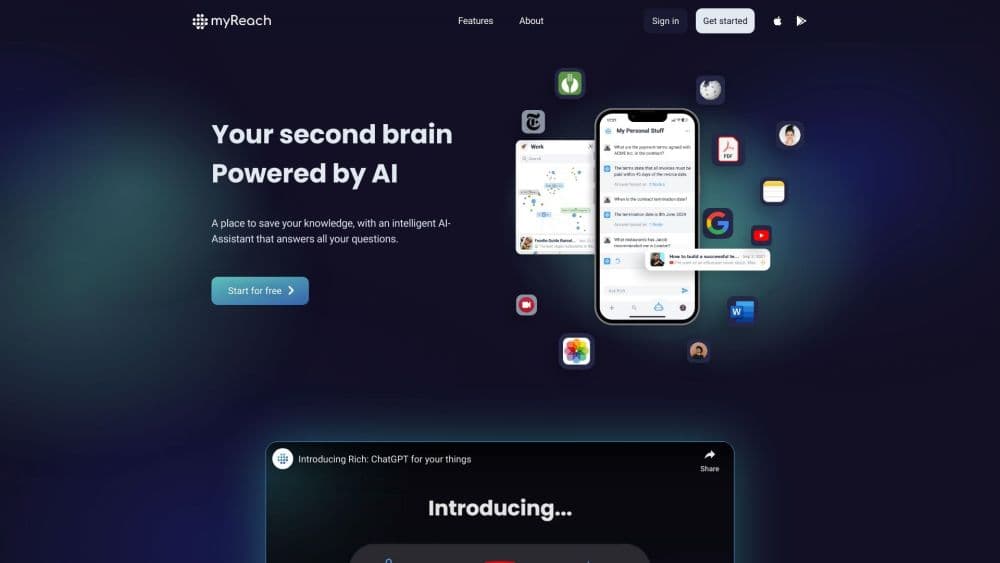
myReach is an AI knowledge management platform that connects company files, answers questions with cited sources and deploys custom AI agents called Genies for support and onboarding.
About myReach
What Is myReach
myReach is an enterprise AI search and knowledge base software platform built around one question: why is finding the right document still so slow? It pulls files from Google Drive, SharePoint, Dropbox Paper and other tools into a single searchable base, reads images and audio along the way, and lets people ask questions in plain language instead of guessing keywords.
The answers come back with references, powered by a retrieval layer that reads your library rather than guessing. The conversational side, myGenie, is the part most people touch daily. Every response points to the paragraph it came from, so a support rep can check a refund policy before quoting it to a customer, and a new hire can trust that the onboarding answer is current. That citation habit is the part most teams notice first, because it turns an AI answer into something you can defend in a meeting.
Three limits matter before you sign up. Pricing is built for teams, with the entry plan starting at 500 euros per month, so a single freelancer will find it expensive. Most connections cover the big document suites, so a company running on niche internal systems may need a custom integration on Enterprise. And the quality of every answer depends on how clean the underlying files are, since messy folders produce messy citations.
Getting Started
- Create an account at myreach.io and start a free trial, which gives one month on the Pro plan with no card needed to explore the workspace.
- Connect data sources. Pick Google Drive, SharePoint, a database export or a sitemap, and let myReach sync the files automatically.
- Tidy the structure. Add properties like date or owner, tag related items, and let the AI suggest relationships between documents, contacts and projects.
- Ask your first questions. Type a full question in the search bar, switch between Efficient, Deep, Web and Full Document search, and open the citation to check the source paragraph.
- Build a Genie. Set its tone, restrict it to a workspace, and put it on an internal support page or a public site for customers.
Product Information
A quick look at myReach's pricing, supported platforms, and performance.
Best for
The users, tasks, and scenarios where this tool fits best.
Users
- Customer support teams
- HR and people operations
- Knowledge-heavy consultancies and agencies
Tasks
- Finding a clause buried in a long contract
- Answering customer questions after hours
- Preparing a project handover
- Summarising large technical documents
Scenarios
- A growing team whose documents are split across Drive, SharePoint and email attachments
- A company rolling out an AI assistant to customers
- An organisation with strict data rules
Key features
Semantic Search Across Connected Sources
Keyword search fails when you remember the idea but not the wording. myReach compares the meaning of your question against every item in the knowledge base and ranks the closest matches, so asking "what did we promise the client about delivery dates" works even if the contract never uses that phrasing. It also respects the permissions set in the source tool, which means a sales rep does not see HR files just because they share a workspace.
Cited Answers With Source Previews
Each answer links to the document it came from and highlights the exact paragraph. Clicking a reference opens a preview at the right page, so verification takes seconds instead of a second search. For legal, finance and support work, that difference decides whether a team can use AI answers in front of a client at all.
Four Search Modes For Different Questions
Efficient mode returns fast answers for simple lookups. Deep mode uses tags and relationships when the question depends on context. Web mode pulls in outside information for market questions. Full Document mode reads entire files for dense material like specifications or contracts. Picking a mode up front saves the filtering that normally follows a vague search.
Custom Genies With Scoped Access
A Genie is a configurable assistant with its own tone and answer style. You decide which workspace it can read, so a customer-facing Genie never touches internal salary data, and a finance Genie stays with the finance team. Building one takes minutes according to the company, and no code is involved.
Structured Knowledge With Properties And Relationships
Documents alone make weak AI material. myReach adds properties such as date, value or owner to each item and links items through relationships and tags. That structure lets the system answer questions like "which contracts with this supplier expire this quarter" instead of only matching words.
Automatic Ingestion With OCR And Audio
Files arrive as they are. OCR reads text inside images and scanned PDFs, audio transcription turns recorded calls and meetings into searchable text, and the platform cleans HTML and parses metadata on the way in. The company estimates this saves over 75% of the manual effort that a migration would otherwise take.
Analytics On Genie Conversations
Every chat with a Genie is logged. A dashboard shows which categories of questions come up most, which answers get follow-ups, and where users drop off. Support leads use it to spot missing documentation, and product teams use it to see what customers actually ask about.
Pros and cons
Pros
- Answers carry clickable citations, so staff can verify a claim before repeating it to a customer or a regulator.
- Permission handling follows the source systems, which lowers the risk of an AI tool becoming a back door into restricted folders.
- Genies are priced and scoped per workspace, so one platform can serve both internal support and a public help widget.
- Security posture is documented: ISO 27001, GDPR, AES-256 encryption, TLS 1.3 and a statement that customer data is not used to train models.
- The Chrome and Firefox extensions let people save pages and bookmarks from the browser without leaving their research flow.
Cons
- The entry price of 500 euros per month puts the product out of reach for individuals and very small teams.
- Search quality tracks the quality of your filing, so a company with chaotic folders will get chaotic answers until someone cleans up.
- Several features are still marked as coming soon, including workflow automation and custom report generation, so you can't count on them yet.
- Answer quality depends on the chosen mode, and new users often pick Efficient when a question needed Deep or Full Document search.
Frequently asked questions
It connects the places where a company stores knowledge, reads the files, and answers questions in natural language with references to the source paragraph. It also hosts AI agents, called Genies, that answer customers and staff from the same knowledge base.
Related content
Explore related tools, skills, and articles for myReach.
myReach Alternatives

HireKey
HireKey · Voice & Language · Productivity · LeaningHireKey is an AI job search copilot built by a former tech recruiter. It checks role fit, tailors resumes, runs interview practice and tracks every application.

Lune
Retrograde Labs · Productivity · LeaningLune is a research search engine for scientific AI agents. It runs as an MCP server that lets Claude, ChatGPT and Cursor search peer-reviewed computer science papers and cite them.
Coddy
Coddy · Coding · LeaningCoddy is a gamified platform to learn to code through short interactive lessons in 20+ languages, with a browser editor, an AI tutor and free certificates.