

Myreader AI
Myreader · Productivity · Business
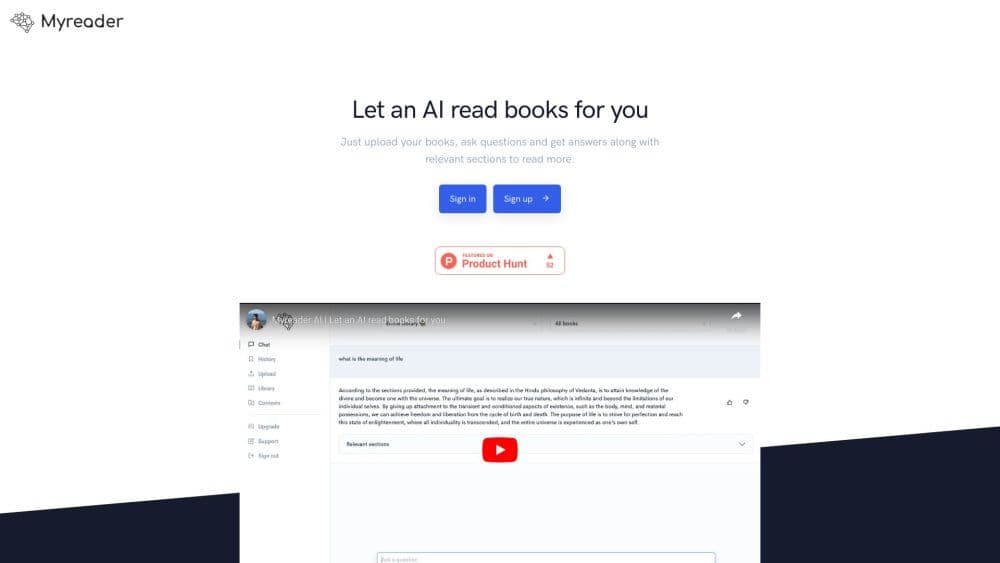
Myreader AI is an AI reading assistant that turns books, PDFs, and documents into a searchable library you can chat with, cite, and listen to as an audiobook.
About Myreader AI
What Is Myreader AI
Myreader AI is a cloud-based reading assistant that lets you upload long written material and question it in plain language. You drop in PDFs, EPUBs, Word files, PowerPoint decks, web articles, and even YouTube links, then ask anything. The app answers across the whole set, shows the page each answer came from, and can read the text back to you as audio.
The problem it targets is familiar to anyone who studies or works with dense material. A single textbook or research paper can bury the one fact you need on page 300, and flipping through it is slow. Myreader AI lets you skip the hunt, ask a direct question, and jump straight to the exact page so you can verify what it found.
The limits matter too. The free plan caps you at 5 questions a day and 200 upload pages, and it deletes books after 7 days without activity. Document analysis also depends on clean text, so scanned files rely on OCR that stumbles on poor-quality scans. It's a focused study and research tool, not a general writing or chat assistant.
Getting Started
- Sign up for a free account on the Myreader AI website or download the iPhone app.
- Upload a book, PDF, document, article link, or YouTube URL to your library.
- Ask a question in plain language, or ask across an entire collection at once.
- Follow the inline citation to the exact page, or switch on audio and listen in one of 50+ voices.
Product Information
A quick look at Myreader AI's pricing, supported platforms, and performance.
Best for
The users, tasks, and scenarios where this tool fits best.
Users
- Students
- Researchers
- Professionals
Tasks
- Cross-referencing a stack of sources
- Turning required reading into audio
- Checking a claim before you cite it
Scenarios
- Exam week with limited time
- Literature review for a thesis
- Preparing for a meeting from a long report
Key features
Chat With Your Library
You can question a single document, a curated collection, or your entire library at once. Ask in everyday language and the assistant answers from the material you uploaded, which means no manual cross-referencing. Collections let you separate subjects like finance or health so questions stay scoped.
Cited Answers With Page Jumps
Answers come with inline citations, and each one links to the exact page or section it came from. You tap the reference and land on the source text, so verifying a number or quote takes seconds. This is what separates it from a plain chatbot that answers from memory.
Text to Speech in 50+ Voices
Any uploaded text can be turned into an audiobook, read in more than 50 voices across 30+ languages. You follow along on the page, change speed, and skip by chapter. It's useful for turning required reading into something you can get through on a walk or a drive.
Universal Document Support
The app takes PDFs, EPUBs, Word files, PowerPoint decks, Kindle formats, web article links, and YouTube URLs. Scanned documents go through OCR so image-based files still become searchable. One library holds every format, so you don't juggle separate apps for each file type.
Organized Cloud Library
Books go into collections you name yourself, and the library syncs across the web and iPhone app. Everything you upload on a computer is waiting on your phone, and Continue Listening keeps your place. Stored files stay private to your account and aren't shared between users.
Section-by-Section Summaries
Before you commit to a chapter, you can see what each section covers and jump straight to the page you want. You can also tap a section to have it explained in simpler terms. It's a quick way to decide what actually needs a close read.
Pros and cons
Pros
- Answers cite the exact page, so you verify sources instead of trusting a black-box reply.
- One library spans PDFs, EPUBs, Office files, web articles, and YouTube, which reduces app-switching.
- The audiobook feature reads in 50+ voices and 30+ languages, handy for long reading lists.
- The free plan covers a single course or light use without a card.
- An iPhone app mirrors the web library, so study material travels with you.
Cons
- The free plan deletes books after 7 days of inactivity, so you re-upload material you set aside.
- Free-tier limits of 5 questions a day and 200 upload pages run out quickly for heavy research.
- OCR quality drops on low-resolution scans, which weakens answers from image-only PDFs.
- There's no public API, so you can't wire it into your own tools or workflows.
Frequently asked questions
It's used to read and question long documents. You upload books, papers, or files, ask questions in plain language, and get answers with the page each one came from.
Related content
Explore related tools, skills, and articles for Myreader AI.
Myreader AI Alternatives

Base Code
Base44 (Wix) · Coding · ProductivityBase Code is a shared cloud development environment from Base44. Teammates describe changes to an existing GitHub codebase in chat, preview them live and send them back as pull requests.

Knocket
Knocket (Tencent RTC team) · Productivity · Business · ChatbotKnocket is a free live chat and contact page tool that lets visitors message you from your website, app, or a shareable link, with every reply handled from Telegram or one inbox.

FloorGen
Vinit Kumar (FloorGen) · Productivity · China AIFloorGen is a browser-based floor plan maker that turns a sentence or a sketch into an editable 2D plan and a 3D walkthrough. Export to PDF, DXF or video, and draw without an account.