

MyStudyDeck
MyStudyDeck · Leaning
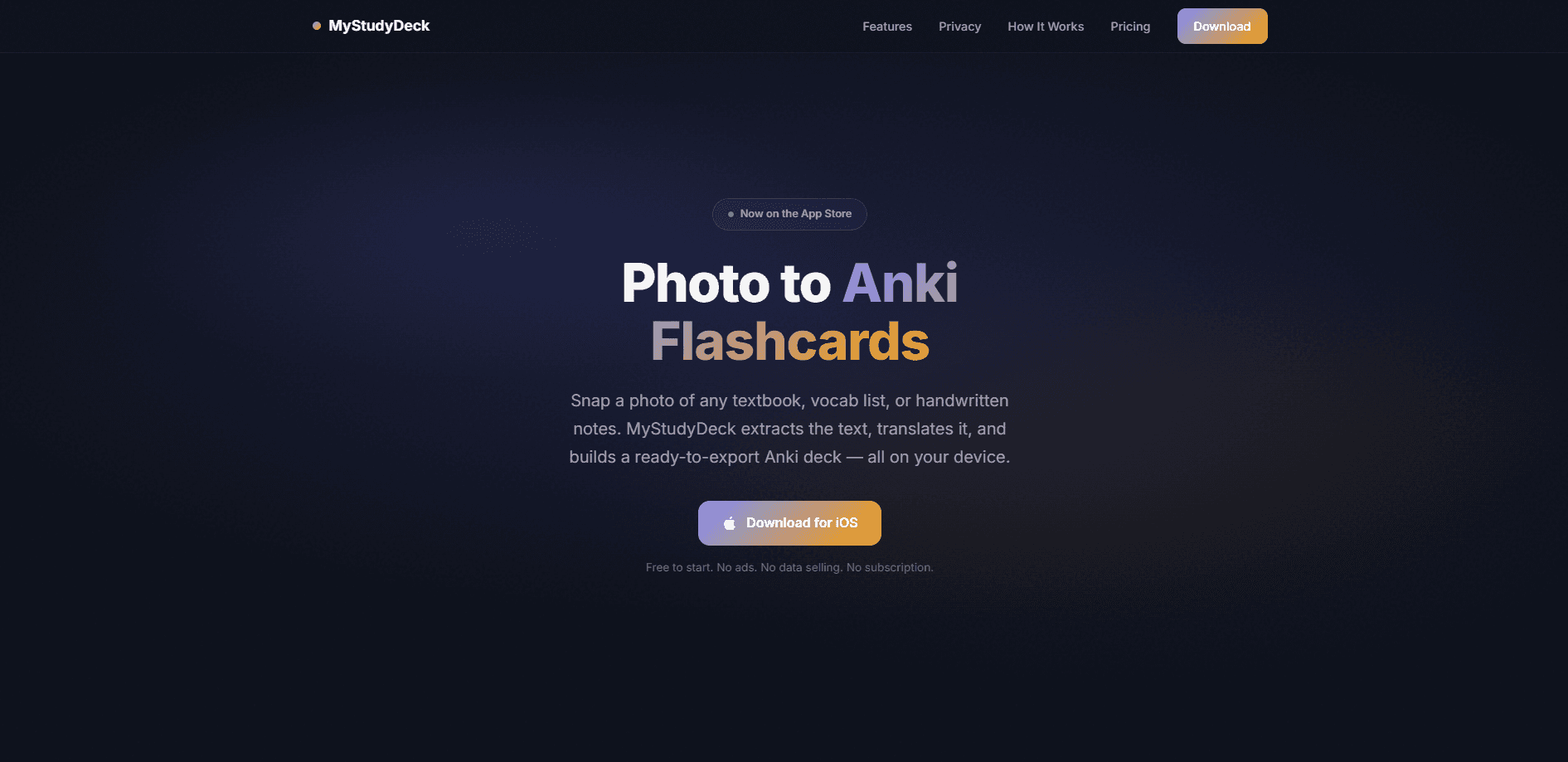
MyStudyDeck is an iOS flashcard app that turns photos of textbooks, vocabulary lists, and handwritten notes into Anki flashcards. It's a photo to Anki flashcards tool at heart. It runs OCR and translation on your iPhone using Apple's VisionKit and Translation frameworks, so your photos never leave the device. When you're done, it exports standard .apkg decks you can open straight in AnkiMobile, which means you skip the tedious part of typing cards by hand.
About MyStudyDeck
What Is MyStudyDeck
MyStudyDeck is a flashcard builder for students who already lean on Anki for spaced repetition. Think of it as an Anki flashcard maker that works from your camera roll. The pitch is simple: point your phone at a page, tap the terms you want to learn, and export a deck. No cloud account. No typing out hundreds of cards at midnight before an exam.
The app does its work on-device. Apple's VisionKit reads text from your photos locally, and Apple's Translation framework handles the language conversion without a network call. That design choice matters if you study copyrighted material or just don't want your notes sitting on someone else's server. There's a local SQLite database, no sign-in, and deleting the app wipes everything. Nothing to clean up later.
The catch is the platform. MyStudyDeck is iOS only, so Android users can't run it. It's also built around Anki rather than replacing it, so the value depends on you already using AnkiMobile or the desktop Anki app. Already have Anki? Then it slots right in. Free users can build up to 3 cards before hitting the one-time $14.99 purchase.
Getting Started
- Download MyStudyDeck from the App Store (free to start).
- Open the app and point your camera at a textbook page, vocab list, or whiteboard. OCR runs instantly, even offline.
- Tap the individual terms you want to learn; the app tokenizes them into selectable chips, then auto-translates into your target language.
- Pick a card type (Plain, Image, Fill-in, or Multi-field) and build one or many cards in batch mode.
- Hit export to generate a standard .apkg file, then open it in AnkiMobile or share it to Files, AirDrop, iCloud Drive, or email.
Product Information
A quick look at MyStudyDeck's pricing, supported platforms, and performance.
Best for
The users, tasks, and scenarios where this tool fits best.
Users
- Students who already study with Anki and want to stop typing cards by hand. As a photo to Anki flashcards tool, it fits anyone who keeps a spaced repetition app open next to their notes.
- Language learners working from printed vocab lists or textbook glossaries in Japanese, Chinese, Korean, or Arabic, who want an OCR flashcard app that translates without cloud tools.
Tasks
- Turning a photographed textbook page into a ready-to-study Anki deck in under a minute.
- Building image-based cards where the front is a cropped photo and the back carries the term or translation.
- Batch-creating dozens of cards from a single page of notes during a study session.
Scenarios
- Cramming the night before a test when you have a stack of notes and no time to type them.
- Studying offline on a plane or train where there's no signal, since OCR and translation run locally.
- Handling copyrighted course material you'd rather not upload to a third-party service.
Key features
On-Device OCR
MyStudyDeck uses Apple's VisionKit to read text from your photos locally, with no upload step. It recognizes Japanese, Chinese, Korean, Arabic, and more, and tokenizes each term into a selectable chip so you choose exactly what becomes a card. Because it runs on your phone, it works with the network turned off. No signal, no problem.
On-Device Translation
Selected terms get translated automatically through Apple's Translation framework, covering 10 source languages and 13 targets. The whole thing runs without a network call, so your text never goes to an outside translation API. For a language learner, that's the difference between a tool you trust with your notes and one you don't.
Four Card Types
The card builder supports Plain, Image, Fill-in, and Multi-field formats, so you're not locked into a single flashcard style. Fill-in cards work well for cloze-style recall, while Multi-field suits vocabulary with several properties per term. Batch mode lets you build multiple cards from one photo, so the photo to flashcards step never becomes the bottleneck.
Standard .apkg Export
Exports are standard Anki-compatible .apkg files with embedded images, which is the detail that makes the Anki deck export useful rather than a silo. You send the deck through the Share Sheet to AnkiMobile, Files, AirDrop, iCloud Drive, or email, with no desktop computer required. That means the cards land in the same Anki setup you already use for spaced repetition.
Zero Cloud Backend
There's no account, no sign-in, and no server holding your data. Cards and decks live in a local SQLite database, and deleting the app removes everything, which means there's no lingering copy of your study history floating around on a server you'll never see. Big difference if you care about privacy. The only data that leaves the phone is anonymous crash and usage stats through TelemetryDeck, so MyStudyDeck never sees what you study.
Free Tier to Try It
The free tier lets you create up to 3 cards, which is enough to test the capture, translate, and export flow before spending anything. After that, a one-time $14.99 purchase (MyStudyDeck Pro) opens up unlimited card creation, all four card types, batch creation, and future updates. No subscription, no ads, no data selling.
Pros and cons
Pros
- OCR and translation run entirely on-device, so no studying material or personal notes get uploaded to a cloud service.
- Exports standard .apkg files, so the decks open directly in AnkiMobile and fit an existing Anki workflow instead of trapping your cards inside a closed app that you'd have to fight later.
- One-time $14.99 purchase with no subscription and no ads, which is rare among flashcard tools.
- Works offline, useful when you're reviewing or building cards without a signal.
- Four card types plus batch creation cover most vocab and cloze study habits.
Cons
- iOS only, so Android users can't use it at all.
- The free tier caps you at 3 cards, which is enough to test but not to actually study with, so most users will need to pay.
- It depends on Anki, so it's not a standalone study app for anyone who doesn't already use Anki.
- No API, which rules out scripting or automating deck generation outside the app.
Frequently asked questions
MyStudyDeck converts photos of study material into Anki flashcards. So what's the workflow? You photograph a page, it runs OCR to pull out the text, you select the terms you want, and it translates and formats them into cards you export as a .apkg file for Anki.
Related content
Explore related tools, skills, and articles for MyStudyDeck.
MyStudyDeck Alternatives

HireKey
HireKey · Voice & Language · Productivity · LeaningHireKey is an AI job search copilot built by a former tech recruiter. It checks role fit, tailors resumes, runs interview practice and tracks every application.

Lune
Retrograde Labs · Productivity · LeaningLune is a research search engine for scientific AI agents. It runs as an MCP server that lets Claude, ChatGPT and Cursor search peer-reviewed computer science papers and cite them.
Coddy
Coddy · Coding · LeaningCoddy is a gamified platform to learn to code through short interactive lessons in 20+ languages, with a browser editor, an AI tutor and free certificates.