

Nana Banana 2 AI
Nana Banana 2 AI · Image
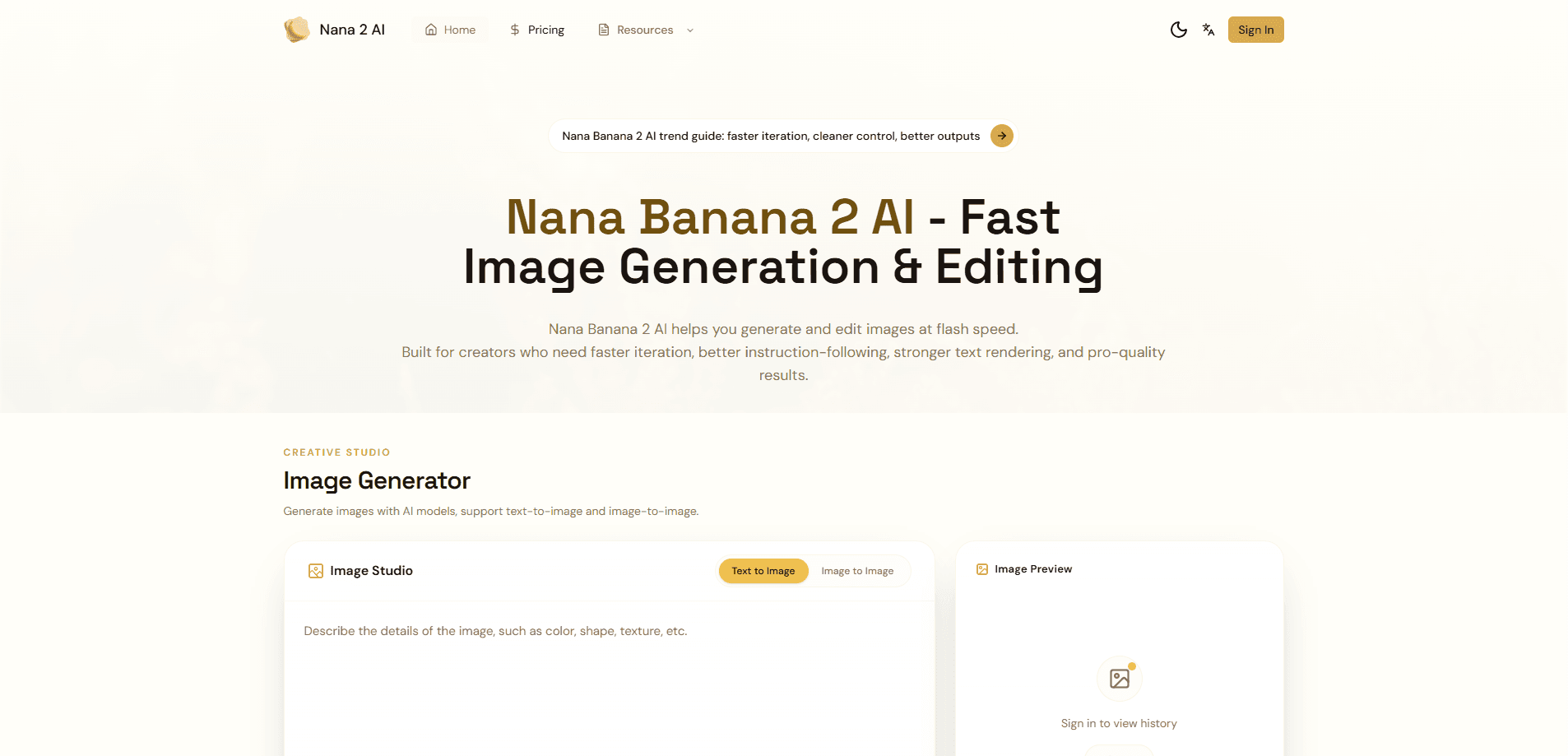
Nana Banana 2 AI is a web-based AI image generator and editor that turns written prompts into finished visuals. It runs the Nano Banana 2 model, so you get text-to-image and image-to-image work in one place, with editing, text rendering, and 4K image upscaling. You sign up, get a few free credits, then pay per month once you outgrow them. No design background required. None.
About Nana Banana 2 AI
What Is Nana Banana 2 AI
Nana Banana 2 AI is an online studio for creating and editing images with AI. You type what you want, upload reference shots if you have them, and the tool handles the generation. The draw is speed and control in the same interface: quick drafts when you're exploring, sharper 4K output when you need something final.
The main problem it solves is the gap between a rough idea and a usable file. Freelancers, marketers, and small teams often can't afford a full design pipeline for every social post or mockup, and hiring a photographer or illustrator for each campaign quickly adds up to more than most small budgets can absorb. Here, a single prompt or a quick edit gets you something close to finished. Think of it as an AI photo editor and an AI art generator rolled into one account.
The important limit is the credit system. Every generation costs credits, and higher resolutions cost more. So heavy users burn through a plan faster than the sticker price suggests. There's no perpetual free tier, only signup credits that run out.
If you generate steadily, weigh the per-image cost of each tier before you commit, because a plan that looks generous at first glance can disappear in a week of steady 4K exports.
Getting Started
- Create an account at the Nana Banana 2 AI site and claim the free signup credits.
- Pick a mode, either text-to-image for a fresh concept or image-to-image to edit something you upload.
- Write a prompt describing the scene, and add camera, lighting, or style details if you want more control.
- Choose a resolution and aspect ratio before you generate, since credits scale with output size.
- Review the result. Iterate if needed.
Product Information
A quick look at Nana Banana 2 AI's pricing, supported platforms, and performance.
Best for
The users, tasks, and scenarios where this tool fits best.
Users
- Content creators who post often and need visuals fast
- Marketers and small business owners
- Hobbyists exploring AI art
Tasks
- Turning text prompts into images
- Editing existing photos
- 4K image upscaling
- Making graphics with readable text
Scenarios
- Filling a social calendar when you're out of time and budget for a photographer.
- Prototyping campaign concepts before committing to a full production.
- Building a rough product visual for a pitch deck or landing page.
Key features
Text-to-Image and Image-to-Image in One Tool
Nana Banana 2 AI handles both starting fresh and editing what you already have. Type a prompt for a new image, or upload a reference and change specific parts of it. Keeping both modes under one account means you don't juggle separate apps for generating and retouching. That's the whole pitch.
Multiple AI Models Behind the Scenes
The plan includes access to all the AI models on the platform, not just one. That gives you room to match the model to the task, and the pricing page treats model access as standard rather than an add-on. It's a practical setup if your work swings between photoreal and stylized results. No extra fees either.
Exports Up to 4K Resolution
Every paid tier supports export up to 4K. For anyone who's shipped a blurry draft to a client, that ceiling matters. Draft small. Push the final version higher when it's approved. That way you save credits early and spend them where the detail actually shows.
14 Aspect Ratios
The tool covers 14 aspect ratios, which is more than most generators offer. You can produce a square post, a wide banner, or a vertical story without cropping the original and losing detail. Social media managers juggling platforms save a step here. Big difference.
Credit-Based Pricing That Scales
Credits are metered per generation, and how many you use depends on resolution. The Starter plan gives 100 credits a month, Standard gives 400, and Premium gives 1400. Higher tiers lower your per-image cost, so the math favors upgrading once you're a regular user. Heavy editing burns credits faster than a spec sheet suggests. Worth watching.
Access From Any Browser
Because Nana Banana 2 AI runs in the browser, you don't install anything and you don't tie your work to one machine, which means you can start a project on a laptop at home and pick it back up on a desktop in the office without moving files around by hand or worrying about which device holds the latest version. Log in and continue. That's it.
Fast Iteration on Ideas
Because generations are quick, the tool works well for exploring directions rather than committing to one. You try a few versions, keep the strongest, and move on. That rhythm suits brainstorming and client feedback rounds more than one-shot perfection. Need to see three options before lunch? Easy. That speed also changes how you brief the tool, since you can throw a rough prompt at it, look at what comes back, and rewrite the prompt in the same sitting instead of waiting overnight for a render to finish.
Text Rendering Inside Images
Nana Banana 2 AI can place legible text into generated images, which is where a lot of generators fall apart. Posters, invitation cards, and ad mockups become realistic options when the words don't turn to gibberish. It's a narrower feature than the headline editing tools, but a useful one. Not every generator gets this right. For anyone producing client-facing work, legible text inside a generated image saves the separate step of opening a design app just to add a headline or a price tag and then exporting the whole thing again.
Pros and cons
Pros
- Handles generation and editing in one place, so you avoid a second subscription.
- 4K export on every paid tier, including the cheapest one.
- 14 aspect ratios cover the common social and print formats.
- Quick generation makes it easy to test several directions before deciding.
Cons
- No permanent free plan, so you're buying credits from the start once the signup ones run out.
- Credits expire after a month, which punishes light users who buy a big plan and use it slowly.
- No API, so you can't wire it into an automated workflow or app.
- The credit model makes cost hard to predict, because the same prompt at a higher resolution can quietly eat several times the credits of the draft you tested it on.
Frequently asked questions
It's an AI image generator and editor for creating visuals from text and editing existing photos. You use it for social posts, ad mockups, product visuals, and any image work that needs to be fast and cheap.
Related content
Explore related tools, skills, and articles for Nana Banana 2 AI.
Nana Banana 2 AI Alternatives

Google EmbeddingGemma 2
Google DeepMind · Writing · Image · CodingGoogle EmbeddingGemma 2 is a 740M-parameter open model that turns text, code, images, audio, and video frames into vectors in one 768-dimension space, running on phones and laptops.

Tractionwave
TractionWave · Image · MarketingTractionWave is an AI attention heatmap tool for static ads. Upload a PNG or JPG and it returns predicted attention, ranked hotspots, and fixes before you spend budget.

Imejis.io
Imejis.io · Image · MarketingImejis.io is an AI design studio for agents and marketing teams. Describe an image in plain words, and it writes the copy, builds the layout, reflows it to every size, then exports a finished file.