
Nano Banana AI
Nano Banana AI · Image
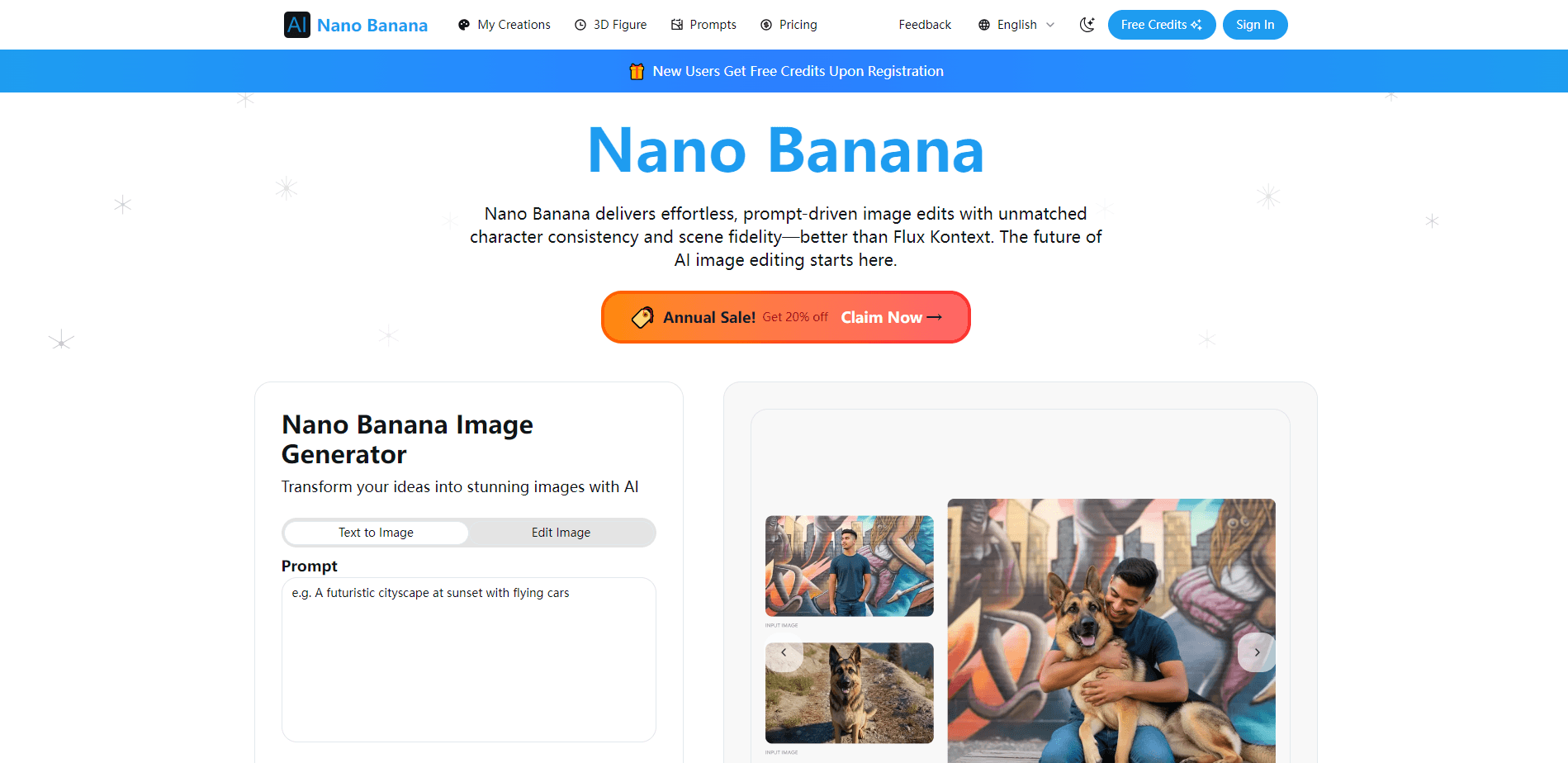
Nano Banana AI is a browser-based image generator and editor that runs on Google's Nano Banana models, turning text prompts or reference photos into 1K, 2K, and 4K images.
About Nano Banana AI
What Is Nano Banana AI
Nano Banana AI is a web app for making and editing images with Google's Nano Banana models, which most people know as the Gemini image family. You type a prompt, upload one or more reference pictures, pick a resolution, and the site returns a finished image. There's no design software to install and no setup beyond an account.
The draw is access and speed. Google's own tools put the model behind a Gemini account or a billed API key, and this site wraps the same capability into a single browser window with a credit system. Text-to-image, photo editing, character swaps, and background changes all live on the same page, so you can move from an idea to a finished frame without switching apps.
The main catch is that this is a third-party service, not Google. Your prompts and uploads travel through the site's servers, and the terms, data handling, and uptime come from the operator rather than Google directly. Model versions can also lag behind what Google ships. For casual creation and quick tests that trade-off is usually fine. Teams with strict data rules should check the site's terms before uploading anything sensitive.
Getting Started
- Open the site in your browser and sign in or create an account. New users get a small pool of free credits to test with.
- Pick a mode: text to image for fresh pictures, or image to image when you want to change a photo you already have.
- Write your prompt and set the details you care about, such as aspect ratio and output size. Upload reference images when the model allows them.
- Press generate. Each image spends credits based on the model and resolution you chose.
- Review the result, download it, or send it back with a follow-up instruction to adjust one part without redrawing the whole frame.
Product Information
A quick look at Nano Banana AI's pricing, supported platforms, and performance.
Best for
The users, tasks, and scenarios where this tool fits best.
Users
- Casual creators
- Marketers and sellers
- Comic and story creators
- Designers testing an idea
Tasks
- Text to image generation
- Image editing with prompts
- Character consistency across a set
- High-resolution output
Scenarios
- Making a quick social post
- Building a product concept set
- Repairing an old photo
Key features
Prompt-Based Image Editing
You describe the change you want and the model applies it to the photo you uploaded. Recolor a jacket, drop in a new background, or adjust the light without painting a mask by hand. Keeping the subject steady while everything else changes is the part that makes this usable for real work.
Multiple Nano Banana Models
The site routes your request to Google's Nano Banana family, from the fast Flash tier up to the more detailed Pro model. You pick the one that fits the job, so a rough draft doesn't cost the same as a polished final.
Up to 4K Output
Images render natively at 1K, 2K, and 4K depending on the model. Higher resolution matters when a picture will be zoomed or printed, since it holds fine texture instead of turning soft.
Reference Images for Consistency
You can upload reference pictures so the model keeps a face, a product, or a style consistent across several generations. This is what separates a one-off picture from a usable set of related images.
Character and Subject Consistency
Across edits and batches, the model works to keep the same person or object looking like itself. It won't drift into a lookalike after three rounds, which saves the clean-up pass.
Wide and Tall Aspect Ratios
Beyond the usual square frame, the tool supports portrait and ultra-wide shapes. That covers phone screens, banners, and header strips where a square crop wastes space.
Browser Playground With Free Credits
Everything runs in the browser, and new accounts get free credits to try the models before paying. It's the quickest way to see whether the output is good enough for what you need.
Pros and cons
Pros
- Runs in a browser with no install, so you can generate and edit images from almost any machine.
- Free starting credits let you test the models before spending money.
- Native 1K, 2K, and 4K output avoids a separate upscaling step.
- Reference-image support keeps characters and products steady across a set.
- Prompt-based editing handles background, outfit, and lighting changes without manual masking.
Cons
- It's a third-party service, so prompts and uploads pass through the operator's servers rather than Google's. That rules it out for confidential images.
- Free credits are limited, so regular use pushes you onto a paid plan.
- Model versions can trail behind Google's official releases, so you may not get the newest fixes on day one.
- No public API is advertised, which blocks teams that need to wire generation into their own apps.
Frequently asked questions
It generates and edits images from text prompts or uploaded photos in your browser, covering text to image, background and outfit changes, and high-resolution output.
Related content
Explore related tools, skills, and articles for Nano Banana AI.
Nano Banana AI Alternatives

Google EmbeddingGemma 2
Google DeepMind · Writing · Image · CodingGoogle EmbeddingGemma 2 is a 740M-parameter open model that turns text, code, images, audio, and video frames into vectors in one 768-dimension space, running on phones and laptops.

Tractionwave
TractionWave · Image · MarketingTractionWave is an AI attention heatmap tool for static ads. Upload a PNG or JPG and it returns predicted attention, ranked hotspots, and fixes before you spend budget.

Imejis.io
Imejis.io · Image · MarketingImejis.io is an AI design studio for agents and marketing teams. Describe an image in plain words, and it writes the copy, builds the layout, reflows it to every size, then exports a finished file.