
Nano Banana
CyberBanana · Image
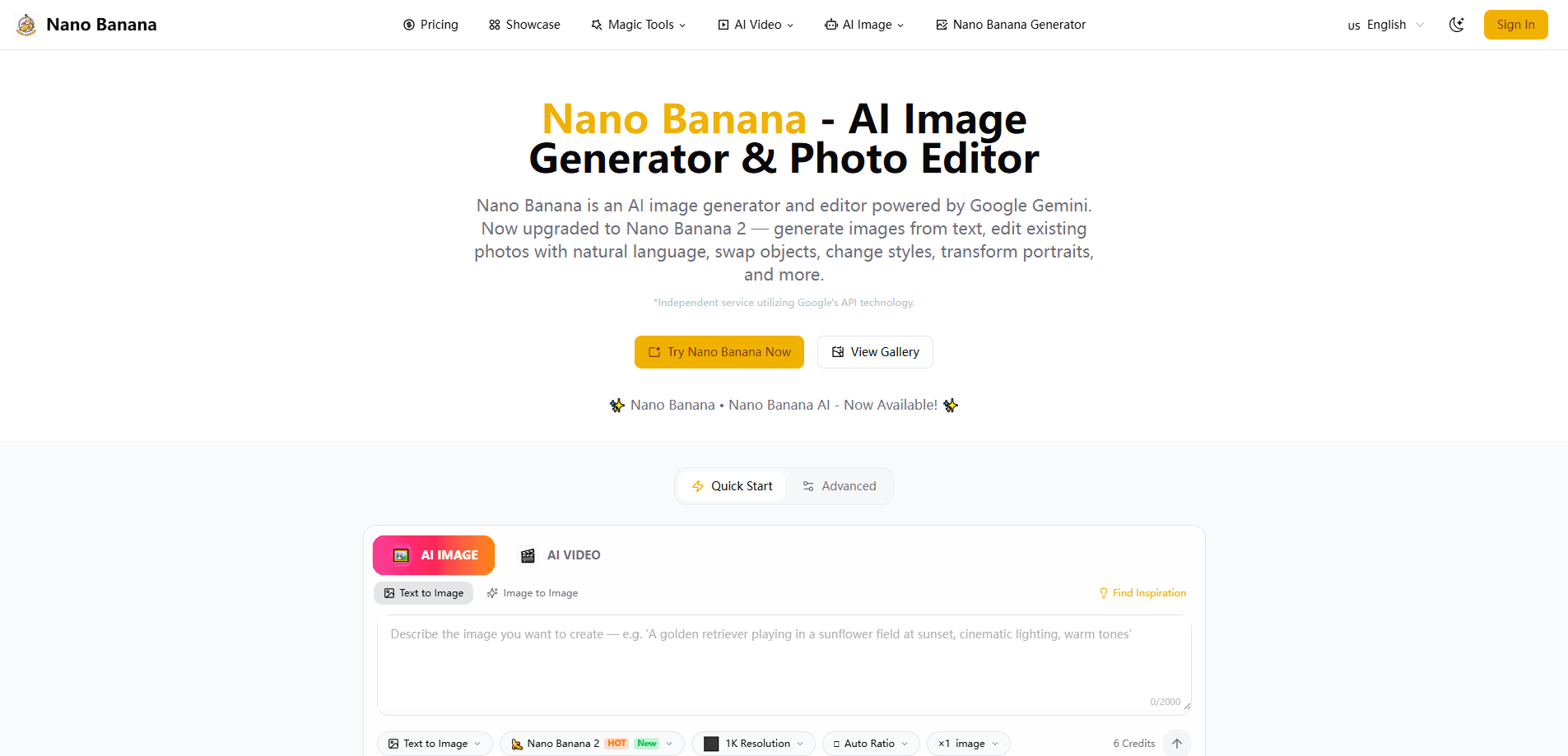
Nano Banana is an AI image generator and editor that turns written prompts into finished pictures and reshapes existing photos without a manual editor. It runs on Google's Gemini image models, so you can describe a scene, upload a reference, or ask for a small change and get a result in seconds. No layers. No masks. The platform suits casual creators who want quick visuals and professionals who need consistent characters across a whole set of images. Pricing is credit-based, with a small free allowance to test it before you pay.
About Nano Banana
What Is Nano Banana
Nano Banana is a web platform for generating and editing images with natural language. Instead of learning layers, masks, and brush tools, you type what you want. The service is an independent product built on Google's Gemini image API, and it clearly states it isn't affiliated with Google.
The main problem it solves is consistency. Most AI image tools produce a great one-off picture, then lose the face, outfit, or lighting the moment you ask for a variation. That's frustrating. Nano Banana keeps the subject and scene intact across edits, which matters when you're building a series of posts or story panels that need to look like they belong together.
Its biggest limit is that you're renting someone else's model. The underlying Gemini image models set the quality ceiling, and the platform passes through whatever they can and can't do. Nothing more. Credits also add up fast on the higher-end Pro and 2 models, so heavy users should watch the meter.
Getting Started
- Create an account on the website with an email address or a linked sign-in.
- Claim the 10 free credits offered to new users, or pick a subscription if you already know you'll generate often.
- Upload a reference photo or type a text prompt describing the image you want.
- Choose a model. Pick standard Nano Banana for speed and volume, or Pro and 2 for higher resolution and crisper text.
- Review the result, tweak the prompt, and download the file in JPG, PNG, or WebP.
Product Information
A quick look at Nano Banana's pricing, supported platforms, and performance.
Best for
The users, tasks, and scenarios where this tool fits best.
Users
- Social media creators
- Small business owners
- Marketing and brand teams
Tasks
- Prompt-based image editing
- Object swapping and local fixes
- Style transfers
Scenarios
- Building a consistent series of images for a product launch or a story, where the same subject has to reappear across many frames.
- Turning a phone photo into polished, marketing-ready art without opening a full editing suite.
- Trying out an idea before committing budget, using the free credits to see whether the model understands your prompt.
Key features
Natural Language Editing
You edit by describing the change you want, not by dragging sliders. Type "move her to a beach at sunset" and the model rebuilds the scene while keeping the subject recognizable. Big difference. It removes the usual learning curve of layer-based editors.
Character Identity Preservation
The platform's strong point is keeping a person's face and style stable across edits. Generate the same character in five poses and they still read as the same person. Not everyone gets this right. That consistency is what separates it from tools that reset your subject every time. Handy for series work.
Multi-Image Fusion
You can blend several images into one composition, which helps when a scene needs elements from two or three references. The model reads the context of each input and merges them into a single coherent frame instead of a pasted-together collage. It works.
Scene-Aware Processing
Edits respect the existing lighting, depth, and composition of a photo. Add a shadow or replace a background and the new element sits in the scene rather than floating on top of it. Looks natural. The result reads as intentional instead of obviously edited.
Precision Text Rendering
The newer Pro and 2 models render legible text inside images, which plain AI generators usually mangle. That's rare. It makes the platform usable for posters, labels, and social graphics where the words have to be readable.
High-Resolution Output
The Pro and 2 models support output up to 4K, so images hold up on large screens and in print. That's the tier to pick when detail matters. Standard Nano Banana is built for speed and volume, while the higher tiers trade credits for detail.
Credit-Based Plans
Every generation draws from a shared credit pool, and unused credits roll over to the next billing cycle. You can subscribe monthly or yearly, or buy one-time credit packs that never expire.
Pros and cons
Pros
- Edits keep the same subject and scene, so a set of images looks consistent instead of disconnected.
- Natural language prompts mean you don't need photo-editing skills to get a usable result.
- Unused credits roll over, which softens the sting of a quiet month.
- Outputs cover common formats (JPG, PNG, WebP) and reach 4K on the higher tiers.
Cons
- Quality is capped by Gemini's image models, so you're waiting on third-party updates for new capabilities.
- Credits burn quickly on Pro and 2 models, which cost several times more per image than the base model.
- No public API is documented, so you can't wire it into your own apps or pipelines.
- Advanced team features sit behind the highest tier, which pushes real collaboration costs toward $80 a month.
Frequently asked questions
It's an AI image generator and editor for creating pictures from text and modifying existing photos. People use it for social content, avatars, product visuals, and consistent character art.
Related content
Explore related tools, skills, and articles for Nano Banana.
Nano Banana Alternatives

Google EmbeddingGemma 2
Google DeepMind · Writing · Image · CodingGoogle EmbeddingGemma 2 is a 740M-parameter open model that turns text, code, images, audio, and video frames into vectors in one 768-dimension space, running on phones and laptops.

Tractionwave
TractionWave · Image · MarketingTractionWave is an AI attention heatmap tool for static ads. Upload a PNG or JPG and it returns predicted attention, ranked hotspots, and fixes before you spend budget.

Imejis.io
Imejis.io · Image · MarketingImejis.io is an AI design studio for agents and marketing teams. Describe an image in plain words, and it writes the copy, builds the layout, reflows it to every size, then exports a finished file.