
Nebius AI Studio Text-to-Image
Nebius · Image
Nebius AI Studio Text-to-Image generates pictures from written prompts through an OpenAI-compatible API. It runs FLUX and SDXL models on serverless endpoints, so you pay per image instead of renting a GPU.
About Nebius AI Studio Text-to-Image
What Is Nebius AI Studio Text-to-Image
Nebius AI Studio Text-to-Image is a hosted image generation service from Nebius, the cloud company that grew out of Yandex's infrastructure business. You send a text prompt to an endpoint, and it returns a finished image. There's no GPU to rent, no model to install, and no pipeline to maintain.
The service now lives under the name Nebius Token Factory, which gathers text, embedding, and image models behind one API. The idea is simple: if you already use the OpenAI client, you point it at a different base URL, swap the model name, and image generation works the same way as chat.
Two limits are worth knowing up front. The public endpoints don't pin a region, so the processing location can shift without notice, which rules them out for compliance-bound work. The service also doesn't store your output, so if you lose the returned link, the image is gone.
Getting Started
- Create an account at tokenfactory.nebius.com, signing in with Google or GitHub.
- Generate an API key from the console and save it to the
NEBIUS_API_KEYenvironment variable. - Point your OpenAI client at
https://api.tokenfactory.nebius.com/v1and call the image endpoint with a model such asstability-ai/sdxl. - Pass your prompt plus optional width, height, steps, seed, and a negative prompt.
- Save the returned image yourself, since Nebius doesn't keep the file.
Product Information
A quick look at Nebius AI Studio Text-to-Image's pricing, supported platforms, and performance.
Best for
The users, tasks, and scenarios where this tool fits best.
Users
- Developers building image features
- Startups with spiky image demand
- Product teams prototyping visuals
Tasks
- Generating product mockups and concept art
- Creating fast drafts at volume
- Building negative-prompt controls
Scenarios
- Adding image generation to an existing OpenAI-based app
- Testing which image model fits a brief
- Running image jobs without managing servers
Key features
OpenAI-Compatible Image API
You call the same client you already use for chat, pointed at the Nebius base URL. The image endpoint accepts a model name and a prompt, and returns the result in a format your code already knows. That compatibility is the main reason teams pick it: no new SDK, no rewrite.
Multiple Image Models
The service runs more than one image family, so you can pick the tradeoff you want. SDXL is a proven, flexible model for a wide range of styles. FLUX Schnell is built for speed, finishing in only a few steps. You swap models by changing one string in the request.
Fine Control Over Output
Each request accepts width, height, inference steps, a seed, and a negative prompt. The seed lets you reproduce or vary a result, and the negative prompt pushes the model away from things you don't want. Response format and extension let you choose between a base64 payload and a hosted link, and between PNG and WebP.
Serverless Billing
Public endpoints run on shared infrastructure, so you don't provision or pay for a dedicated GPU. You're billed for the work you actually request, which fits projects with uneven traffic. When you need a stable region or guaranteed capacity, you can move to a dedicated endpoint instead.
Flexible Output Handling
The API can return an image as base64 data or as a URL. Base64 suits apps that store the file themselves, while a URL is quicker for a preview. Nebius keeps the linked file only briefly, so the docs tell you to download it right away.
Playground for Testing
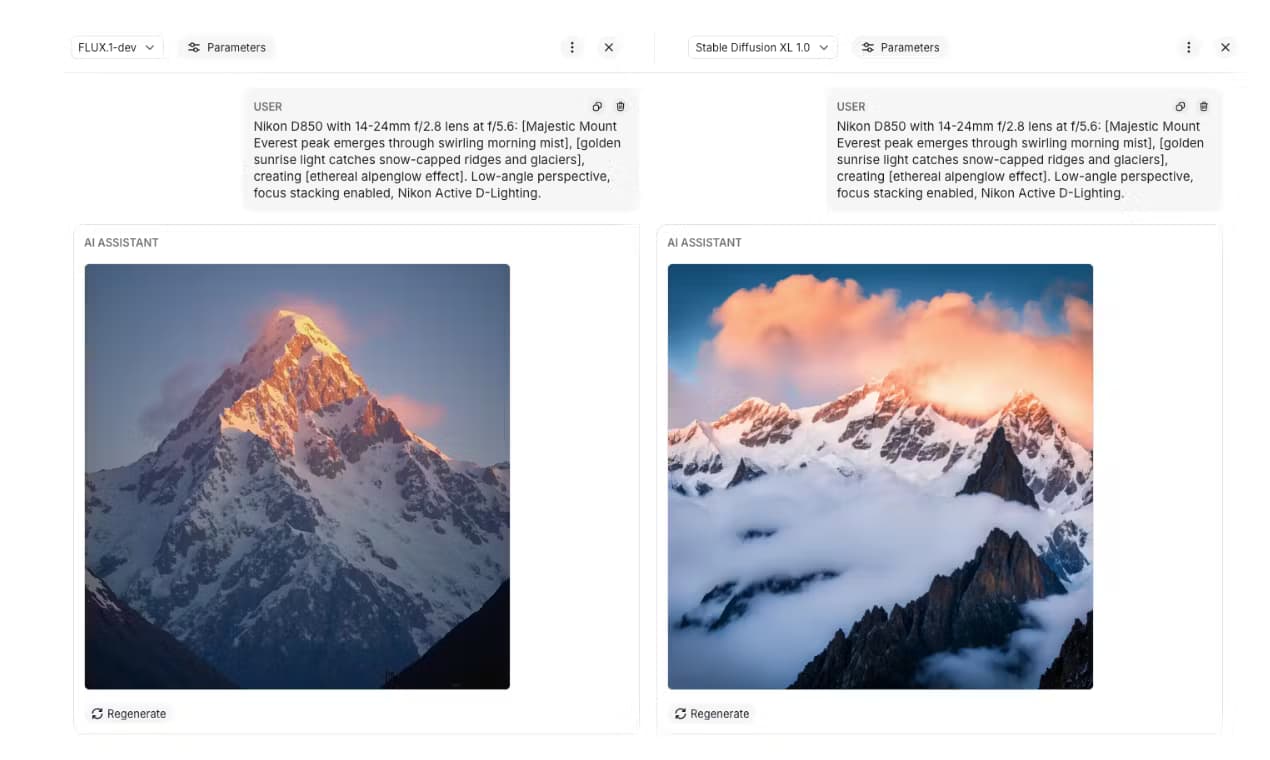
The Token Factory console includes a playground where you can compare models and prompts before writing code. It's a fast way to see how a prompt behaves across different models without running a script. You can then copy the working settings into your app.
Pros and cons
Pros
- OpenAI-compatible API means you can add image generation without a new SDK.
- Serverless billing fits spiky demand, since you don't pay for idle GPUs.
- Multiple models, including SDXL and FLUX Schnell, cover both quality and speed.
- Fine controls like seed and negative prompt give you repeatable results.
- Dedicated endpoints offer a stable region when a public one isn't enough.
Cons
- Public endpoints don't guarantee a region, so they're a poor fit for strict compliance use.
- Nebius doesn't store your images, so you must save every output yourself.
- The image model lineup is narrower than on specialist image platforms.
- Pricing changes with the model, so costs are harder to predict than a flat rate.
Frequently asked questions
It's a hosted service that turns text prompts into images through an API. You call the endpoint, pass a model and a prompt, and get back a generated picture.
Related content
Explore related tools, skills, and articles for Nebius AI Studio Text-to-Image.
Nebius AI Studio Text-to-Image Alternatives

Google EmbeddingGemma 2
Google DeepMind · Writing · Image · CodingGoogle EmbeddingGemma 2 is a 740M-parameter open model that turns text, code, images, audio, and video frames into vectors in one 768-dimension space, running on phones and laptops.

Tractionwave
TractionWave · Image · MarketingTractionWave is an AI attention heatmap tool for static ads. Upload a PNG or JPG and it returns predicted attention, ranked hotspots, and fixes before you spend budget.

Imejis.io
Imejis.io · Image · MarketingImejis.io is an AI design studio for agents and marketing teams. Describe an image in plain words, and it writes the copy, builds the layout, reflows it to every size, then exports a finished file.