
Neck-Life
Yeong Sang Moon · AI Assistant
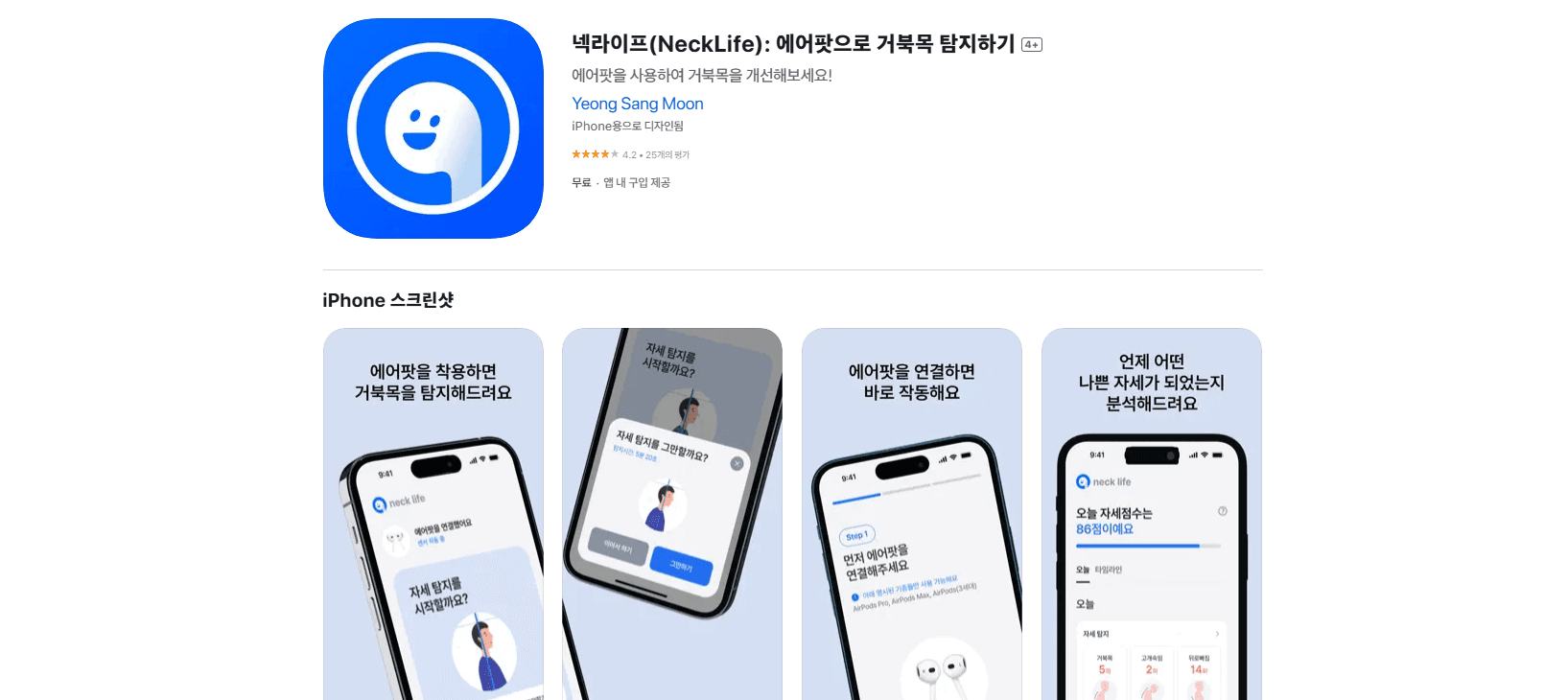
Neck-Life is an iOS neck posture app that taps your AirPods motion sensors to catch neck slouching in real time. It's built for anyone who stares at a screen all day.
About Neck-Life
What Is Neck-Life
Neck-Life is a posture monitor for iPhone and iPad that turns your AirPods into a neck tracker. The motion sensors already sitting inside the earbuds report how far your head tilts forward, and the app turns that reading into a live signal instead of a guess. Yo-yo posture breaks don't come from not caring. They come from not noticing. A phone buzzing the moment your neck creeps forward fixes that.
The whole thing hinges on hardware you probably already own. No clip-on gadget. No chest strap. You pair your AirPods, leave the app running in the background, and it quietly watches your head angle while you type, read, or scroll through whatever is on screen. When it decides you've held a bad position long enough, it pings you.
There are limits worth knowing up front. It's iOS only, so Android users are out of luck. It also needs AirPods (or compatible earbuds with motion sensors), which rules out anyone using wired headphones or third-party buds without the right chips. And background monitoring on a phone is never free. Long sessions eat battery, so most people run it during focused work blocks rather than all day.
Getting Started
- Download Neck-Life from the App Store on your iPhone or iPad and create your account.
- Put in your AirPods and pair them with the device so the app can read the motion sensors.
- Run a quick calibration: sit or stand the way you normally do, then let the app record a neutral baseline for your neck.
- Adjust detection sensitivity and the notification delay so alerts match how you actually work.
- Leave the app running in the background during desk sessions and let it nudge you when your neck drifts.
Product Information
A quick look at Neck-Life's pricing, supported platforms, and performance.
Best for
The users, tasks, and scenarios where this tool fits best.
Users
- Desk workers
- Students
- Remote workers
Tasks
- Real-time neck tilt monitoring
- Posture reminders
- Sensitivity tuning
- Baseline setup
Scenarios
- Long coding or writing blocks where posture quietly collapses after the first hour.
- Late-night reading on the couch, where it's easy to fold forward for far too long.
- Video calls where you lean toward the screen and hold the pose without noticing.
Key features
AirPods-Based Neck Tracking
AirPods posture tracking is the core trick here. Neck-Life reads the motion sensors built into your earbuds to estimate how far your neck tilts forward, with no extra wearable, no chest strap, and no camera pointed at your face while you work. Own AirPods already? The hardware side is solved the moment you pair them.
Real-Time Monitoring
The app watches your head angle while you work, not on a timer. That continuous read is the point. Posture problems build slowly. A signal that keeps updating beats a one-off check, and it runs in the background during your desk sessions so you don't have to leave an app open on screen.
Smart Posture Alerts
When you hold a position the app considers harmful, it sends a desk posture alert. The alert isn't instant by design, which cuts down the nagging you'd get from a twitchy sensor. You decide how much slouch is enough to trigger it.
Adjustable Sensitivity
Everyone's neck and habits differ, so the app lets you tune how sensitive the detection is. A stiff setting catches small leans. A looser one only speaks up for obvious slouches. Consider it the difference between a tool you keep on and one you mute. Fine control, low drama.
Notification Delay Control
You can set how long a bad position has to last before an alert fires. Short delays suit people who want constant correction, while longer ones work better if you'd rather not be interrupted in the middle of a train of thought you're trying to hold onto. This single setting changes how much the app feels like a coach versus a nuisance.
Calibration for Your Own Posture
A quick setup step records your neutral neck position as a reference that makes the later tilt readings meaningful for your body instead of a generic threshold. Skip it and the alerts get noisier.
Pros and cons
Pros
- Uses AirPods you likely already own, so there's no separate tracker to buy or charge.
- Real-time neck tilt monitoring gives continuous feedback rather than a once-a-day report.
- Sensitivity and notification delay are both adjustable, which keeps false alerts manageable.
- Free tier works. Premium costs under a dollar a month.
Cons
- iOS only, so there's no Android version and no desktop app for laptop-only users.
- Requires AirPods or earbuds with motion sensors, which shuts out wired-headphone users.
- Background tracking drains battery faster during long sessions.
- No API, so it can't be wired into other health or productivity tools.
Frequently asked questions
It uses your AirPods motion sensors to watch how far your neck tilts forward while you work, then sends a notification when you've held a bad position long enough for the app to decide it's worth interrupting you about. The goal is catching tech neck in the moment rather than after the ache shows up.
Related content
Explore related tools, skills, and articles for Neck-Life.
Neck-Life Alternatives
Agibot
Agibot · Productivity · AI Assistant · ChatbotAgibot is a personal AI agent for Mac that keeps running after you close the window, runs routines on a schedule, and works from Telegram or Slack with your own API keys.

Foley
Hanamori Labs, LLC · Voice & Language · Productivity · AI AssistantFoley is a voice to-do list that turns a spoken sentence into a filed task, complete with project, date and time, then helps you plan the day around what is already there.

Ghost Core
Ghost · Productivity · AI AssistantGhost Core is a $3,499 screenless personal AI computer that runs local AI models on its own hardware, builds context from your apps and devices, and acts without waiting for a prompt.