

Neocal
Neocal · Productivity
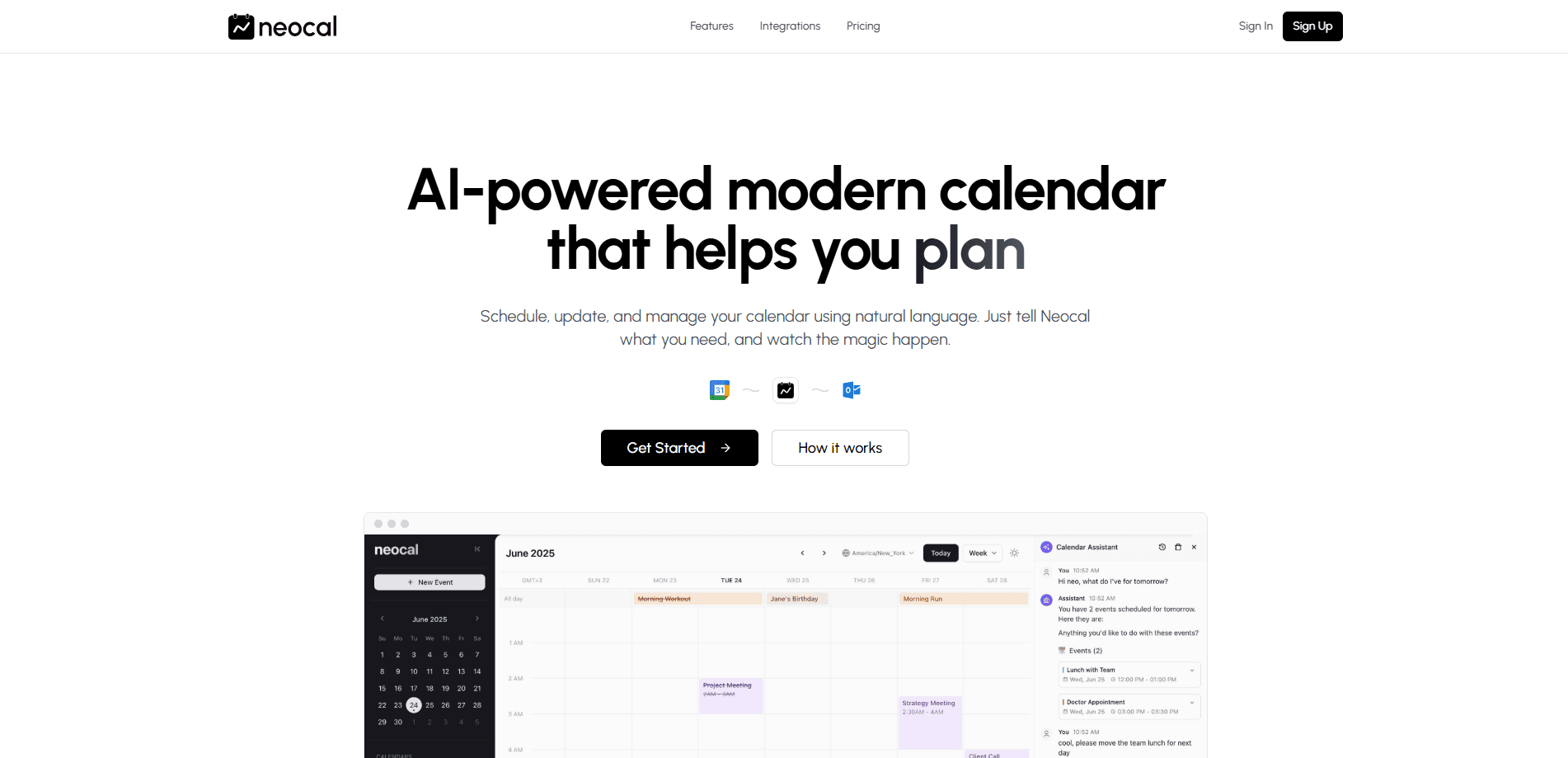
Neocal is an AI calendar app that schedules, updates, and manages events using natural language. It syncs Google Calendar, adds booking links, and works inside WhatsApp.
About Neocal
What Is Neocal
Neocal is a smart calendar app built around one idea: you tell it what you need in plain language, and it handles the scheduling. Instead of clicking through date pickers and time dropdowns, you type or say something like "schedule lunch with Sarah next Tuesday," and the calendar entry appears with the right slot filled in.
The product targets people who live in their calendar but hate maintaining it. It watches for conflicts, converts time zones on its own, and answers questions about your day without making you scroll. It also exposes scheduling links, so clients and coworkers can book time with you through a page that reflects your real availability.
The limits are worth knowing before you commit. Neocal currently connects to Google Calendar only, so Outlook and Apple Calendar users are out of luck for now. It's also free while the team works toward premium plans, which means features and pricing can shift as the product matures.
Getting Started
- Sign up on the Neocal website and connect your Google Calendar account.
- Grant the permissions Neocal needs to read and write events across the calendars you want to manage.
- Create your first event by typing a natural language request, such as "move my 3 PM to Thursday."
- Set up a scheduling link with your meeting types, availability, and time zone rules.
- Choose how you want to reach Neocal, either on the web, through a scheduling link, or inside WhatsApp.
Product Information
A quick look at Neocal's pricing, supported platforms, and performance.
Best for
The users, tasks, and scenarios where this tool fits best.
Users
- Freelancers and consultants
- Busy professionals with packed days
- Small teams coordinating across time zones
Tasks
- Rescheduling a meeting
- Booking client calls
- Querying your schedule
Scenarios
- Coordinating a call with a colleague overseas
- Filling a gap in a crowded week
- Scheduling on the move
Key features
Natural Language Scheduling
You create, change, and cancel events by describing them the way you'd tell a colleague. Neocal parses the request and updates the calendar for you. It's the core of the product, and it removes the fiddly form-filling that makes calendar apps feel like data entry.
Smart Scheduling and Conflict Checks
This is the AI scheduling assistant at work. When you ask for a time, Neocal looks at what's already booked and steers you away from overlaps. It can propose an open slot or flag the clash before the event is saved. For anyone who double-books by accident, this is the feature that earns its keep.
Intelligent Queries
Beyond editing, Neocal answers questions about your schedule. You can ask what's next, what a given day holds, or where you're free, and it replies with a direct answer. This turns the calendar into something you talk to rather than read.
Time Zone Intelligence
Meetings that span countries are where calendars usually fall apart. Neocal tracks time zones and adjusts the event so the local time is correct on each side. For remote teams and people who work with international clients, that removes a frequent source of missed calls.
Scheduling Links
Neocal generates a booking page that reflects your live availability. You define meeting types, such as a quick call or a longer deep dive, and share one link. Clients see only the slots you're actually free for, so a booking never collides with your existing events.
WhatsApp Integration
You can run Neocal from inside WhatsApp, treating your calendar like a chat contact. Send a message such as "schedule lunch tomorrow at 1 PM" and get a confirmation back in the same thread. It's the fastest path to scheduling when you're not at a desk.
Google Meet and Calendar Sync
Booking links automatically create Google Meet links, so a confirmed meeting comes with a video room ready to go. Neocal syncs with Google Calendar, and you can connect more than one Google account so work and personal events stay in a single view.
Pros and cons
Pros
- Creates and edits events from plain language requests, cutting manual entry
- Detects conflicts and suggests open slots before a meeting is saved
- Handles time zones automatically, which suits remote and international teams
- Scheduling links show clients your real availability with no back-and-forth
- Runs inside WhatsApp and syncs multiple Google accounts
- Free to use while the product is in its current stage
Cons
- Only supports Google Calendar today, so Outlook and Apple Calendar users must wait
- Pricing is unsettled, since premium plans are promised but not yet detailed
- No public API, which limits developers who'd want to build on the calendar
Frequently asked questions
Neocal is an AI calendar app that manages your schedule through natural language. You describe what you need in a message or a chat, and it creates, moves, or cancels events, checks for conflicts, and answers questions about your day.
Related content
Explore related tools, skills, and articles for Neocal.
Neocal Alternatives

Udon
Udon · Coding · ProductivityUdon turns an Apple Silicon Mac into a home server you run from a browser, with container controls, file shares, and an optional AI sysadmin.

offstage
offstage cloud · Coding · Productivityoffstage gives AI coding agents and CI jobs a real Mac: a fresh macOS account on Apple silicon, driven over an API and billed by the second.

BotBus
Chengdu Tuyang Tusen Technology Co., Ltd. · Coding · ProductivityBotBus lets you control AI coding agents from your phone and watch: approve commands, start tasks and read results while the code stays on your desktop.