

neural.love
neural.love · Image
neural.love is a browser-based AI art generator and image enhancer that turns text prompts into artwork, restores old photos, and upscales video, all under one shared credit balance.
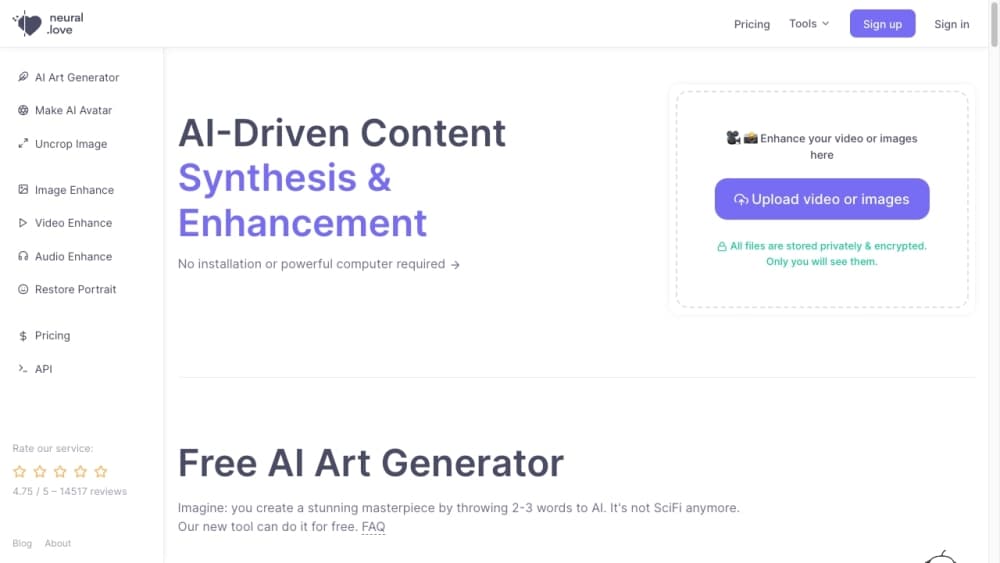
About neural.love
What Is neural.love
neural.love is a web platform for creating and cleaning up visual media with AI. You can generate art from a short text prompt, sharpen a blurry photo, colorize black-and-white footage, or animate a still image, without installing anything.
The company built its reputation on media restoration first. Long before text-to-image tools were common, neural.love marketed photo and video enhancement to people restoring family archives. That history still shapes the product: it treats generation and cleanup as two halves of the same job.
The main limitation is the credit system. Most tools work, but the ones you'll actually want, like HD output and video processing, eat credits fast. The free allocation is small, so heavy use means a paid plan.
Getting Started
- Go to neural.love in any modern browser and sign up with an email or social account.
- Pick a tool from the main menu, such as AI Art Generator, Image Enhancer, or Photo Restore.
- Enter a text prompt or upload the file you want to work on.
- Choose a model, style, and output size, then let the AI generate your result.
- Download the finished file or save it to your neural.love account.
Product Information
A quick look at neural.love's pricing, supported platforms, and performance.
Best for
The users, tasks, and scenarios where this tool fits best.
Users
- Hobbyists who want AI art without installing software
- People restoring old family photos
- Content creators posting to social media
Tasks
- Turning a text idea into artwork
- Upscaling low-resolution photos
- Colorizing black-and-white video
- Animating a still image
Scenarios
- Making a profile picture or album cover
- Preparing a presentation or blog post
- Bringing a scanned photo back to life
Key features
Text to Image Art Generation
You describe what you want in a few words and neural.love turns it into an image. The generator supports multiple AI models and style presets, so you can match anything from photorealistic scenes to illustrated looks. A built-in prompt helper suggests phrasing if you're not sure where to start.
Multiple AI Models in One Place
Rather than locking you into one engine, neural.love lets you switch between its own models and third-party options like DALL-E 3. Different models suit different prompts, and running the same idea through more than one helps you compare results before you commit to a final image.
AI Photo Enhancer and Upscaler
The enhancer sharpens, denoises, and enlarges photos that look soft or grainy. It's built for shots taken on older phones and for scans of printed photos, where detail has faded. Output can reach high resolution, which matters if you plan to display the image at a larger size.
Photo Restoration and Colorizing
For black-and-white or damaged photos, the restoration tool repairs scratches, removes noise, and adds natural-looking color. This is the feature neural.love built its name on, and it still handles family archive projects better than most general-purpose art tools.
AI Video Enhancement
Video tools let you colorize, smooth, and sharpen footage. You can also convert a still image into a short animated clip. Processing takes longer than image work and costs more credits, so it suits short clips rather than long recordings.
One Credit Balance Across Tools
Image, video, and art tools draw from a single credit balance. That keeps billing simple if you use several features, and unused subscription credits roll over month to month rather than expiring.
Pros and cons
Pros
- Covers generation, restoration, and video in one browser-based platform, so you don't need several subscriptions.
- Free plan with 5 credits lets you test core features before paying.
- Credits are shared and roll over monthly, which rewards occasional users who don't spend their full allocation.
- Strong photo and video restoration, the area the platform originally built its reputation on.
- API access for developers who want to run generations and enhancements from their own code.
Cons
- Free credits are limited, so you'll hit the paywall fast if you generate regularly.
- HD image output and video processing consume credits quickly, which raises the real cost of heavy use.
- Video jobs can take a while and results vary depending on the quality of the source clip.
- The interface packs many tools into one dashboard, which can feel busy for first-time users.
Frequently asked questions
neural.love generates AI art and images from text prompts, and it enhances, restores, colorizes, and upscales photos and video. Most people use it for creative projects, social media visuals, and cleaning up old family media.
Related content
Explore related tools, skills, and articles for neural.love.
neural.love Alternatives

Google EmbeddingGemma 2
Google DeepMind · Writing · Image · CodingGoogle EmbeddingGemma 2 is a 740M-parameter open model that turns text, code, images, audio, and video frames into vectors in one 768-dimension space, running on phones and laptops.

Tractionwave
TractionWave · Image · MarketingTractionWave is an AI attention heatmap tool for static ads. Upload a PNG or JPG and it returns predicted attention, ranked hotspots, and fixes before you spend budget.

Imejis.io
Imejis.io · Image · MarketingImejis.io is an AI design studio for agents and marketing teams. Describe an image in plain words, and it writes the copy, builds the layout, reflows it to every size, then exports a finished file.