
Neural4D
Neural4D · Image · Video
Neural4D (N4D) is an AI 3D model generator that turns text, images, and video into downloadable 3D models and CAD assets for game, print, and design work.
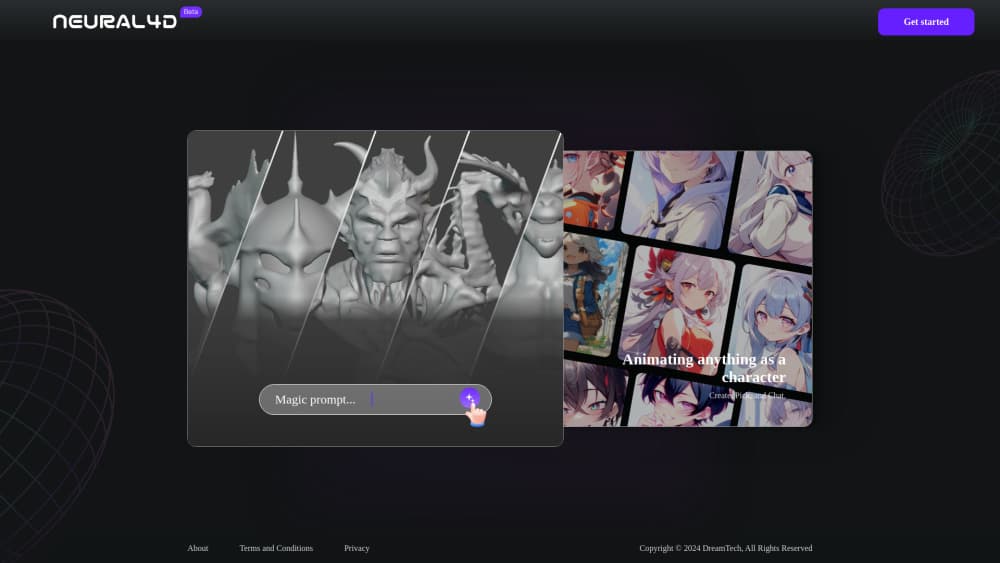
About Neural4D
What Is Neural4D
Neural4D, usually shortened to N4D, is a web-based AI 3D generator. You describe an object in text, upload a picture or video, and it builds a textured 3D model you can download and use. The company behind it calls N4D the first publicly released end-to-end large 3D generative model, and the tool has since grown into a broader studio with image, video, and texture generation built in.
The main problem it solves is the skill gap. Traditional modeling takes years of practice in Blender, Maya, or CAD software, and most people who need a quick asset simply don't have that time or training to spare. N4D skips most of that. A game developer who needs a prop, an industrial designer sketching a part, or someone who just wants a figure for a 3D printer can get a usable mesh in minutes without knowing a single modeling shortcut.
The limits matter too. Free accounts start around 20 model generations per month, which runs out fast if you're iterating on the same model again and again. Higher mesh quality, batch downloads, private models, and commercial rights sit behind paid tiers, and API access only shows up on the paid plans, which matters if you plan to automate generation inside your own software. Output quality still depends on how clear your prompt or reference image is.
Getting Started
- Create a free account at neural4d.com and open the Studio.
- Pick a mode from the left menu: Text to 3D, Image to 3D, Video Generation, or AnimeArt.
- Type a prompt or upload a JPG, PNG, or WEBP file (up to 5MB).
- Hit Generate, then wait for the model to finish processing.
- Review the result, adjust mesh quality if your plan allows it, and download the file.
Product Information
A quick look at Neural4D's pricing, supported platforms, and performance.
Best for
The users, tasks, and scenarios where this tool fits best.
Users
- Game developers
- 3D printing hobbyists
- Industrial designers
- Beginners with no 3D background
Tasks
- Text to 3D generation
- Image to 3D conversion
- AI texture generator work
- Rigging and animation
Scenarios
- Pre-production concepting
- 3D printing models
- Filling a game scene
- Product mockups
Key features
Text to 3D
Type a description and Neural4D builds a 3D model from it. This is the fastest way in for anyone without reference images. Vague prompts give vague models. Naming the material, shape, and style in your prompt helps a lot, especially when the object has a specific look you already have in mind.
Image to 3D
Upload a JPG, PNG, or WEBP up to 5MB and the tool reconstructs a 3D model from it. Single-image input is convenient. Guessing depth from a flat picture has limits, so side and back details are hit or miss. Multiple views on supported plans tighten the accuracy, and they're worth using when your object has a complex shape that one angle can't capture.
Texture Generator
Beyond geometry, Neural4D can generate textures. You upload a surface or feed a prompt and get texture maps back. This matters for anyone who needs a model that looks finished rather than a gray block.
Rigging and Animation
The platform covers rigging and animation, aimed at characters and creatures. Instead of exporting a static mesh and rigging it elsewhere, you can prep it for motion in the same place. AnimeArt, its VRM anime character mode, leans on this.
CAD Agent
A specialized CAD agent handles more engineering-minded parts. It sits on the paid tiers. That piece separates N4D from purely artistic 3D generators if you work in industrial design, where tolerances and clean edges count more than style.
Video Generation
N4D also generates video, which most 3D-only tools skip. It's a side feature rather than the core, but useful when you want a clip of a model in motion without a separate pipeline.
Commercial Use and API Access
Paid plans include commercial use rights, private models, and API access, which together cover the needs of most teams shipping 3D content to clients or storefronts. Teams that need to plug 3D generation into their own software should decide their tier by API access alone. The free plan doesn't include it.
Pros and cons
Pros
- Text, image, and video inputs cover more ways into 3D than single-input tools.
- Style and anime character modes suit game and content creators specifically.
- Free tier with roughly 20 models a month lets you test before paying.
- API access on paid plans supports automated and batch workflows.
- Textured downloads mean models arrive ready to use.
Cons
- The free plan's 20 models per month disappear quickly during iteration.
- Higher mesh quality and batch downloads are locked behind paid tiers.
- Image to 3D struggles with back and side detail from a single photo.
- No API on the free plan blocks developers who want to test integration first.
Frequently asked questions
Neural4D generates 3D models and CAD assets from text, images, or video. People use it for game assets, 3D printing files, and industrial design concepts, mostly to skip manual modeling work.
Related content
Explore related tools, skills, and articles for Neural4D.
Neural4D Alternatives

Google EmbeddingGemma 2
Google DeepMind · Writing · Image · CodingGoogle EmbeddingGemma 2 is a 740M-parameter open model that turns text, code, images, audio, and video frames into vectors in one 768-dimension space, running on phones and laptops.

Tractionwave
TractionWave · Image · MarketingTractionWave is an AI attention heatmap tool for static ads. Upload a PNG or JPG and it returns predicted attention, ranked hotspots, and fixes before you spend budget.

Imejis.io
Imejis.io · Image · MarketingImejis.io is an AI design studio for agents and marketing teams. Describe an image in plain words, and it writes the copy, builds the layout, reflows it to every size, then exports a finished file.