

NewCV.ai
NewCV.ai · AI Assistant
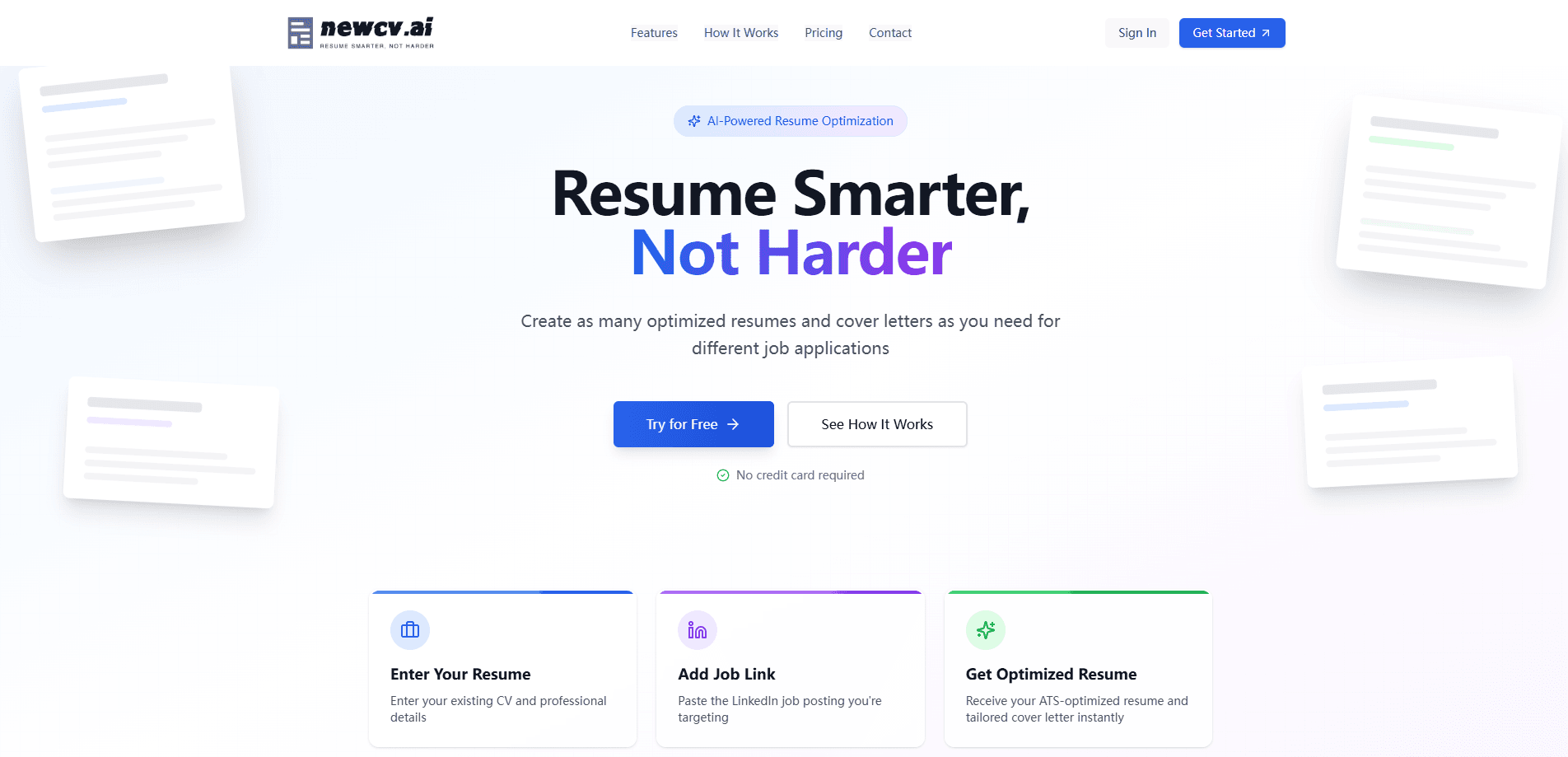
NewCV.ai is an AI resume optimizer built for job seekers who want to get past applicant tracking systems (ATS) without wrestling with design tools. You paste your existing CV, drop in a job link or description, and it returns an ATS-friendly resume plus a matching cover letter in one proven, scannable format. Think of it as an AI CV builder that skips the template gallery entirely. There's no layout to fight. It targets people applying to multiple roles who need real job application tailoring fast. That's the appeal.
About NewCV.ai
What Is NewCV.ai
NewCV.ai is a web-based AI resume optimizer from the team behind the newcv.ai platform. It does one job and skips the rest: instead of offering hundreds of templates, it gives every user a single clean, ATS-friendly layout, then rewrites the content to match each specific job posting.
The core problem it solves is keyword mismatch. Recruiters and automated filters scan for terms pulled straight from the job description, and a generic resume rarely contains them. NewCV.ai reads the posting, compares it to your profile, and closes that gap for you. That's the whole pitch.
The biggest limitation is scope. It's a resume and cover letter tool, not a career platform. There's no interview prep, no job board, and no application tracker. It also leans on you for the raw input, so a thin profile produces a thin rewrite. Garbage in, garbage out. On the free plan you get up to 3 optimizations and a watermark, which pushes most serious users toward the paid tier quickly.
Getting Started
- Create a free account on newcv.ai with your email. No credit card is needed to try it.
- Enter your existing resume and fill out your professional details, including work experience, education, and skills.
- Paste the LinkedIn job URL or the full job description you're targeting as the next application.
- Let the AI analyze the gap between your profile and the role, then generate the optimized CV and tailored cover letter.
- Review both documents, export them, and move on to the next posting. Repeat for as many jobs as you need.
Product Information
A quick look at NewCV.ai's pricing, supported platforms, and performance.
Best for
The users, tasks, and scenarios where this tool fits best.
Users
- Active job seekers applying to many roles at once
- Career changers
- Recent graduates with limited experience
- Professionals who hate design decisions
Tasks
- Tailoring a resume to a specific job description
- Generating a matching cover letter
- Rewriting generic experience into keyword-rich language
- Producing multiple application packages in one session
Scenarios
- Applying to a batch of postings on a deadline
- Reacting to a job that just went live
- Translating a strong background into a new industry
- Updating an old resume that predates your current role
Key features
ATS-Friendly Single Format
Why does NewCV.ai offer only one layout? Because a template gallery mostly gets in the way. The company's argument is simple: hiring managers and screening software want clean, scannable text with the right keywords, not creative layouts. That means no columns that break a parser and no graphics that confuse a keyword scan. You give up visual variety. In exchange, you get a format built to survive the first automated pass, and for most applicants that trade is worth it.
Job-Link and Job-Description Analysis
You feed the tool a LinkedIn job URL or paste any job description, and it pulls out the key requirements automatically. It then compares those requirements against your profile and flags the gap. This is the step that separates NewCV.ai from a standard resume builder. A builder formats what you already wrote. This one decides what you should be saying based on where you're applying.
AI Resume Rewriting
The rewrite is the heart of the product. The AI reworks your experience, skills, and summary so they line up with the target role, pushing relevant terms forward and trimming what doesn't serve the application. You still own the underlying facts, so accuracy depends on what you typed in. Treat the output as a strong draft, not a finished artifact, and give it a careful read before you hit send, because the AI has no way of knowing which claims you can actually back up in an interview.
Tailored Cover Letter Generation
For every optimization, NewCV.ai also produces an ATS-friendly cover letter matched to the same posting, so it doubles as a simple cover letter generator. Both documents come out consistent, which saves you from writing a letter that contradicts the resume. On the free tier the cover letter carries a watermark, and that's what pushes most users to upgrade.
Keyword Optimization
The tool matches your resume's wording to the language in the job requirements. Simple. If the posting says "stakeholder management" and your CV says "worked with clients," it nudges the phrasing toward the posting. That alignment is what most screening software actually scores, so it's the feature that does the heavy lifting on response rates.
Fast Turnaround
The company pitches speed as a core feature: optimized resume and cover letter in seconds rather than hours. For anyone applying to a dozen roles, the time saved per application adds up. It's not a novel capability. It's the practical reason a job seeker keeps the tab open during a search. When you're racing a posting that just went live, speed is the feature that actually matters.
One Proven Format, Zero Guesswork
Every user gets the same layout, and that consistency is deliberate rather than lazy. A job seeker applying to ten roles doesn't need ten visual styles; they need one format that parses cleanly every single time. NewCV.ai bets that reliability beats variety, and for the screening stage that bet is usually right.
Pros and cons
Pros
- Removes the template-browsing distraction by giving everyone the same proven, ATS-friendly format.
- Analyzes each job posting and rewrites your resume to match, which is the step most builders skip.
- Generates a matching cover letter with every optimization, keeping both documents consistent.
- Keeps the price low: the Pro plan runs $6/month, well under most resume tools.
- Handles repeated applications efficiently, so you can tailor a batch of resumes in one sitting.
Cons
- No interview prep, job board, or application tracker, so you'll need separate tools for the rest of the job search.
- Free plan caps you at 3 optimizations and stamps a watermark on output, which limits real use.
- The single fixed format means no control over layout, so anyone who wants a distinctive look will be disappointed.
- No public API. There's no way to wire it into your own workflow or scripts.
Frequently asked questions
It rewrites your resume and generates a cover letter tailored to a specific job posting. You paste your CV and a job link, and it returns ATS-friendly documents matched to that role's keywords.
Related content
Explore related tools, skills, and articles for NewCV.ai.
NewCV.ai Alternatives

Iplan AI
Iplan AI · Productivity · AI AssistantIplan AI is an AI travel planner that turns a few trip details into a full day-by-day itinerary in seconds. You answer questions about your destination, interests, budget, and travel companions, and the tool builds a plan you can edit, share, and carry with you on any device. It targets travelers who want a solid draft without spending hours in spreadsheets and browser tabs. Think of it as an itinerary generator that does the tedious part for you.

Screenhelp
Screenhelp · Productivity · AI AssistantScreenhelp is an AI screen assistant that turns a single keyboard shortcut into real-time help. You press Ctrl+Shift+Space, it captures what's on your screen, and it streams an answer into a private panel in about two seconds. Think of it as an AI screenshot helper you trigger on demand. It runs on Mac, Windows, and the web, starts free with 30 answers a month, and stays invisible during screen sharing on Zoom, Teams, and Google Meet.

Rainbow
Rainbow · AI AssistantRainbow is an AI weather forecast app built around short-term precipitation nowcasting. Its engine pushes min-by-min rain and snow predictions up to four hours ahead, blending live satellite and radar feeds into hyperlocal forecasts. The app adds live rain radar, a seven-day outlook, precipitation alerts, home-screen widgets, and a hurricane tracker, and it runs on both Android and iOS with a free tier plus paid upgrades.