
NightCafe Creator
NightCafe Studio · Image
NightCafe is a browser-based AI art generator where you turn text prompts into images across dozens of models, spend or earn credits, and share results with a large community.
About NightCafe Creator
What Is NightCafe
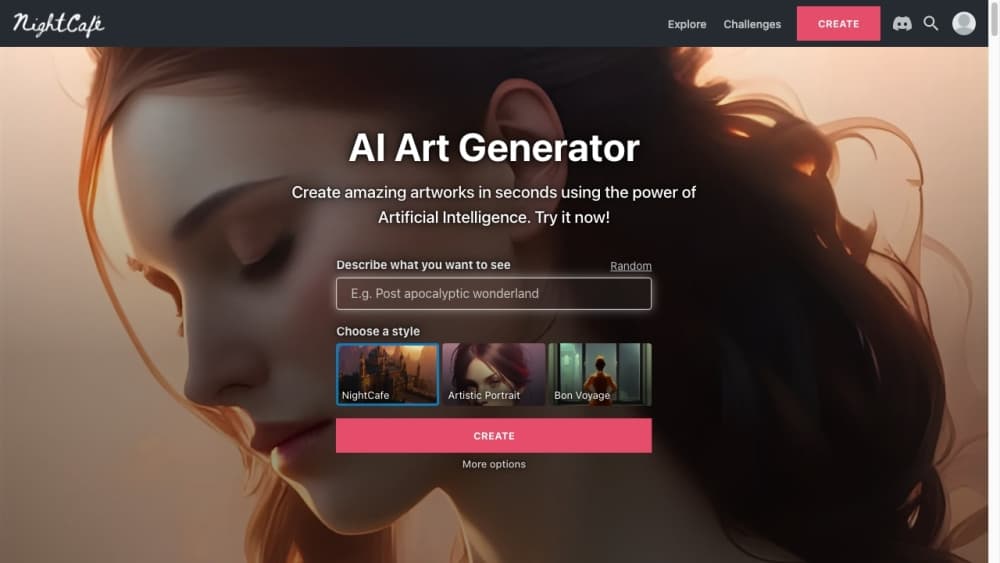
NightCafe is an AI art generator that runs entirely in your browser. You type a prompt, pick a model, and get an image back in seconds. The library spans classic Stable Diffusion checkpoints, SDXL, DALL-E 3, Flux, Ideogram, and newer names like Nano Banana, so you can chase a specific look without installing anything.
As an AI image generator, it competes with tools that charge a flat fee. What sets it apart is how you pay for creations. NightCafe runs on credits rather than a flat subscription. Basic Stable Diffusion generations cost nothing, and every account earns a small batch of free credits each day for logging in and joining community challenges. The better models and heavier settings pull from that balance.
NightCafe pricing follows the same logic. The tradeoff is scope per credit: free daily credits stretch further on cheap models and vanish fast on premium ones like DALL-E 3 or video generation. There's no production API, so anyone building an automated pipeline has to look elsewhere.
Getting Started
- Sign up with an email or a connected account. No card is required to start.
- Open the Create studio and pick a mode: text to image, image to image, or style transfer.
- Choose a model and a style, then write your prompt. Base Stable Diffusion runs free; premium models cost credits.
- Generate, then refine with upscaling, inpainting, or a variation if the first pass misses.
- Save your image, post it to the feed, and collect free daily credits by voting in challenges.
Product Information
A quick look at NightCafe Creator's pricing, supported platforms, and performance.
Best for
The users, tasks, and scenarios where this tool fits best.
Users
- Hobbyists testing AI art
- Digital artists chasing a style
- Community-minded creators
Tasks
- Turning prompts into finished images
- Restyling a photo
- Running bulk generations
Scenarios
- Weekend art sessions
- Building a social profile around art
- Making visuals for small projects
Key features
A Wide Model Lineup in One Place
NightCafe pulls together Stable Diffusion checkpoints, SDXL, DALL-E 3, Flux, Ideogram, Seedream, and newer models like Nano Banana under one roof. You don't juggle separate accounts or installs to compare styles. Each model carries its own credit cost, so cheap experiments and premium finishes live in the same workspace.
Credits That You Earn or Buy
Credits are the currency behind every creation. Every user gets five free credits per day for logging in, and you can earn roughly three more by entering and voting in challenges. Free credits never expire, so they pile up for casual users. Heavier models and settings draw more from the balance, and you top up with packs or a monthly plan.
Free Base Stable Diffusion
Base Stable Diffusion generations cost nothing, which is unusual for a paid-heavy category. A base generation is a thumb-resolution, single-image run with a short runtime, so it's best for quick ideas rather than a polished print. It's the reason millions of people use NightCafe without spending a cent.
Community Challenges and Voting
The community side is a real draw. Daily challenges give everyone a themed prompt to answer, and voting on entries earns credits while surfacing the best work. The feed, likes, and comments turn a solo tool into a place where styles spread fast. Offering feedback gets rewarded, not just paying.
Style Transfer, Inpainting, and Upscaling
Beyond text to image, NightCafe handles image to image, neural style transfer, inpainting, and upscaling. Style transfer blends your photo with an artistic look while keeping the original structure. Inpainting lets you fix or replace part of an image, and the upscaler enlarges a small result into something you can print.
Custom Model Training
NightCafe lets you train your own Stable Diffusion models from your images, a feature many consumer tools skip. You can build a model around a character, a product, or a personal style, then reuse it across generations. It's the closest the platform gets to a technical workflow without leaving the browser.
Video Generation
Video is a newer addition, with models for turning a prompt or a still image into a short clip. You sketch ideas in faster modes, then finish key shots on stronger models for smoother motion. Each clip costs more credits than an image, so it suits occasional use over constant output.
Pros and cons
Pros
- Base Stable Diffusion is free, so you can create endlessly without paying.
- One login covers dozens of image and video models, from cheap checkpoints to frontier names.
- Free credits are easy to earn through login and challenges, and they never expire.
- Style transfer, inpainting, upscaling, and custom model training ship in the same interface.
- No watermark on generated images and no card needed to start.
Cons
- Premium models and video drain credits quickly, so a free daily allowance rarely covers serious work.
- There's no production API, which rules out automated pipelines and developer integrations.
- Refined results usually mean a paid plan, so the free tier is best for casual, low-volume creation.
- It runs in the browser only, so there's no offline mode or desktop app for heavy batch jobs.
Frequently asked questions
Yes. You get five free credits every day just for logging in, and you can earn about three more by entering and voting in challenges. Base Stable Diffusion generations cost nothing, so light use stays free.
Related content
Explore related tools, skills, and articles for NightCafe Creator.
NightCafe Creator Alternatives

Google EmbeddingGemma 2
Google DeepMind · Writing · Image · CodingGoogle EmbeddingGemma 2 is a 740M-parameter open model that turns text, code, images, audio, and video frames into vectors in one 768-dimension space, running on phones and laptops.

Tractionwave
TractionWave · Image · MarketingTractionWave is an AI attention heatmap tool for static ads. Upload a PNG or JPG and it returns predicted attention, ranked hotspots, and fixes before you spend budget.

Imejis.io
Imejis.io · Image · MarketingImejis.io is an AI design studio for agents and marketing teams. Describe an image in plain words, and it writes the copy, builds the layout, reflows it to every size, then exports a finished file.