

NijiJourney
Midjourney and Spellbrush · Image
NijiJourney is an AI anime art generator from Midjourney and Spellbrush that turns text prompts into anime-style illustrations, with the niji 6 model handling character and scene detail.
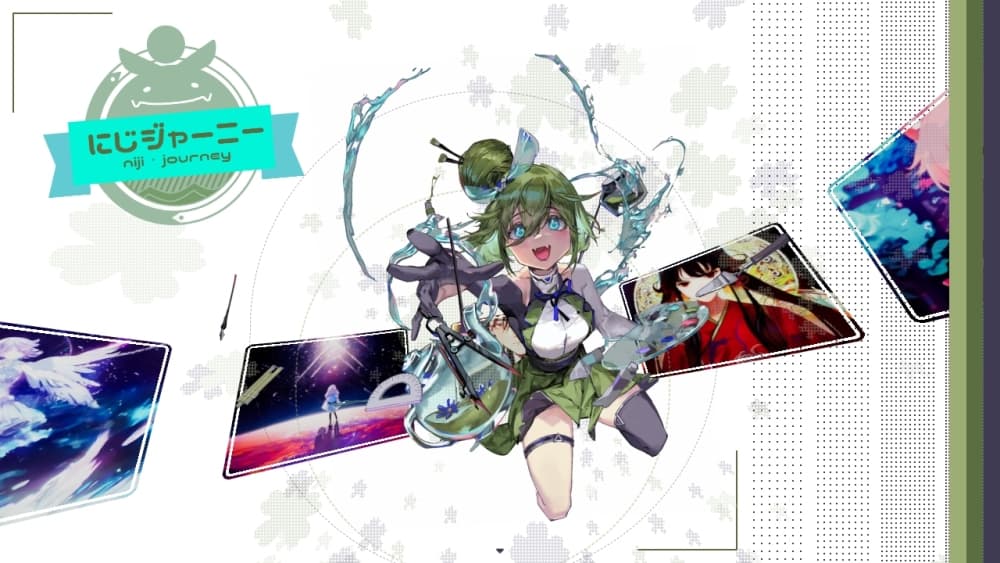
About NijiJourney
What Is NijiJourney
NijiJourney is a text to anime art tool built for one job: turning plain descriptions into anime-style illustrations. It works as an AI anime art tool first and a general image generator second. Midjourney and Spellbrush co-developed it, which is why it leans hard into anime aesthetics instead of treating them as an afterthought the way general-purpose image models do. Spellbrush is the studio behind Waifu Labs, so the anime focus comes from a team that has worked in that style for years.
The appeal is that you don't need drawing skills to get a polished illustration. You type what you want to see, pick a style, and the model produces a set of images. Most work still happens in Discord, and the same account and subscription carry over to Midjourney, so existing Midjourney members can switch to the niji 6 model without paying twice.
The biggest limit is control. Anime renders are strong, but written text inside images stays unreliable, realistic subjects get pushed toward an illustrated look, and prompt wording matters more than beginners expect. If you want photorealistic output, this isn't the tool.
Getting Started
- Sign in with a Discord account. A paid Midjourney plan covers NijiJourney, and a limited free trial is available through the mobile app.
- Join the NijiJourney server or invite the bot to your own server.
- Type a prompt with the /imagine command, and add --niji 6 to run the current anime model.
- Pick a result, then upscale it, generate variations, or download it directly.
Product Information
A quick look at NijiJourney's pricing, supported platforms, and performance.
Best for
The users, tasks, and scenarios where this tool fits best.
Users
- Anime and manga fans
- Indie artists and illustrators
- Content creators and streamers
Tasks
- Character design
- Scene and key art creation
- Style exploration
Scenarios
- Building a cast for a webcomic or visual novel before committing to final art.
- Making profile pictures and banners that match a particular anime aesthetic.
- Turning a rough idea into a first visual draft during early concept work.
Key features
The niji 6 Anime Model
The niji 6 model is tuned for eastern and anime aesthetics, so it understands anime-specific subjects that general models often miss. It renders cleaner line work, more structured eyes, and more varied compositions than earlier versions, and it reads longer, more detailed prompts without losing the thread.
Style Raw for Less Stylization
Adding --style raw dials back the model's default prettiness so the output stays closer to what you actually described. Use it when the standard look feels too glossy or when you want a quieter, more grounded illustration.
Reference Tools for Consistency
Character reference and style reference let you lock in a look across a series of images. Feed the model a face or a palette you want to keep, and it carries that influence into new prompts, which helps when you're building a consistent set rather than one-offs.
Prompt Understanding for Complex Subjects
The model handles multi-character scenes and doesn't require you to stick to short prompts. Describing an unfamiliar or made-up concept in plain language usually works better than piling on keywords, so you can explain what you mean instead of guessing at the right tag.
Web and Mobile Interfaces
Beyond Discord, there's a web gallery for browsing and managing what you generate, plus official iOS and Android apps. The apps put image generation behind a normal UI, so you don't have to type slash commands to get anything done.
Shared Account With Midjourney
One subscription covers both Midjourney and NijiJourney, and your gallery carries over between them. If you already pay for Midjourney, you can drop into the niji model at no extra cost and switch back whenever a project calls for it.
Pros and cons
Pros
- Deep anime focus produces character art that general-purpose models struggle to match.
- One Midjourney subscription unlocks both services, so there's no separate bill.
- Handles long, detailed prompts and multi-character scenes better than typical anime generators.
- Works across Discord, web, and mobile apps, so you can generate wherever you are.
Cons
- Written text inside images is still unreliable, which limits posters and logos.
- Realistic or photographic requests get pulled toward an illustrated style, so photoreal work needs another tool.
- Strong results depend on careful prompt wording, which can frustrate first-time users.
Frequently asked questions
There's a limited free trial, mostly through the mobile app, but ongoing use requires a paid subscription. Because NijiJourney shares billing with Midjourney, one plan covers both.
Related content
Explore related tools, skills, and articles for NijiJourney.
NijiJourney Alternatives

Google EmbeddingGemma 2
Google DeepMind · Writing · Image · CodingGoogle EmbeddingGemma 2 is a 740M-parameter open model that turns text, code, images, audio, and video frames into vectors in one 768-dimension space, running on phones and laptops.

Tractionwave
TractionWave · Image · MarketingTractionWave is an AI attention heatmap tool for static ads. Upload a PNG or JPG and it returns predicted attention, ranked hotspots, and fixes before you spend budget.

Imejis.io
Imejis.io · Image · MarketingImejis.io is an AI design studio for agents and marketing teams. Describe an image in plain words, and it writes the copy, builds the layout, reflows it to every size, then exports a finished file.