

nocal - calendar reinvented
nocal · Productivity
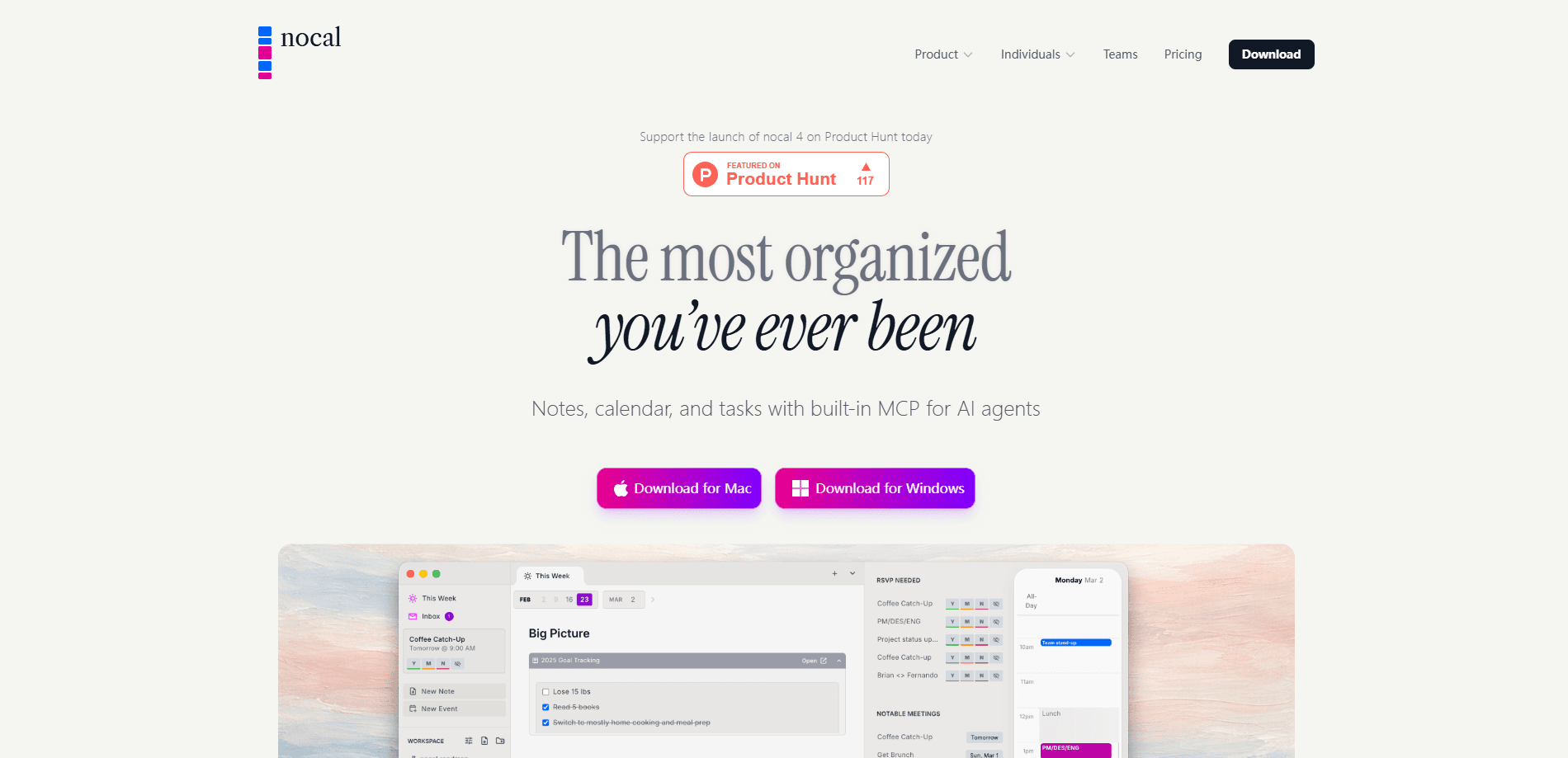
nocal is a calendar and notes app that treats your week as a single canvas instead of a stack of meeting invites. It syncs with Google Calendar and Outlook, lets you write plans in Markdown with tables, task lists, and nested notes, and adds a built-in MCP server so tools like ChatGPT, Claude, and Cursor can read your context and write results back into your notes. The pitch is simple: keep planning, meeting notes, and follow-up tasks in one place rather than scattering them across four apps. If you've bounced between a weekly planner app, a notes doc, and your calendar, that's the loop it's trying to close.
About nocal - calendar reinvented
What Is nocal
nocal is a productivity app built around the idea that a calendar should do more than hold meetings. It combines a weekly planning surface, a note-taking workspace, and a unified inbox, so you can prepare for a call, take notes in it, and track the follow-up without switching windows. The app runs on Mac, Windows, iOS, and Android, and it pulls in your existing Google Calendar and Outlook events rather than replacing them.
The feature that separates this AI calendar app from a regular calendar is its built-in MCP server. MCP, or Model Context Protocol, is a standard that lets AI assistants talk to outside apps. In practice, that means an agent can pull the right meeting history and project context from nocal, produce something useful, and write it back as a structured note. Neat trick. Most AI chats forget everything the moment you close the tab. nocal gives that output a permanent home. That's the whole idea.
The tradeoff is that nocal asks you to buy into its way of working. It's a Markdown-first tool, so if you don't like writing plain text or you want a heavy project-management suite with Gantt charts and dependencies, it won't fit. Fair enough. It's also a newer product with a smaller user base than Apple Calendar or Notion Calendar, so the integrations and community are still developing.
Getting Started
- Download nocal from the official site for Mac, Windows, iOS, or Android, or install it from Google Play or the App Store.
- Sign in with your Google or Microsoft work account so your existing events sync automatically.
- Open the weekly view and start writing your plan in Markdown, adding task lists, tables, or nested notes as you go.
- Turn on the MCP server and connect it to an AI client like ChatGPT, Claude, or Cursor if you want agents to read and write your notes.
- Triage the inbox view to accept, decline, or reschedule the events that need a response.
Product Information
A quick look at nocal - calendar reinvented's pricing, supported platforms, and performance.
Best for
The users, tasks, and scenarios where this tool fits best.
Users
- Knowledge workers who live in meetings and want their notes and follow-ups next to their schedule, as long as they're comfortable writing in Markdown
- Founders and small teams who plan by the week and want one workspace instead of three, provided they use Google or Microsoft accounts
- AI power users who already run ChatGPT, Claude, or Cursor and want a way to feed real context into those tools, since the MCP server is the main draw
Tasks
- Writing a weekly plan
- Taking meeting notes
- Feeding AI agents real context
- Clearing a packed inbox
Scenarios
- Sunday planning sessions where you sketch the week before it starts
- Back-to-back meeting days when you need notes attached to the right event minutes after it ends
- Research or writing sprints where an agent drafts an outline from your project notes and writes it back
- Freelancers juggling client calls across two calendars and wanting one unified inbox
Key features
Markdown weekly canvas
The core of nocal is a weekly view you write into, not just read from. It works like a weekly planner app that happens to know your schedule. You can drop in task lists, tables, code blocks, collapsible sections, and notes, all in plain Markdown. It sounds minor until you try to plan anything real inside a normal calendar grid. Long lists spill out of a 30-minute slot. Here, the week itself is the document, so a detailed plan and the schedule live together instead of in two tabs.
Built-in MCP server
This is the feature most people haven't seen in a calendar. nocal ships with an MCP server, which means an AI client can call it to find the right note history and current project context, reason over it, and write the result back as a structured note. The writeback uses safe patch semantics. Your notes get updated, not overwritten. If you already use Cursor, Claude, or ChatGPT for work, this is the reason to look at nocal at all.
Natural language scheduling
You can add events by typing a sentence like "Lunch with Alex tomorrow at noon" and nocal parses it into the right slot. It's the kind of thing every modern calendar claims and few do reliably, so I'd treat it as a convenience rather than a reason to switch on its own. It works best for simple one-off events, not complex recurring rules. Keep it simple.
Calendar and notes in one app
nocal lets you link meeting notes from inside other notes, nest notes within each other, and reference meetings from notes and notes from meetings. Over time this builds a connected workspace where project history accumulates instead of disappearing into a chat log or a folder you never reopen. The value compounds the longer you use it, which also means the first week feels light on payoff.
Unified inbox
Personal and work events land in a single inbox you can triage in real time. Instead of scanning three calendars to work out what actually needs you, nocal shows one queue for the week ahead. It's borrowed from the email inbox-zero idea, and for anyone with more than one calendar it's genuinely useful. The catch is that it depends on clean event data, so messy shared calendars still create noise. Garbage in, garbage out.
Focus time planning
nocal reads your week and surfaces open blocks worth protecting, then suggests what to work on using items pulled from your recent notes. Think of it as a lightweight focus time planner bolted onto the calendar. Why does that matter? Because a free hour is useless if you don't know what belongs in it. You can lock in a focus block and the app lines up candidate tasks next to it. It's a lighter take than a full task manager, and that's mostly a good thing. If you need dependencies, estimates, and workload charts, look elsewhere. That's a different tool.
Pros and cons
Pros
- Calendar, notes, and follow-up tasks live in one workspace rather than three separate apps
- The built-in MCP server makes it a writeback layer for AI agents, which few calendars offer
- Markdown support with tables, task lists, and nested notes suits detailed weekly planning
- Runs across Mac, Windows, iOS, and Android, and syncs with existing Google Calendar and Outlook events
- Free to use, with an optional subscription that only unlocks full access
Cons
- The Markdown-first design is a hurdle if you want a conventional, click-driven calendar
- Newer product with a smaller user base, so integrations and community answers are still thin
- The MCP writeback is the standout feature, and it's only useful if you already run an AI agent that supports it
- Focus planning is deliberately light, so heavy project work still needs a separate task tool
Frequently asked questions
nocal is a calendar and notes app for planning your week, taking meeting notes, and tracking follow-ups in one place. It syncs with Google Calendar and Outlook, so it works alongside the calendar you already use rather than replacing it.
Related content
Explore related tools, skills, and articles for nocal - calendar reinvented.
nocal - calendar reinvented Alternatives

Base Code
Base44 (Wix) · Coding · ProductivityBase Code is a shared cloud development environment from Base44. Teammates describe changes to an existing GitHub codebase in chat, preview them live and send them back as pull requests.

Knocket
Knocket (Tencent RTC team) · Productivity · Business · ChatbotKnocket is a free live chat and contact page tool that lets visitors message you from your website, app, or a shareable link, with every reply handled from Telegram or one inbox.

FloorGen
Vinit Kumar (FloorGen) · Productivity · China AIFloorGen is a browser-based floor plan maker that turns a sentence or a sketch into an editable 2D plan and a 3D walkthrough. Export to PDF, DXF or video, and draw without an account.