

Nod
Nod · Productivity
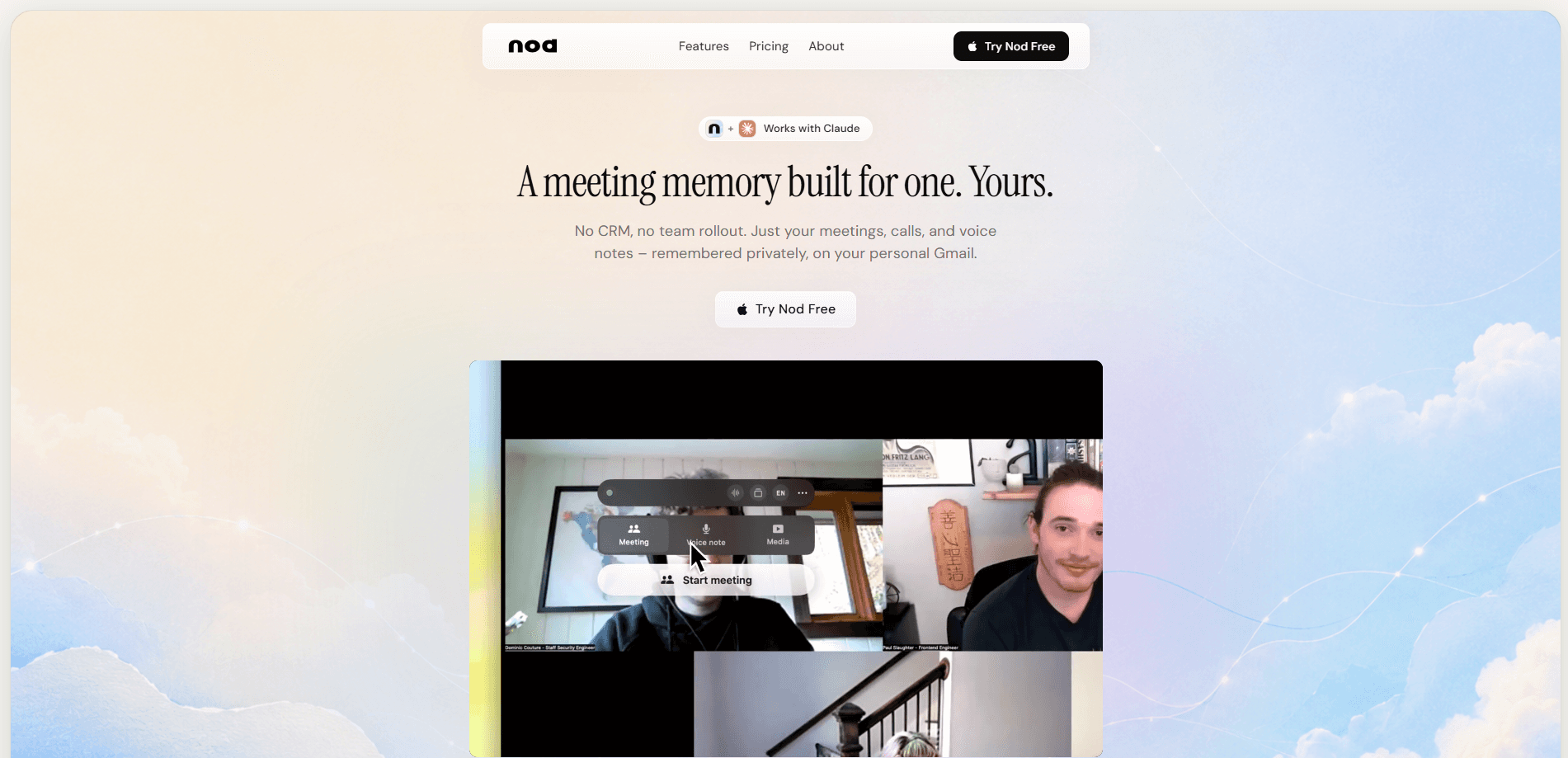
Nod is a Mac AI notepad that turns every conversation on your computer into working memory. It listens through your Mac's audio, transcribes each call in about five seconds, and answers questions about what was said months later. That makes it an AI meeting notes tool and a call transcription app in one package. There's no meeting bot in the participant list, and the audio is never saved to disk, so nothing you talk about ends up as a file that could leak.
About Nod
What Is Nod
Nod is a macOS-native AI notepad built around one idea: your conversations should stay useful after the call ends. Instead of recording audio and filing it away, it converts speech to text, throws the audio out, and keeps the notes, decisions, and promises in one searchable place you can ask questions across.
Think of it as a Mac notepad app that happens to listen. It isn't locked to one meeting app. Because Nod reads your Mac's own audio, it works with Zoom, Google Meet, Microsoft Teams, Slack huddles, Discord, FaceTime, and even a phone call on speaker. That flexibility is the point. It's also where the tool's biggest limits live.
Getting Started
- Download Nod for macOS from the official site and sign in. There's no card required to start.
- Grant the app microphone and system-audio permissions so it can hear calls without joining them.
- Start a call in any app, then trigger Nod with its keyboard shortcut. Transcription begins automatically.
- Review the notes, decisions, and action items that appear, and edit anything the transcript got wrong.
- Ask Nod follow-up questions by typing them the way you'd say them out loud, like "Who's waiting on me?"
Product Information
A quick look at Nod's pricing, supported platforms, and performance.
Best for
The users, tasks, and scenarios where this tool fits best.
Users
- Founders and operators
- Remote workers on Mac
- Privacy-conscious professionals
Tasks
- Capturing action items
- Prepping for a recurring meeting
- Turning talk into follow-ups
Scenarios
- A day with back-to-back calls
- A quiet morning with no meetings booked
- Picking up a thread after months
Key features
Bot-free call capture
Nod listens through your Mac's audio rather than joining as a participant. Nobody sees a new guest pop into the meeting, and no banner fires. That means it works with any call app on your machine. It also means it's a Mac-only tool. There is no Windows version, no web app, and no released iPhone app.
Fast transcription that forgets the audio
Voice becomes text in about five seconds, and the audio is thrown away the moment it does. Nod never writes a recording to disk, so there's no file to leak or export. Each chunk is released once its transcript returns, and whatever is held for speaker matching is dropped when the session ends. If you need the raw audio later, you can't get it because it never existed.
A memory you can question
Every call, note, and decision joins one searchable memory, and answers come back with the session they came from, so you can check the source before you act. Notes from months ago stay searchable and still respond to today's questions. The more you capture, the more the memory can answer, which rewards building the habit early.
Agents that run on a schedule
Agents are saved questions that run on a schedule and report back, like a morning briefing before your first call. Set one up to list what you owe people or which threads are still hanging, and Nod delivers it without you opening anything. No meetings today? It still has something for you. It's the part that keeps the tool useful even on quiet days.
From conversation to action
Nod works as a meeting summary tool too, not just a recorder. It turns what was said into the follow-up, the action plan, the recap, or a task in Jira, Linear, or Notion, with a link back to the conversation it came from. Why does this matter? Traceability. When someone asks why a task exists, you get the quote, the context, and the decision in one step instead of hunting through notes.
Privacy built into the plumbing
Notes sit in an encrypted, access-controlled database built to GDPR standards, encrypted in transit with TLS 1.2+ and at rest with AES-256. Row-Level Security means the app can only hand you your own notes, and there's no admin view that can reach what you kept. Neither Nod nor the providers it sends text through train any models on your transcripts.
Language coverage without a settings toggle
Nod handles 35 languages, including English, Spanish, French, German, Portuguese, Arabic, Mandarin, Japanese, and Korean. Notes come back in whatever language the meeting was in, so a mixed-language week doesn't create a translation chore. You don't pick the language ahead of time. It follows the conversation.
Pros and cons
Pros
- No bot joins your calls, so the other participants never see anything unusual and you skip the awkward "a recorder is here" moment.
- Audio is never stored, which removes the fear of a leaked recording and keeps you out of most recording-retention headaches.
- One memory spans every call app, so you're not stitching together notes from Zoom, Meet, and Slack by hand.
- Action items keep a link back to the source conversation, making follow-ups easy to verify before you send them.
- Answers arrive with citation to the session they came from, so you can trust the output instead of guessing.
Cons
- It's macOS only. If your team is on Windows, or you want the same notes on your phone, this isn't the tool for you yet.
- You're responsible for telling other participants you're using it, since Nod doesn't post a notice in the meeting chat, and some locations require all-party consent.
- Capture hours and integration credits run on monthly pools, so heavy users hit a pause or have to buy a one-time pack rather than getting unlimited runs.
Frequently asked questions
No. Nod listens through your Mac's own audio, so no bot shows up in the participant list and the people on your call see nothing new. That's also why it works with so many apps: it doesn't need a per-app integration.
Related content
Explore related tools, skills, and articles for Nod.
Nod Alternatives

Base Code
Base44 (Wix) · Coding · ProductivityBase Code is a shared cloud development environment from Base44. Teammates describe changes to an existing GitHub codebase in chat, preview them live and send them back as pull requests.

Knocket
Knocket (Tencent RTC team) · Productivity · Business · ChatbotKnocket is a free live chat and contact page tool that lets visitors message you from your website, app, or a shareable link, with every reply handled from Telegram or one inbox.

FloorGen
Vinit Kumar (FloorGen) · Productivity · China AIFloorGen is a browser-based floor plan maker that turns a sentence or a sketch into an editable 2D plan and a 3D walkthrough. Export to PDF, DXF or video, and draw without an account.