

NoteDock
NOTEDOCK Ltd · Productivity · Leaning
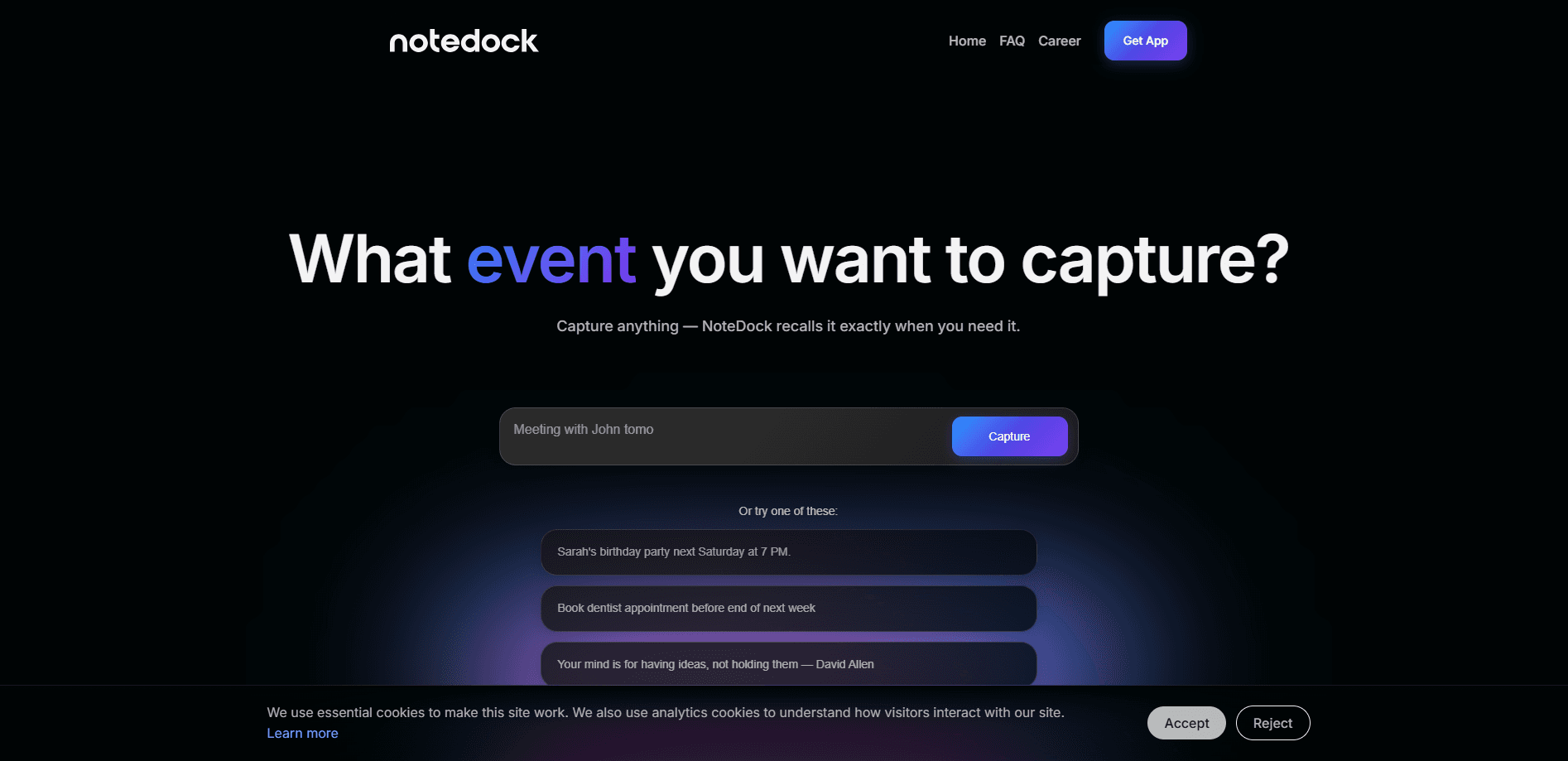
NoteDock is an AI note-taking and personal knowledge management app that captures whatever you throw at it and brings it back at the right moment. You save notes, tasks, events, voice memos, links, and screenshots fast, and the system adds context and groups related thoughts together on its own. No filing required. Instead of digging through folders, you ask in plain language and get a summary or a plan built from what you already saved.
About NoteDock
What Is NoteDock
NoteDock is a note-taking app built around one idea: capture first, organize later. You don't file things while you're busy. You dump the thought, the link, the photo, or the reminder, and the AI sorts out what it means and where it belongs.
The problem it solves is the graveyard of saved stuff. Most people save articles, gift ideas, restaurant names, and meeting notes across half a dozen apps and never look at them again. That's the waste. NoteDock watches what you save and brings it back when it's relevant, like the sneakers you photographed months ago showing up when you're browsing online. It also handles the practical side: tasks pick up deadlines or sync to your calendar, and reminders fire without you setting them.
The main limit is that this kind of app leans on an AI model to work well, so how accurate the organization and recall feel depends on how clearly you write your notes. If you save a bare link with no context, there's less for the system to latch onto. That's the catch. It runs as a web product and a mobile app, with a free entry point rather than a full free tier.
Getting Started
- Download the app or open NoteDock in your browser and create an account.
- Start capturing without worrying about structure. Add a note, task, voice clip, link, or screenshot as it comes to you.
- Let the AI add context and group related items, then check the groupings to see how your notes clustered.
- Use Ask AI to expand, clarify, or turn saved notes into something useful, like a trip plan or a summary.
- Set tasks with deadlines or connect your calendar so reminders land where you'll see them.
Product Information
A quick look at NoteDock's pricing, supported platforms, and performance.
Best for
The users, tasks, and scenarios where this tool fits best.
Users
- Busy professionals who save fragments during the day and need them back later
- Students juggling class notes, links, and to-dos
- Travel planners who hoard café names, addresses, and ideas
Tasks
- Turning a pile of saved notes into a trip plan
- Resurfacing a product you saved but forgot
- Tracking tasks with deadlines
- Summarizing meeting notes
Scenarios
- Waiting for a flight with a saved article you never read
- Planning a birthday
- Revisiting an old idea months later
Key features
Capture Anything
NoteDock takes notes, tasks, events, voice recordings, links, and screenshots in the same place. The point is speed. You save now and sort out meaning later, so nothing gets lost in the moment. People who save across many apps finally have one inbox.
AI Organization
The system adds context to your notes and groups related thoughts together. Instead of you inventing a folder structure, it reads what you saved and clusters it. Smart move. A stack of Japan café names and travel tips becomes one connected set when trip time comes.
Recipes
Recipes are reusable patterns for common situations, like a trip to Paris, meeting notes, or workouts. They give the AI a template to follow, which makes the output more consistent than a blank prompt. No guessing. You can lean on them when you don't want to think about structure.
Ask AI
You can ask NoteDock to expand, clarify, or brainstorm around anything you've saved. Ask it to turn saved places into a trip plan and it works from your own notes, not generic suggestions. The answers stay tied to your material. That keeps them relevant.
Natural Language Recall
Search in plain language and get found notes plus a summary. Asking "show me all notes about the Q4 project" returns the relevant saves along with a short digest of the timeline, people, and budget. It just works. It's the part that makes years of old saves worth keeping.
Task and Calendar Sync
Tasks pick up deadlines or sync to your calendar automatically. The result is a smart reminders app that fires on its own instead of waiting for you to schedule it. A captured to-do like booking surfing lessons gains a due date and shows up where you'll act on it. Think of it as an AI task manager that does the filing for you.
Resurfacing
NoteDock brings back forgotten saves at useful moments. A photo of sneakers you forgot the brand of gets recognized later, and a restaurant you saved but never visited reappears when you're planning. Not a plain note app then. This is the feature that separates it from the rest, and it's the one you'll notice most.
Pros and cons
Pros
- One place for notes, tasks, voice, links, and screenshots, so capture stops depending on which app you're in.
- AI grouping means you don't have to design or maintain a folder system.
- Natural language search returns summaries, not just a list of matches.
- Task deadlines and calendar sync reduce the manual re-entry that kills most to-do lists.
- Resurfacing turns old saves into something you actually use again.
Cons
- Recall quality depends on how much context you write, so bare links and one-word notes work poorly.
- Setup assumes you'll adopt capture-everything habits, which takes adjustment if you're used to neat folders.
- It runs on a paid model with a limited free entry point, so heavy daily use likely means paying.
- Details on the underlying model and data handling are thin on the official site, which matters if you save anything sensitive.
Frequently asked questions
NoteDock captures notes, tasks, events, voice memos, links, and screenshots and then resurfaces them when they're relevant. It's built for people who save a lot of fragments and need them organized and retrievable without manual filing.
Related content
Explore related tools, skills, and articles for NoteDock.
NoteDock Alternatives

Base Code
Base44 (Wix) · Coding · ProductivityBase Code is a shared cloud development environment from Base44. Teammates describe changes to an existing GitHub codebase in chat, preview them live and send them back as pull requests.

Knocket
Knocket (Tencent RTC team) · Productivity · Business · ChatbotKnocket is a free live chat and contact page tool that lets visitors message you from your website, app, or a shareable link, with every reply handled from Telegram or one inbox.

FloorGen
Vinit Kumar (FloorGen) · Productivity · China AIFloorGen is a browser-based floor plan maker that turns a sentence or a sketch into an editable 2D plan and a 3D walkthrough. Export to PDF, DXF or video, and draw without an account.