

Notion Agents iOS app
Notion Labs, Inc. · Productivity
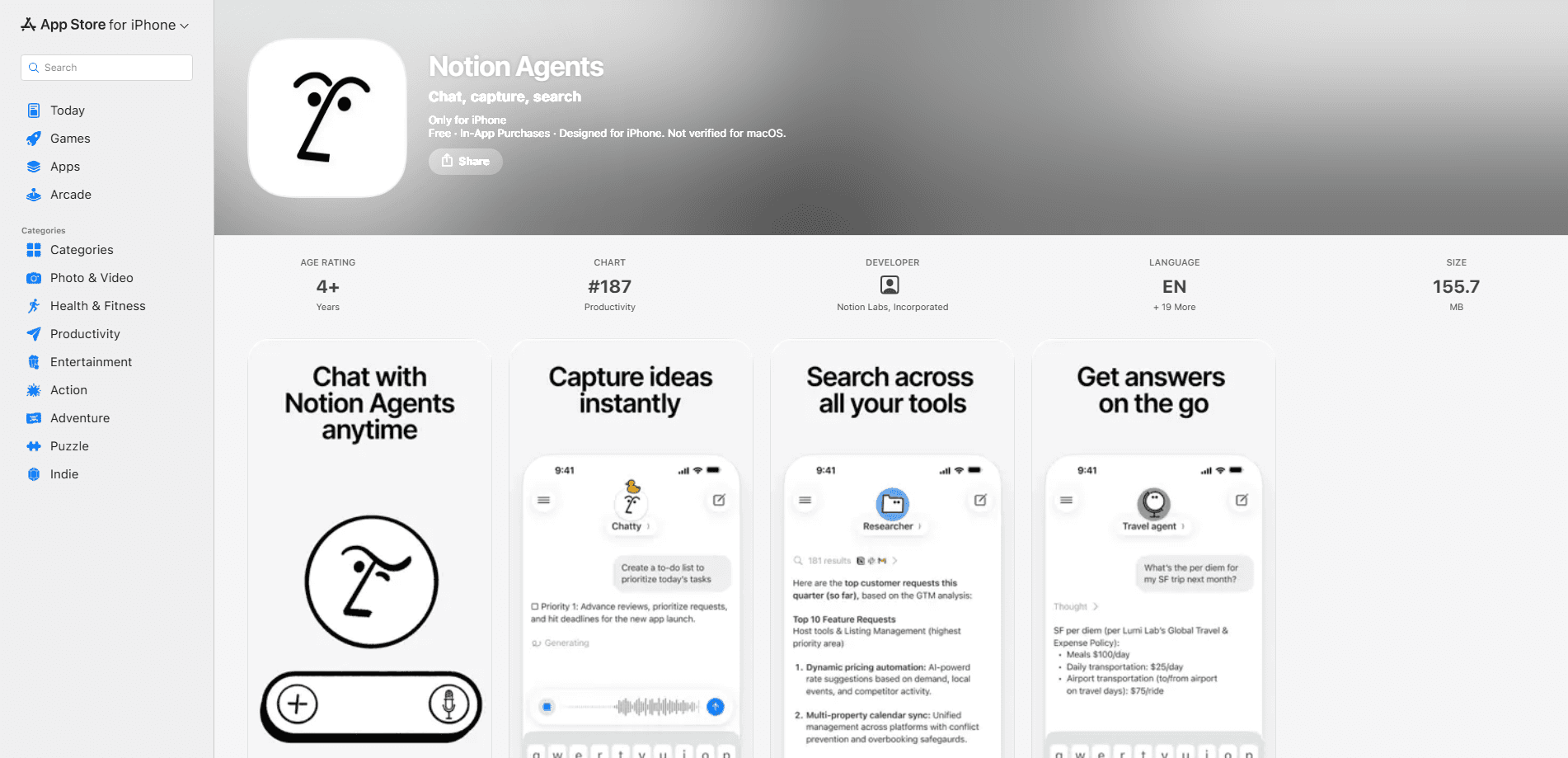
Notion Agents iOS app is a standalone iPhone AI agent app that turns the workspace into a chat-first AI workspace assistant. Instead of tapping through databases and pages, you ask an agent in plain language and it runs a workspace search across your Notion pages plus connected tools like Slack, Mail, and Calendar. It also captures ideas through text, voice, and photos, so voice note capture works in the same app, then turns them into pages or drafts. This is Notion AI chat built for a phone, running on models such as GPT, Claude, and Gemini. It needs a Notion account with AI access to be useful.
About Notion Agents iOS app
What Is Notion Agents iOS app
Notion Agents iOS app is a dedicated mobile front end for the AI agents inside Notion. The flagship Notion app is built around notes, databases, and documents. This one is built around conversation. You open it, ask a question, and the agent reads across your workspace and the tools you've connected to answer it or take an action.
The point is speed on a phone. Typing out a Database query or hunting for the right page is miserable on a small screen, and the app leans on chat to skip that. You can also pass along a photo of a whiteboard or a quick voice memo, and the agent works with it the same way it handles a typed request. Simple.
The biggest limitation is scope. This is an iPhone-only companion, so there's no iPad or Android version and no web app standing in for it. It also inherits Notion's permission model, which means an agent only sees what your account can see. And the useful AI parts sit behind Notion's paid AI tiers, so a free account gets you a much thinner experience.
Getting Started
- Install Notion Agents from the App Store and sign in with your Notion account, the same credentials you use for the main Notion app.
- Confirm your workspace has AI enabled. Notion Agent is available to all users, but Custom Agents and heavier automation need a Business or Enterprise plan.
- Pick a model if you want a specific one (GPT, Claude, or Gemini), or leave it on the default and just start typing.
- Ask a question, snap a photo, or record a voice note, and let the agent search your workspace and connected tools for an answer.
- Turn the result into content by asking it to create a page, draft an update, or add a task to a database.
Product Information
A quick look at Notion Agents iOS app's pricing, supported platforms, and performance.
Best for
The users, tasks, and scenarios where this tool fits best.
Users
- Notion power users on iPhone
- Note-takers who think out loud
- Small teams triaging work on the move
Tasks
- Searching across a workspace and connected tools
- Capturing a quick idea
- Drafting a page or status update
Scenarios
- Catching a task that comes up mid-commute
- Turning a meeting whiteboard into notes
- Checking on a project while traveling
Key features
Chat with agents across your workspace
The core of the app is a chat box that talks to Notion's agents. Ask a question and the agent searches your workspace to answer it, so you don't have to remember which page or database holds the information. Think of it as a workspace search app that talks back. It reads with your permissions, so it can only surface what your account already has access to. No surprises.
Connect external tools like Slack, Mail, and Calendar
Agents can pull from tools you've wired into Notion through the newer connection and MCP integrations. That broadens the search beyond documents to messages, email, and events. The catch is that each connection has to be set up first, and Custom Agents give admins control over what each one can reach.
Capture ideas by text, voice, and photo
Typing isn't the only way in. You can record a voice note or take a photo and hand it to the agent, which is handy when a thought arrives faster than you can write it. Think whiteboard snapshots. This is the feature that makes the app feel different from the notes-first Notion app on the same phone.
Draft pages and take quick actions
The app does more than read. You can ask the agent to create a page, draft an update, or drop a task into a database. Because it sits on Notion's collaboration layer, most changes are reversible through version history if something comes out wrong.
Choose your underlying model
Notion lets you work with models from different providers, including GPT, Claude, and Gemini. That means you can match the model to the job, whether you want a fast answer or a longer piece of writing, without leaving the app.
Permission-aware by design
Notion Agent inherits your own permissions, so it sees what you see and nothing more. Custom Agents go further with page-level access control, and admins can review how agents are used and what they touch. For teams, that's the difference between a useful assistant and a security headache.
Pros and cons
Pros
- Fast, chat-first way to query a Notion workspace from a phone, no page-hunting required.
- Searches connected tools like Slack and Mail, not just Notion documents.
- Multiple capture modes cover voice, photos, and text in one app.
- Reversible changes and permission-aware access keep it safe for team workspaces.
Cons
- iPhone only, so iPad and Android users are left out entirely.
- The valuable AI features sit behind paid Notion AI tiers, which undercuts the free plan.
- Requires setup of workspace AI access and tool connections before it's fully useful.
- It's a companion, not a replacement, so heavy editing still pushes you back to desktop.
Frequently asked questions
It's a chat-first companion for Notion on iPhone. You ask an agent a question or give it a task, and it searches your workspace and connected tools to answer or act, then turns the result into pages or drafts.
Related content
Explore related tools, skills, and articles for Notion Agents iOS app.
Notion Agents iOS app Alternatives

Base Code
Base44 (Wix) · Coding · ProductivityBase Code is a shared cloud development environment from Base44. Teammates describe changes to an existing GitHub codebase in chat, preview them live and send them back as pull requests.

Knocket
Knocket (Tencent RTC team) · Productivity · Business · ChatbotKnocket is a free live chat and contact page tool that lets visitors message you from your website, app, or a shareable link, with every reply handled from Telegram or one inbox.

FloorGen
Vinit Kumar (FloorGen) · Productivity · China AIFloorGen is a browser-based floor plan maker that turns a sentence or a sketch into an editable 2D plan and a 3D walkthrough. Export to PDF, DXF or video, and draw without an account.